

Update your subscription payment details in Bolder
Migrating your subscription to Stripe
Bolder subscriptions are currently managed through Worldpay, an international payment processor. Recently, Worldpay has had intermittent issues that caused some subscribers’ payments and cards to be rejected.
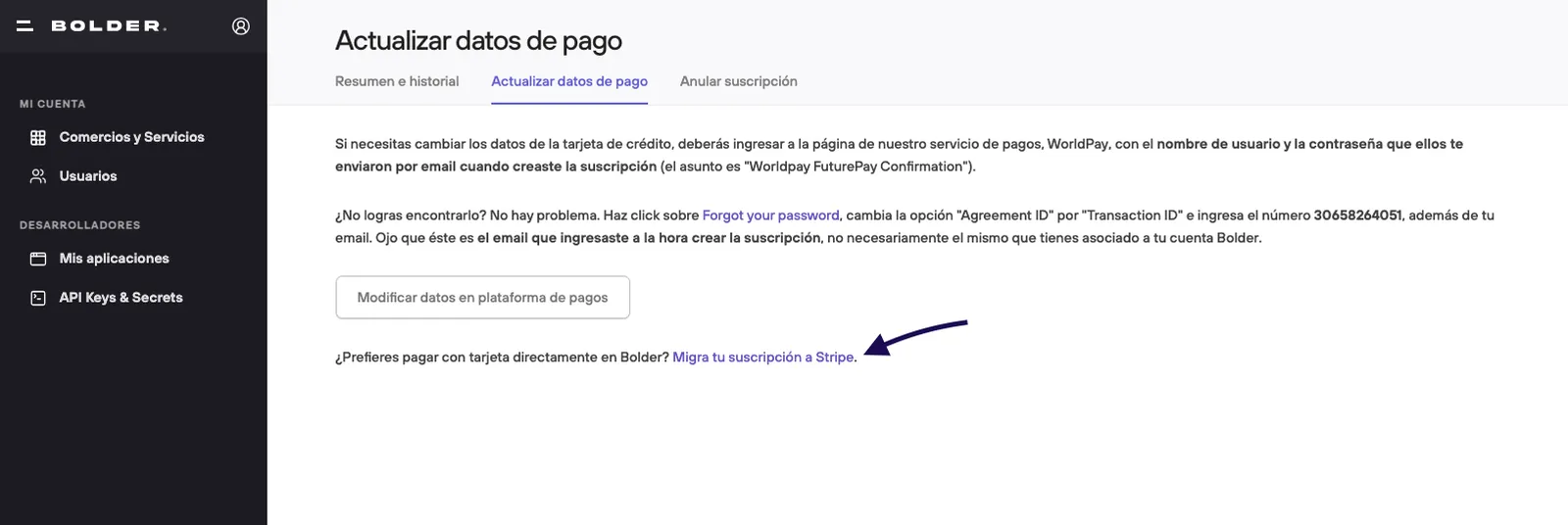
To fix this, we added the option to migrate your subscription directly to Stripe, processing the payment within the Bolder environment. When you migrate, you enter your card details again so they can be tokenized, and from then on the corresponding charges are applied automatically through Stripe, without depending on Worldpay.
This migration is mainly aimed at people who have had trouble resuming their subscription this way, although any user can choose to migrate as a precaution.
General steps
Before you start, keep in mind:
- You need the details of the credit card you want to use for automatic charges.
- Your plan and your monthly price stay the same. The only thing that changes is the payment processor.
-
Go to start.onbolder.com/settings/subscription/modify.
-
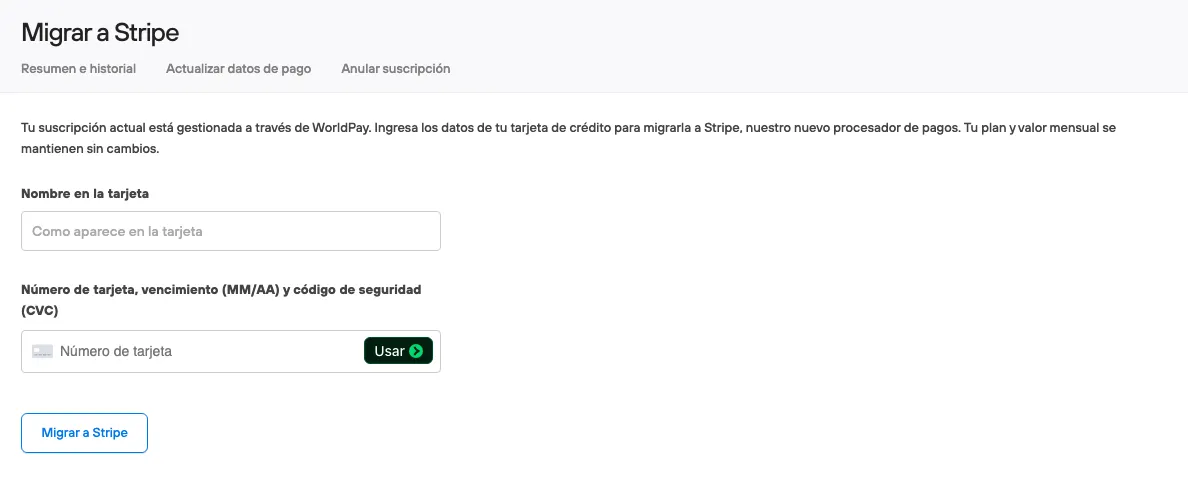
Fill in your credit card details.
-
Confirm the migration.
Once the migration is done, your subscription is managed directly in Bolder, with the payment processed by Stripe, and your Worldpay subscription is canceled automatically. If you have access to your Worldpay account, you can check there directly that it was canceled.