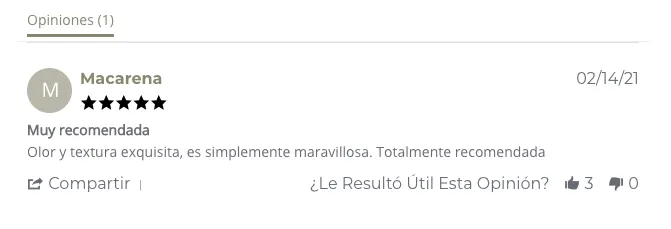
Set up Yotpo reviews in Bolder
Collect reviews with Yotpo
Yotpo is a digital marketing service that helps you collect reviews, photos, and questions and answers from your customers. You get direct feedback from your buyers, which helps you make better business decisions based on their comments.
How do you set it up?
Bolder lets you install Yotpo in your store in just a few clicks. If you don’t have your App key and Secret key yet, follow these steps:
1. Create an account at https://www.yotpo.com/
2. After finishing the onboarding process on the platform, click your profile icon and then Account settings
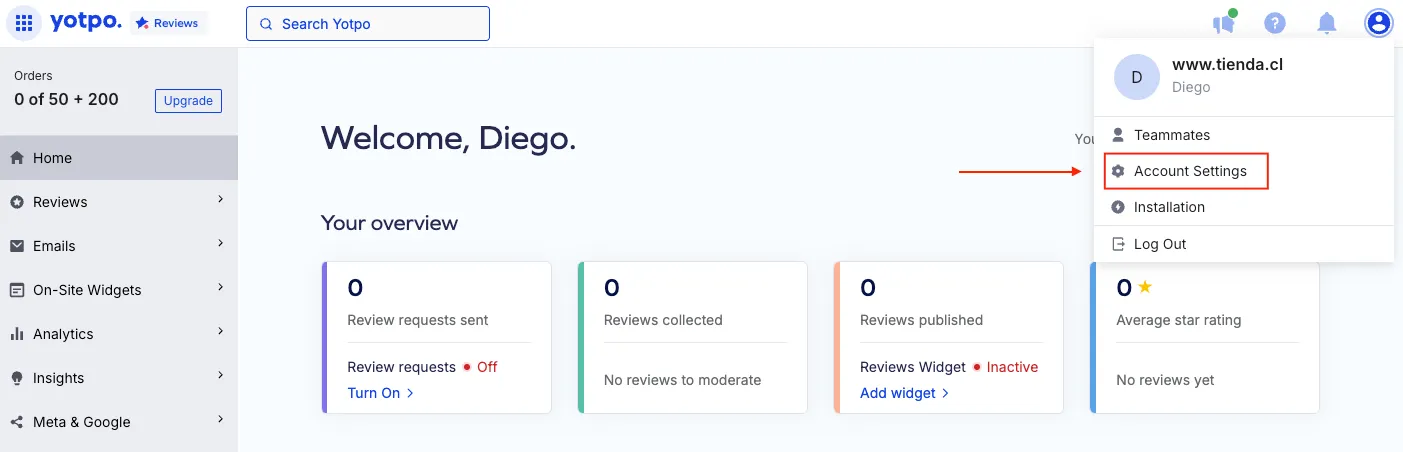
3. In this section you will find your App key, and you can generate your Secret Key after verifying your email.
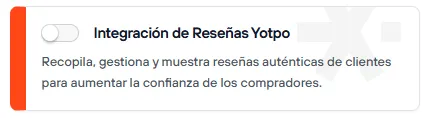
4. With this information, go to your Bolder admin panel and open Addons and Integrations, and in the Customer engagement section turn on Yotpo Reviews Integration.
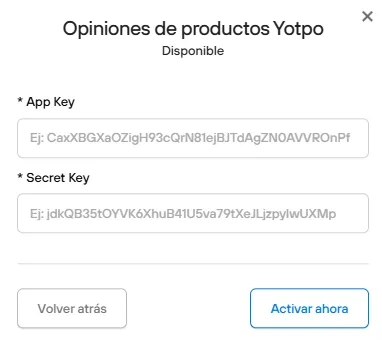
5. Once it’s active, enter your App Key and the Secret Key you got in the previous steps.
How can I use Bolder with the Yotpo module?
Once you have set up the component, send an email to our support channel help@onbolder.com letting us know you completed the steps above and that you want the module to show in your store. Our team will finish the implementation.
Once this is done, Bolder will start showing your customers’ ratings and comments on product pages, along with a form to submit new comments and/or ratings.