

Google Search Console
If you want to improve the performance and SEO of your Bolder store, Google Search Console will be your best ally for understanding how it performs in Google Search.
Search Console gives you information about how Google crawls, indexes and serves websites. The data it provides can help you monitor and improve your search performance.
Steps to link your store
There are 2 options to verify the property: by Domain or through the URL prefix.
We suggest working with the second one, URL prefix.
Here you must paste the full URL of your store (including https://)
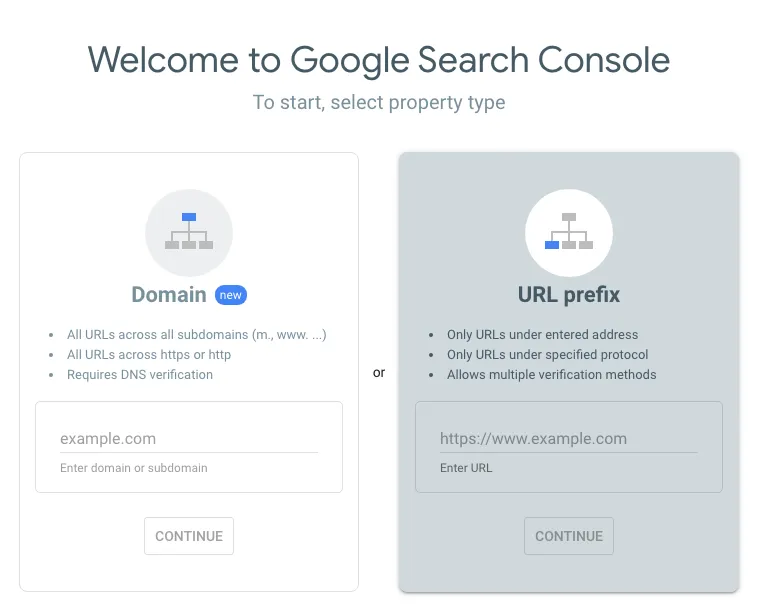
- Verify the property
Once the URL is validated, you must verify that the property is yours, and that you therefore want to get all its data. To do this, we suggest verifying through an HTML tag.
Here you only need to copy the code and send it to the support team so they can set it up in your store.
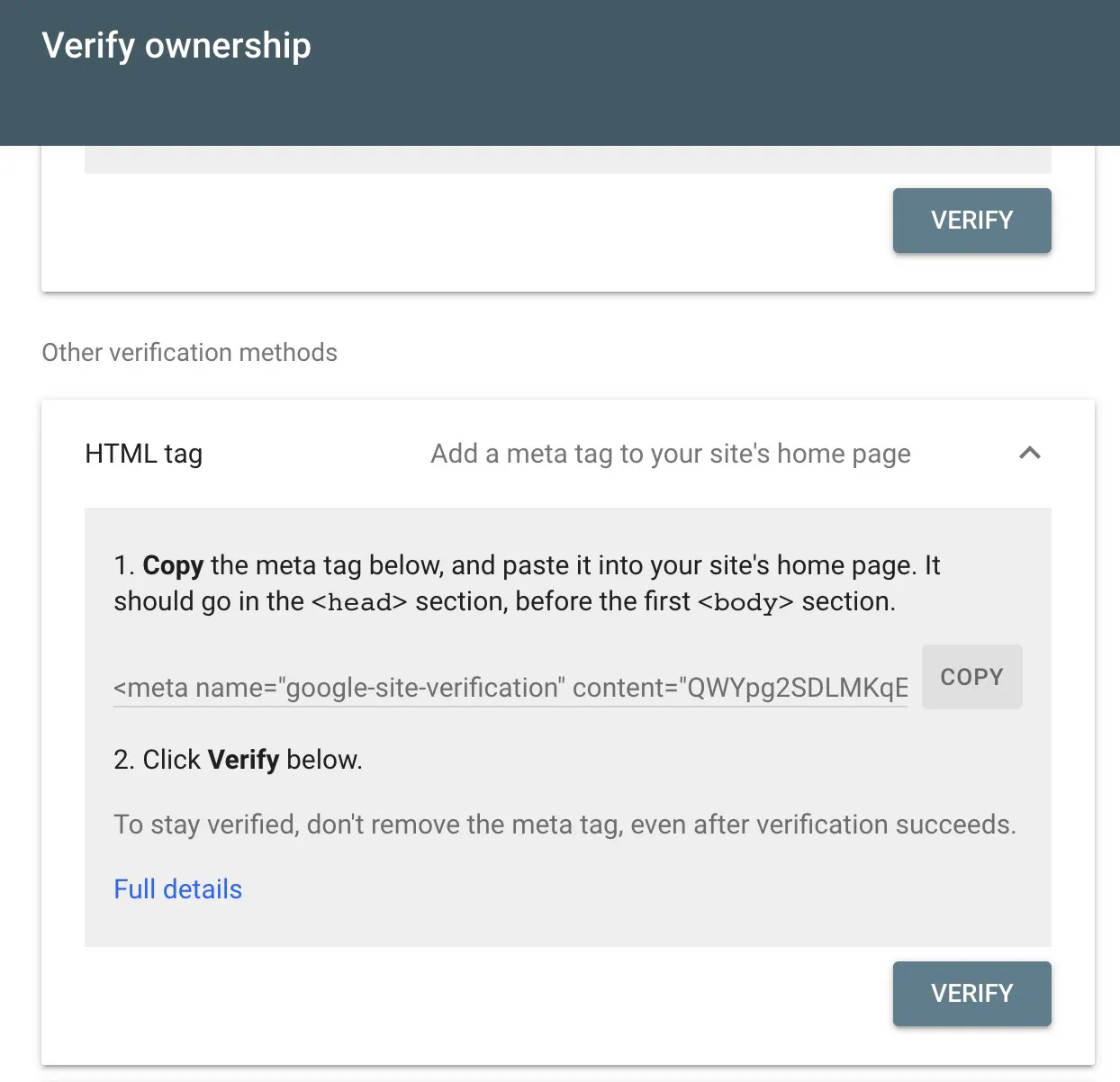
If you already have experience editing your page’s code, we suggest adding the tag in custom_head, in the design editor.