Set up the in-store pickup option
One of the advantages of ecommerce is that the product travels to the customer’s door. But often customers want to pick up the product at the physical store to save costs or simply for convenience.
Offering the option to “Pick up in store” is each business’s own policy, and the Bolder merchant must decide whether to offer it or not to their customers.
How to activate in-store pickup
In your Bolder admin panel > Preferences > Delivery options > General delivery options, in the Shipping and pickup section, you can enable in-store pickup.
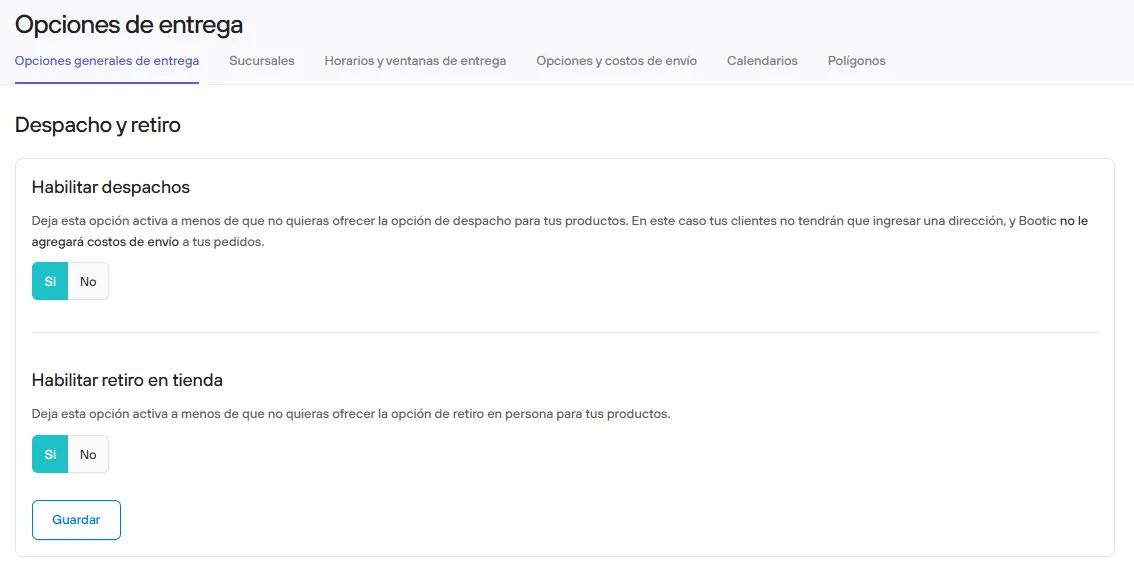
When in-store pickup is active, you must set up your branches so they have the in-store pickup option, as appropriate.
From Preferences > Delivery options > Branches, you can view and create branches.
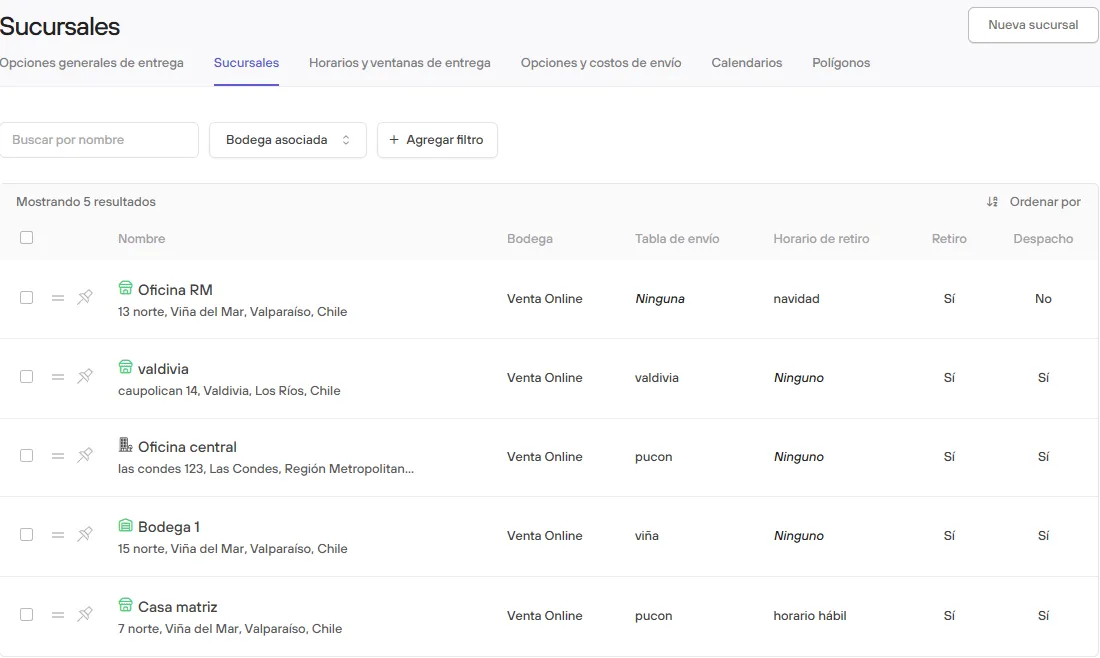
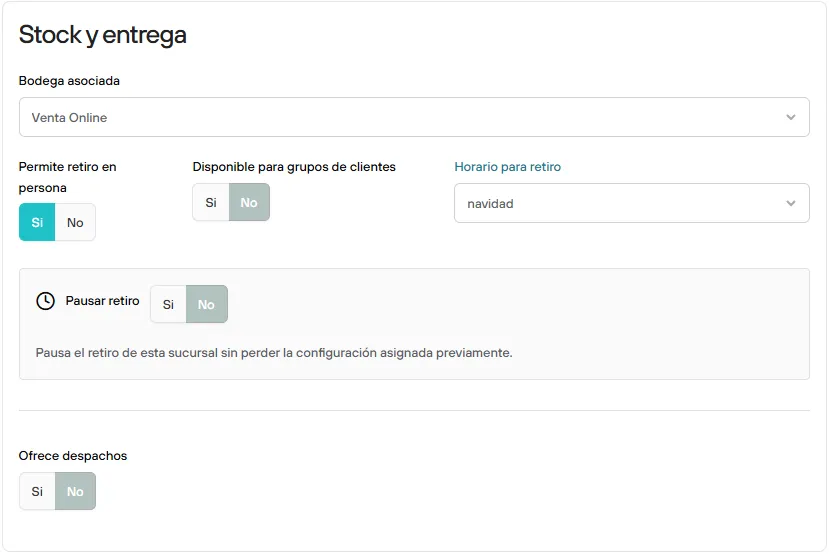
By opening the detail of each one you can set up its delivery settings.
Here you can customize its hours and availability.
What your customers will see
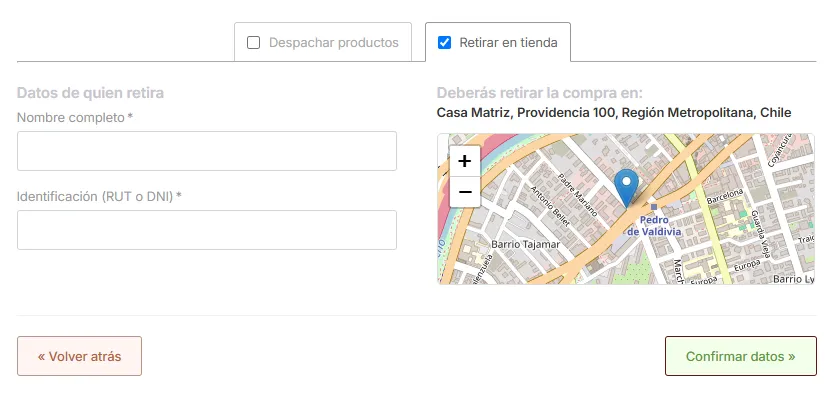
When your customers reach the checkout, in addition to the form asking for the shipping address, they will also see a tab “Pick up in store”.
Here they must enter the Name and an identification Document required to pick up the purchase.