

High Performance Mode
Performance Mode
Are you getting ready for a special event? Whether it is a CyberDay, a marketing campaign or a new product launch, every visit is an opportunity.
At those moments when traffic grows considerably and the chances of conversion soar, having the right tools makes the difference. That is why we created High Performance Mode, a feature designed to focus your e-commerce performance.
Its main job is to enable a series of optimizations in how cache is generated and used, to cut requests to the application and database to a minimum, thanks, among many other things, to the addition of a secondary cache and selective expiration of items by resource type.
When you turn on High Performance Mode, your store prioritizes stability and performance over immediate content updates. This means the changes you make while the mode is on may not show up right away (only design and image changes), but in return, your site can handle more than 10 times its usual traffic without losing speed or smoothness.
How it works behind the scenes
When you turn on High Performance Mode, your store enters a state of high operating efficiency, optimized for peak traffic moments. These are the main actions that take place:
- Development environment turned off: Features of the development environment, such as instant preview of changes and live editing tools, are disabled. This frees up resources and focuses them on the stability and speed of the site.
- Secondary cache turned on: A more persistent cache system is enabled for key pages such as the home page, collections and product pages. This cache survives the automatic “sweeps” that normally happen when you edit products, collections, variants or the theme, making your store more robust under heavy traffic.
- Selective cache with sweep_product_cache: Instead of clearing the whole site cache when a product is updated, this mechanism removes only the affected product page (
/products/slug) and other pages where the system detects that product is listed (such as the home page, collections or search results). This targeted sweep is recommended exclusively under High Performance Mode.
This set of adjustments keeps your store fast, stable and ready to convert.
How to turn it on
From the admin panel, go to Preferences > General Options. There you will find the option to turn this feature on for your site.
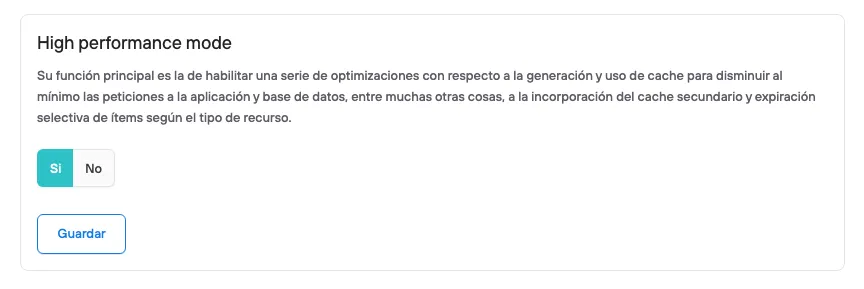
Once the cyber event or your sales campaign is over, we recommend turning this feature off so you can operate normally.