

Scheduling sections
Customize your store and schedule your sections strategically.
From your panel >in Design> Customize design, you can enter the Design editor, where you can customize your store by adding, dragging and configuring sections for the different pages of your store.
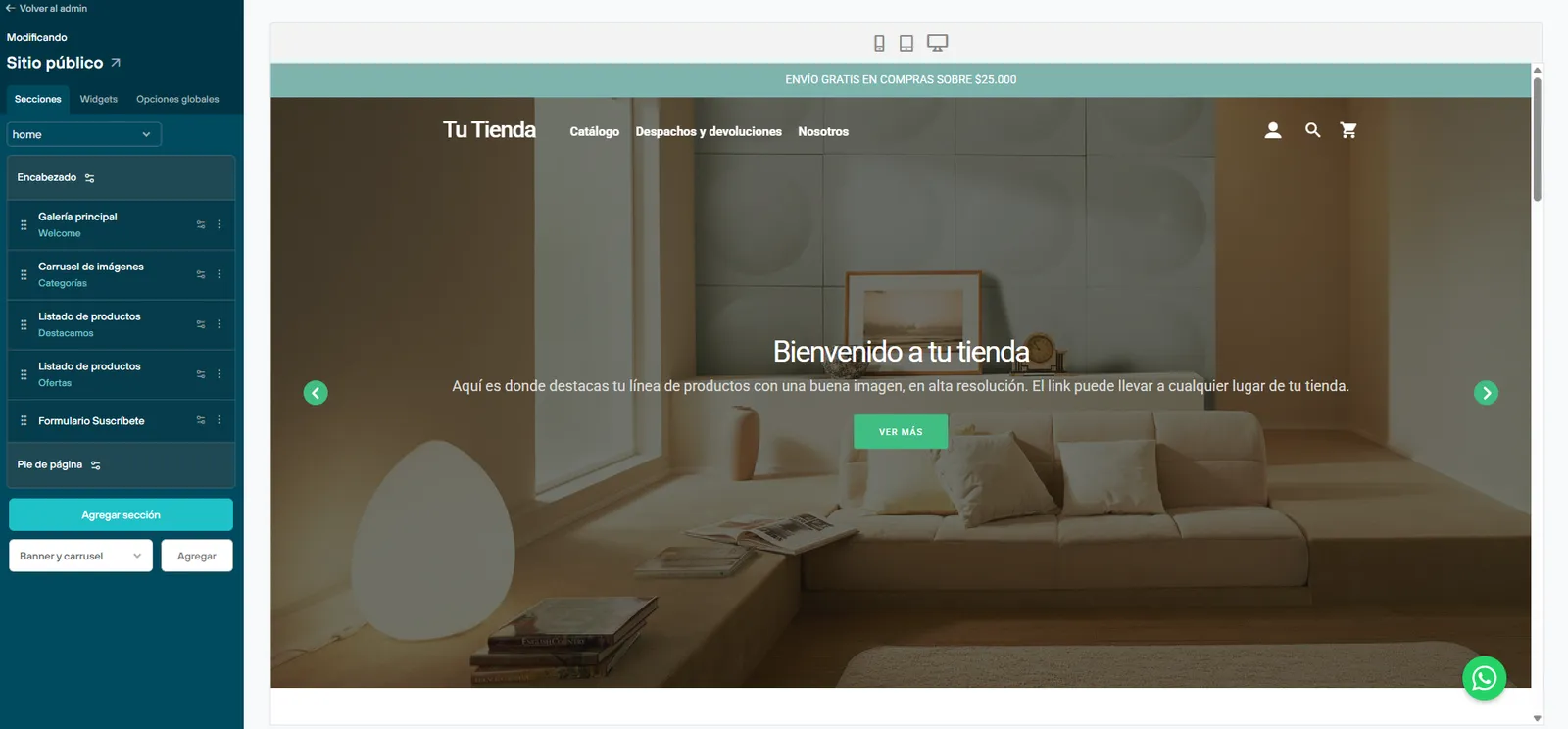
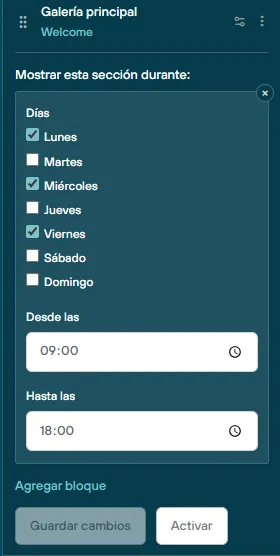
Each of these sections now has a new option to schedule its visibility, by choosing the days of the week and the time during which it will be visible in the store.
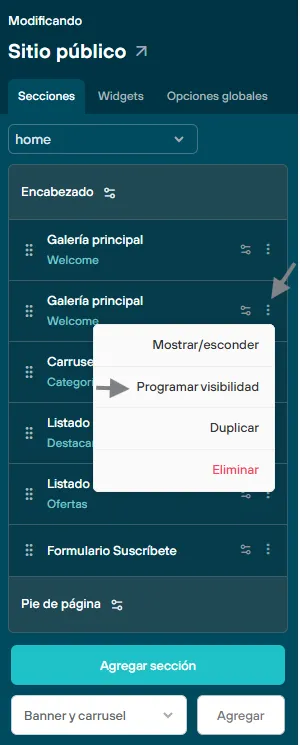
To activate it, go to the settings panel on the left side of the screen, find the section you want to schedule, and from the 3 dots on the side, choose the “schedule visibility” option. A first block to configure will appear, and if needed, you can add new, different blocks that complement the change you need.
This feature is ideal for periodic campaigns, in which image galleries, banners or sections are linked to the products you want to highlight.
We recommend working with sections separately from the ones you have as your main ones on your site. Create a new section and leave it customized.
The scheduled time is synced with the browser used to browse the store (not necessarily the same time zone from which these blocks are configured)
To make sure this feature works correctly, we recommend running tests to get the expected result.