

DNS setup to make the connection secure
Connection is not private notification
Most of the time your Bolder store will be accessible under your own domain www.acme.com — note the triple w (www) — otherwise it could be store.acme.com (in this case pay attention to store ) or tienda.acme.com (store), etc.
That prefix (www, store, tienda) is the name you used to tell your DNS manager to send traffic to your Bolder store. In other words, you set up the following: “Dear DNS, if someone goes to www.acme.com, send them to tienda.com “. But thanks to the magic of your DNS, the name tienda.com will never be seen by your visitor.
As you may know, Bolder creates a secure SSL connection for all custom domains, so when visiting http://www.store.tienda.com you will be automatically redirected to https://www.tienda.com (the s in the protocol indicates a secure connection).
So far so good, because your DNS and Bolder lead the visitor to an encrypted connection… but.
But
The above has unexpected and often alarming “consequences” in the eyes of the visitor when your own domain is accessed without the prefix designated for the store, that is tienda.com (note there is no www). This is not a Bolder problem. Remember that www.tienda.com is our responsibility, while tienda.com is managed by your server.
If you are using Google Chrome you will see a message like the one in the image:
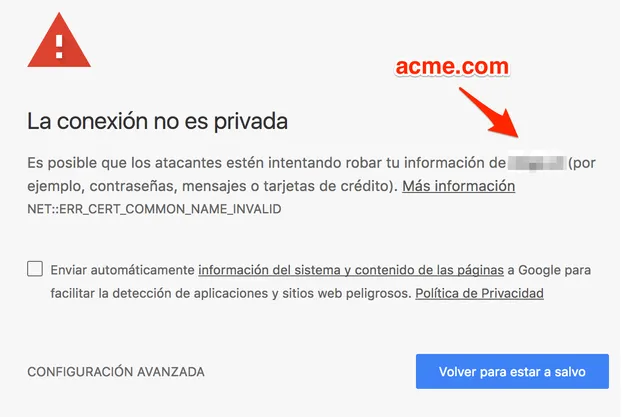
Google Chrome security warning: Your connection is not private
The server could not prove that its domain is tienda.com , so Google Chrome triggers a warning and shows you that scary message. Note that the server being referred to is yours, not your Bolder store’s.
What to do?
Your DNS manager should have a domain redirect option. Set it up so that anyone who visits tienda.com is redirected to www.tienda.com.
There is a chance that your DNS manager does not have the option described above. In that case you can solve it with one of the alternatives we describe in our article on domain redirection without www.