

Mailchimp campaigns - Related metrics
Your Mailchimp account connected to Bolder
Mailchimp has detailed reports on the most relevant metrics of your campaigns, so you can analyze how your contacts interact with the content you send.
Depending on how your campaigns are set up, you can customize the report you need.
Metrics
Once you have connected your Bolder store to Mailchimp via API, the platform will start receiving data about the customers and products that come in through orders in your Bolder store.
With this data, you can run personalized campaigns by segment, recommended products and other flows, and evaluate them through the metrics provided for each campaign.
With this setup you can review click rates, open rates, number of orders, order rate, attributed revenue and much more.
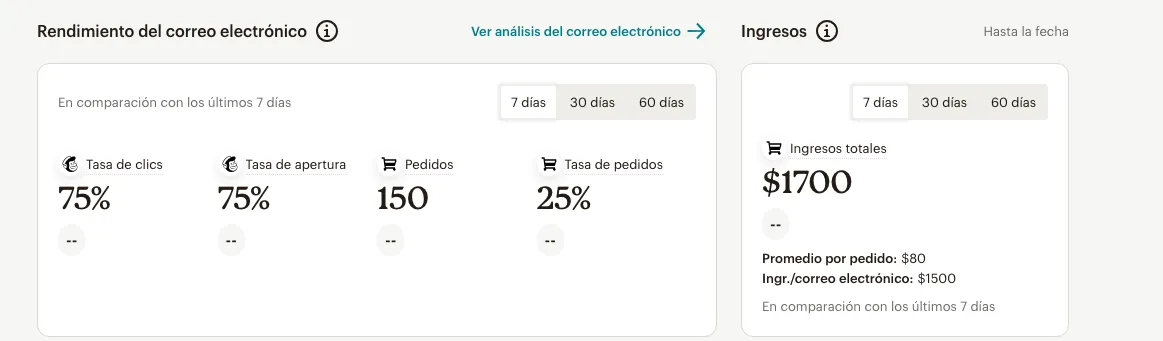
Data entering Mailchimp
For each order placed in your Bolder store, Mailchimp records the user, their behavior history, and the products added to the cart.
In the individual view of synced customers you can review the full detail of their activity.
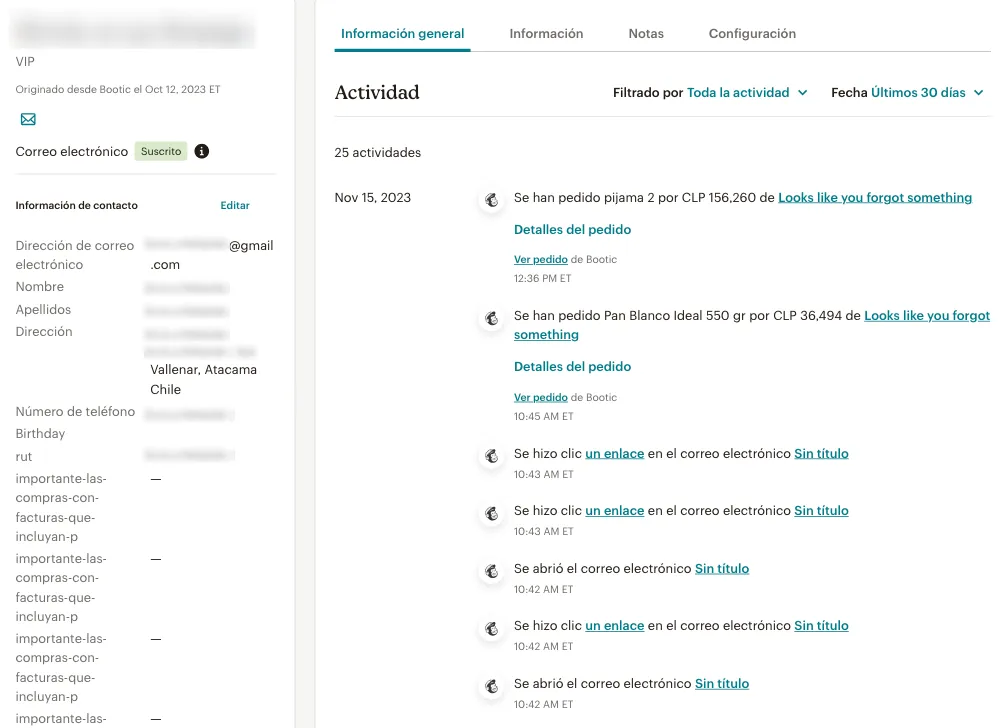
In addition, products are added to Mailchimp (through order activity), keeping the detail of the information created in Bolder, and the platform generates its own URL for tracking and evaluating metrics.
As orders come in, products are created in the platform (there is no option to migrate all products automatically)

Once the data is available/created in Mailchimp, you can create campaigns and review all their related metrics.
Creating measurable campaigns
For a campaign to have all metrics available, when setting up the email, automation or landing page you must use the Product content blocks. These are the products with their own URL linked to Mailchimp. With them you can quickly promote best sellers, special offers, or related products.
Once you start setting up your campaign, while editing the message or content, drag and drop the block into your design and select the products you want to share.

Each block can include the product name, a custom description, price and a call-to-action button, depending on what you need.
Product images are pulled directly from your store.
Once your email is ready with the linked products, set the recipients, subject and general information before sending.
When your customer list receives the email, the general sending metrics will be recorded, and when an order is placed by entering the store from that same email, it will also be counted in Mailchimp’s Ecommerce metrics.
To review this information, go to the campaign detail > E-commerce > Product activity. In this view you can see the purchases made of that particular product and of other products included in the order.
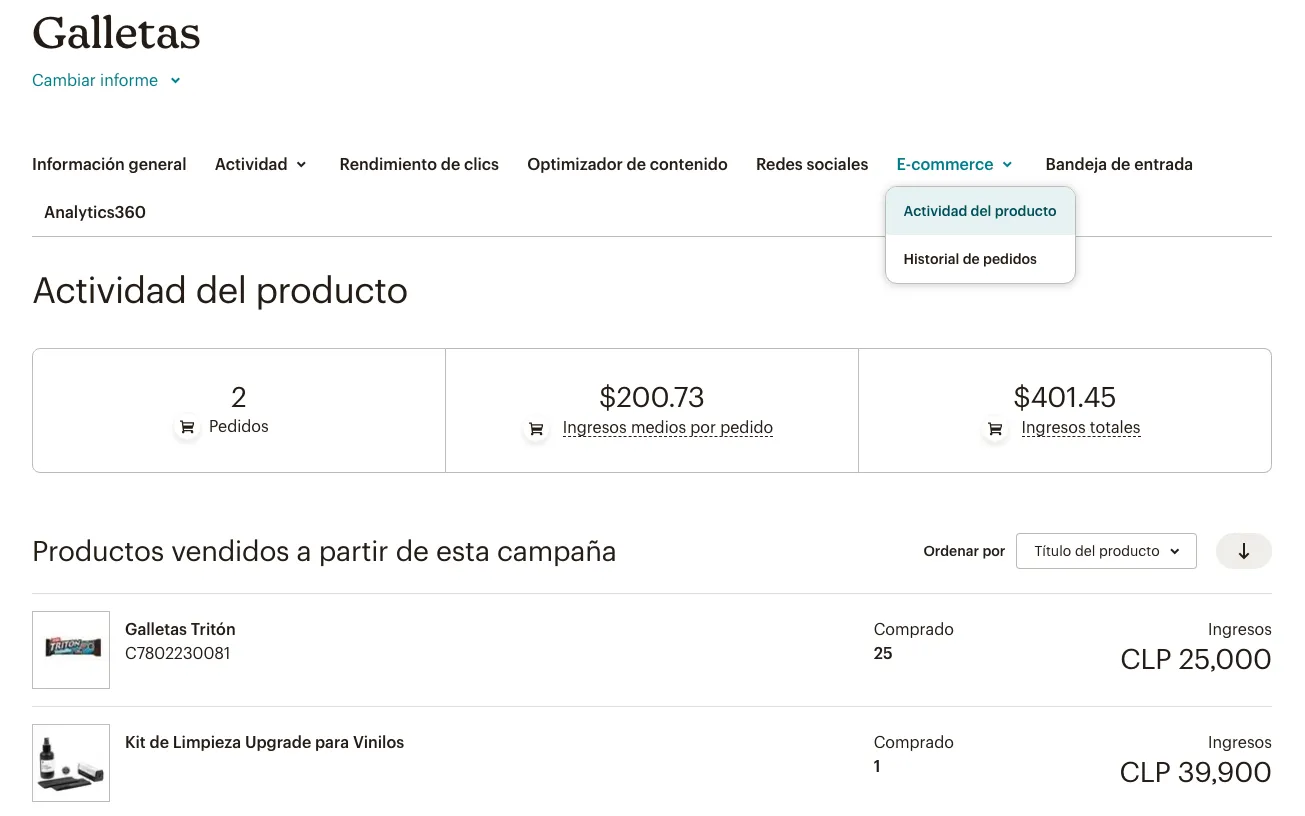
Keep in mind that campaigns are valid for a limited time through cookies, so revenue could be recorded in different campaigns if the customer received multiple emails.
Abandoned cart metrics
If you have an abandoned cart flow active, the metrics for these campaigns will show up once the customer opens the email and clicks the link in that abandoned cart email that takes them to the checkout.