

Abandoned Carts: Incomplete Orders
Introduction
In the exciting world of e-commerce, the meaning of “abandoned carts” can vary depending on the platform and strategy. At Bolder, we have always kept a clear philosophy: give priority to the visibility of orders that were actually placed, regardless of their payment status. However, we understand that there are specific requests and needs related to a group of “orders” that are never completed but still hold valuable information. These records, known as abandoned carts, have always been stored and shared through the Bolder API as status: checkout . Now we are excited to take a step forward and give you access to them from the interface, in the Orders section.
What is an Incomplete Order?
An Incomplete order is a situation in which a customer reaches the payment process, the checkout, but does not complete all the steps needed to place that order, an “abandoned cart”. In Bolder, these orders are identified as “Incomplete” and appear in the admin panel.
Examples
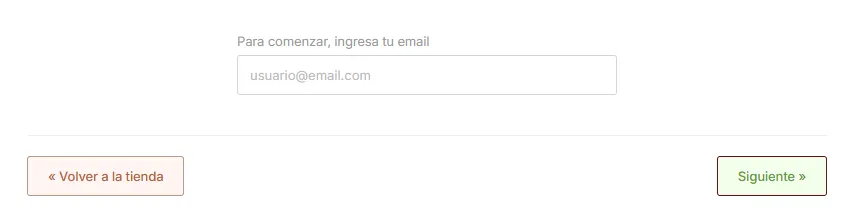
Email only
The customer only enters their email in the first step of the checkout, so the address is not known and neither are the shipping option to use or the payment method. These are “to be defined”.

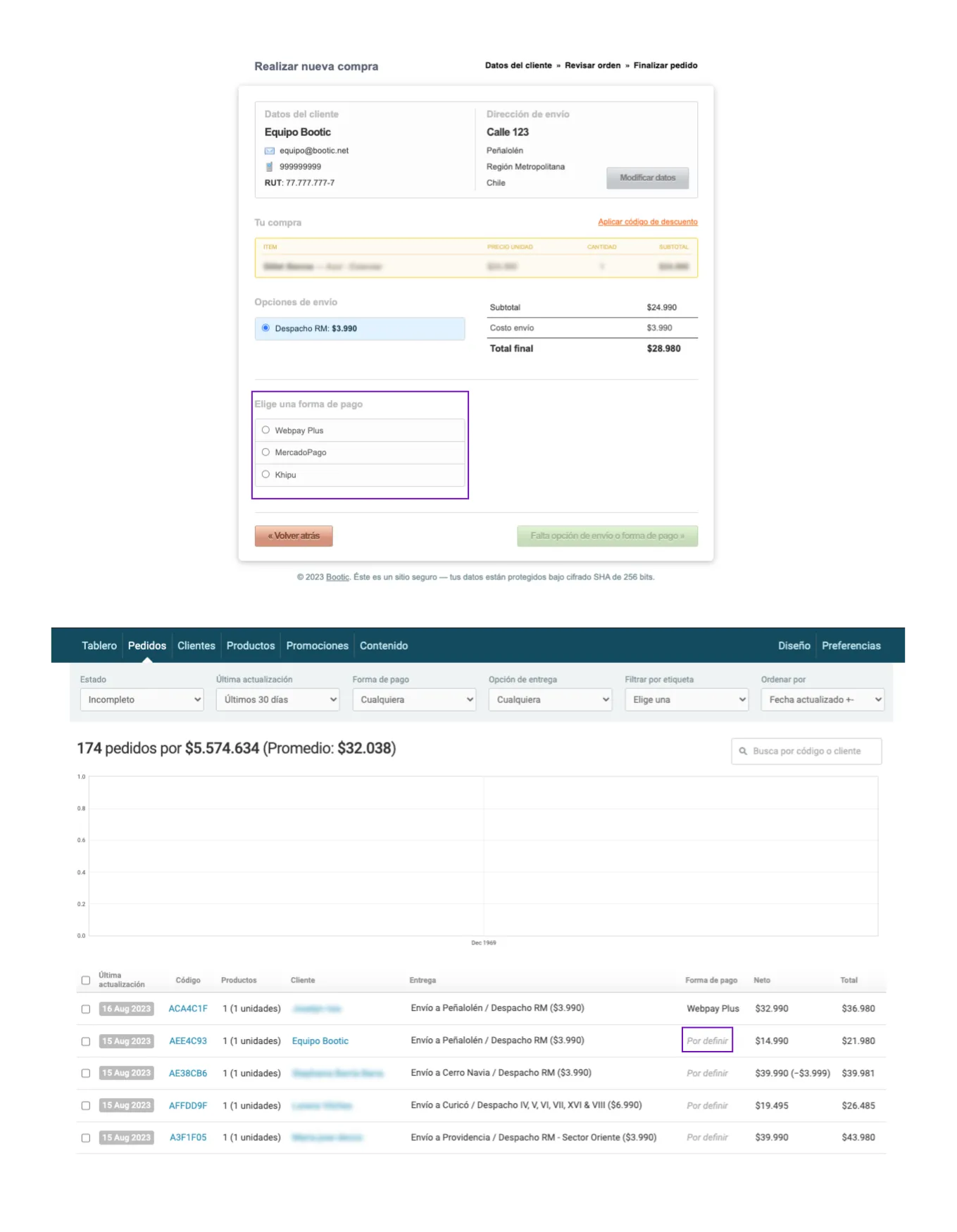
Email + address + shipping option
The customer entered their email, address and shipping option, but does not select a payment method.
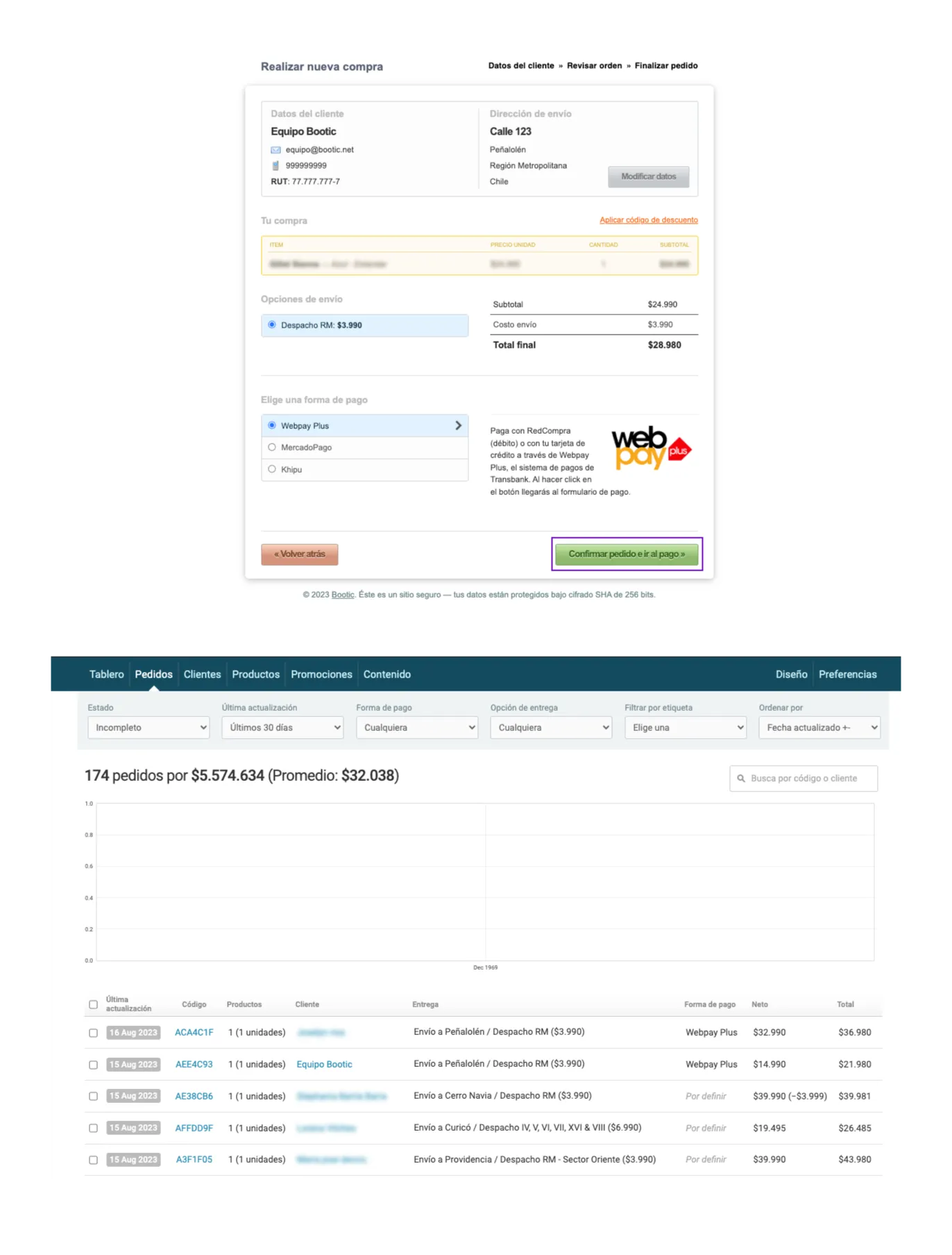
Email + address + shipping option + payment method
The customer entered their email, address and shipping option, and selects a payment method but does not click “confirm order and go to payment”
Difference between Incomplete Orders and Pending Orders
Pending Orders, which are usually shown in yellow, are those where the customer reaches the last step of the payment process and it is not completed successfully. In contrast, Incomplete Orders are those that captured at least the customer’s email address in the checkout but did not go any further than selecting a payment method.
Accessing Incomplete Orders
Incomplete Orders are not shown right away when you go to the “Orders” view, because we give priority to orders that were actually “Placed”, whether the payment was successful or not.
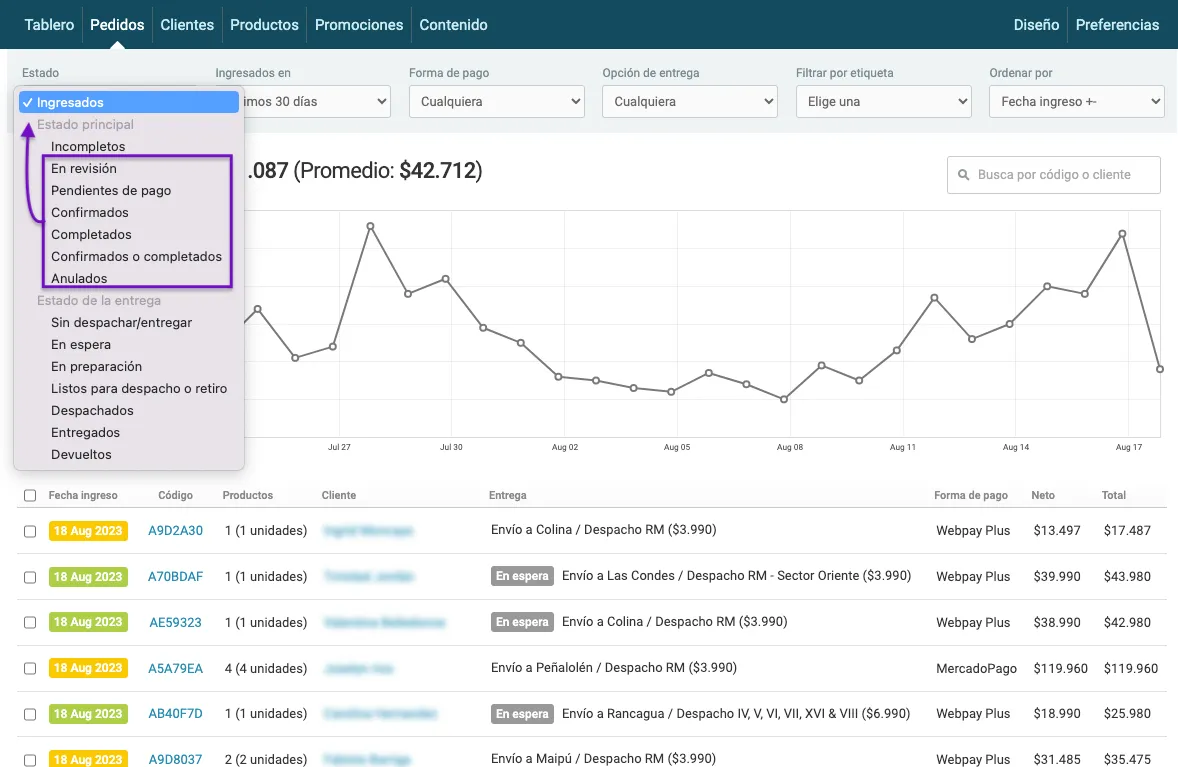
To access Incomplete Orders, just follow these steps:
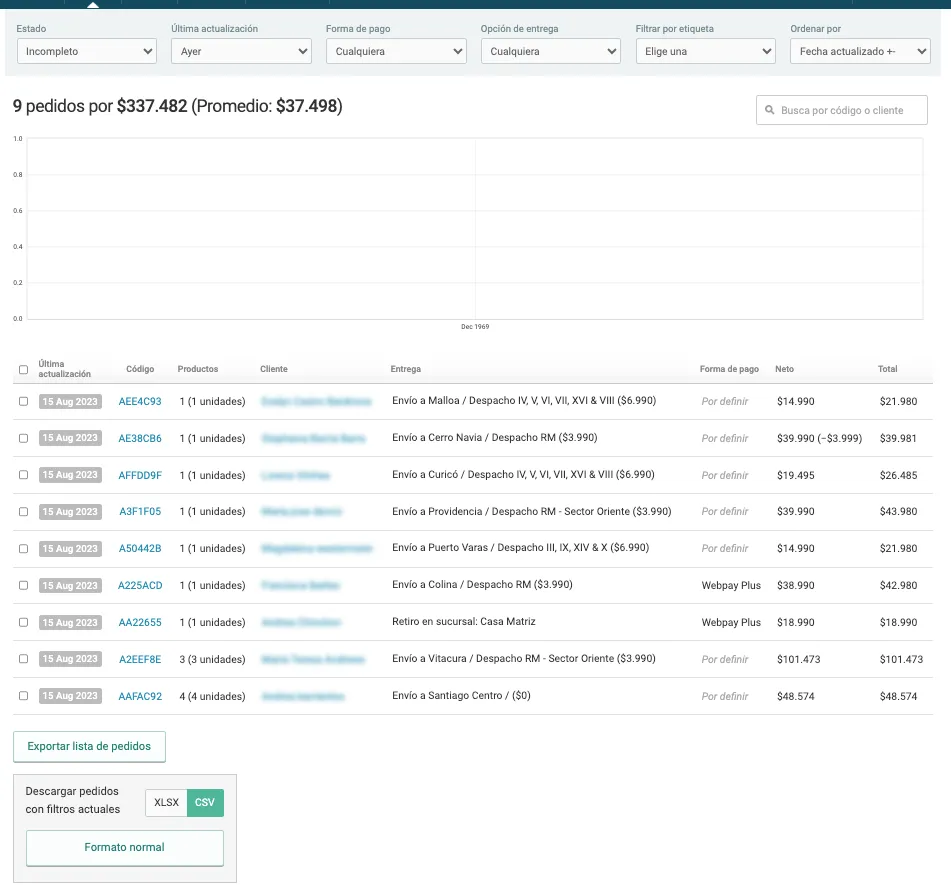
- Go to the “Orders” view in the Bolder control panel.
- At the top of the page, you will find a Status dropdown menu.
Select the “Incomplete” option in this menu
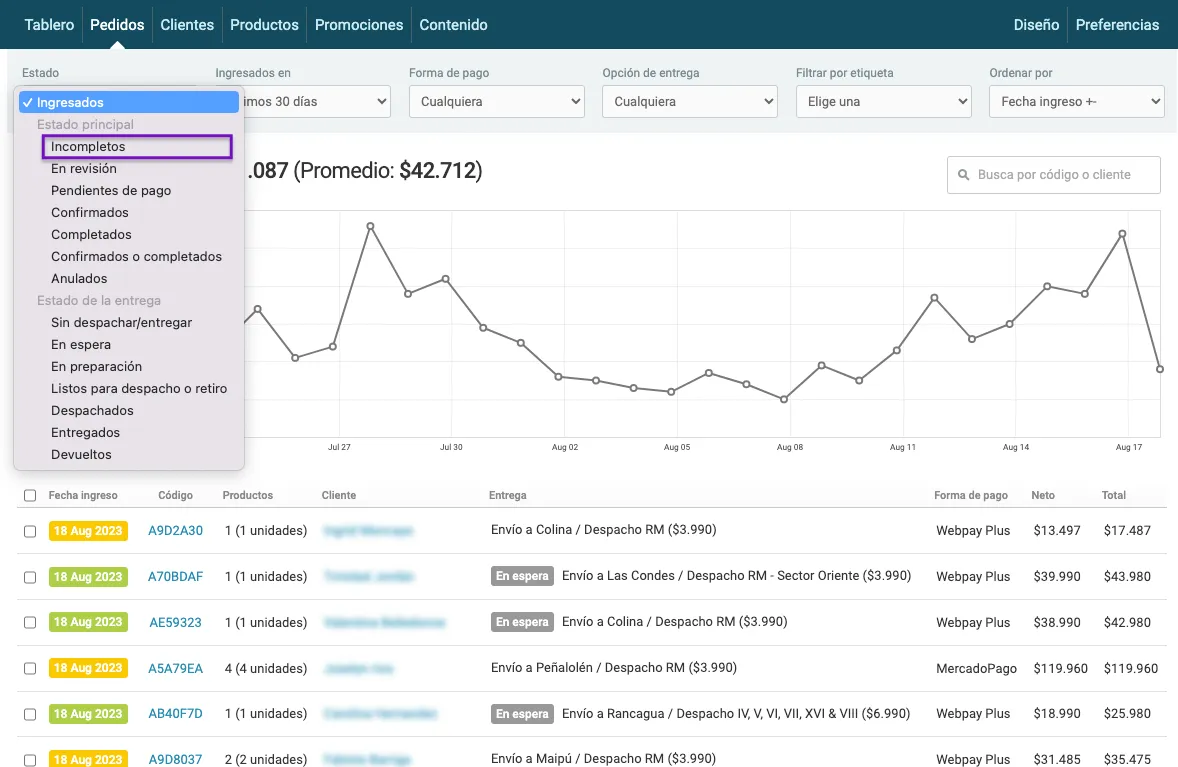
However, it is important to note that when you review a customer’s order history, all types of orders will be listed, both Complete (Confirmed, Pending, etc.) and Incomplete. Remember that this always applies as long as the customer reached the payment process and provided their email address.
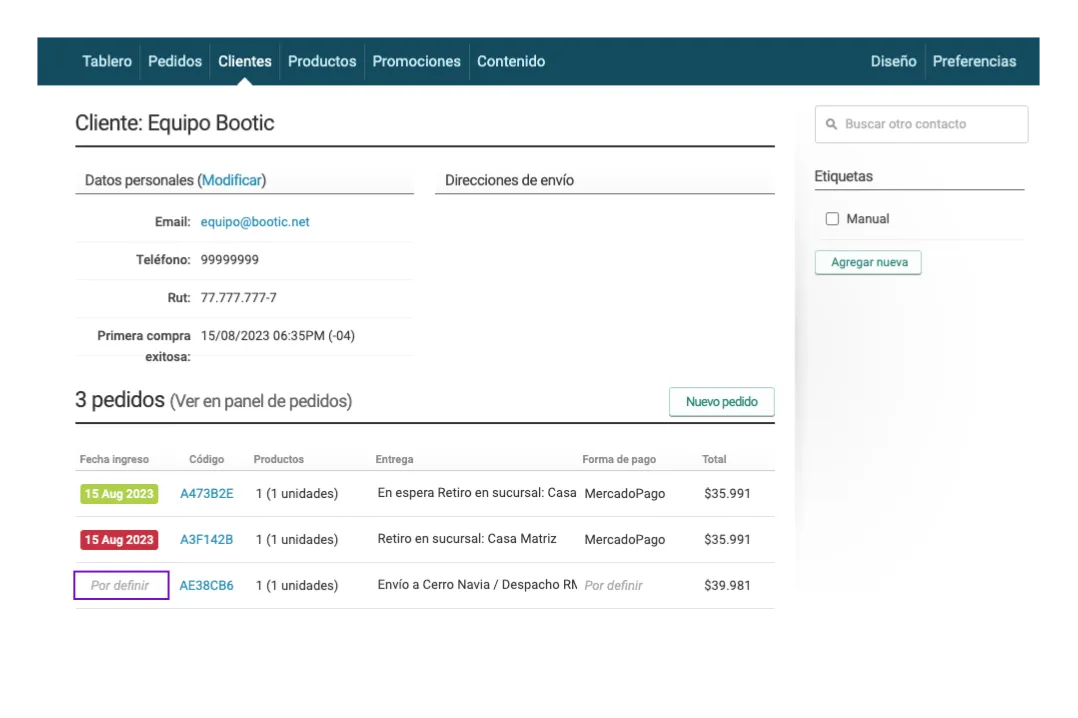
Incomplete Orders can also be queried through the Bolder API using status: abandoned .
When new Incomplete Order records appear
Incomplete Orders are not added to the order list right away. This is because the customer might decide to fill in the missing details and finish the purchase. There are many reasons a customer might stop their purchase, and many of them do not necessarily mean a final abandonment. For this reason, we have set a waiting period of 3 hours before showing these orders in the list.
Available Actions for Incomplete Orders
Automatic communication:
Bolder now includes Incomplete Orders in the automatic “Pending orders” reminders, so we renamed this option to combine both types of records under the name “Abandoned carts”:
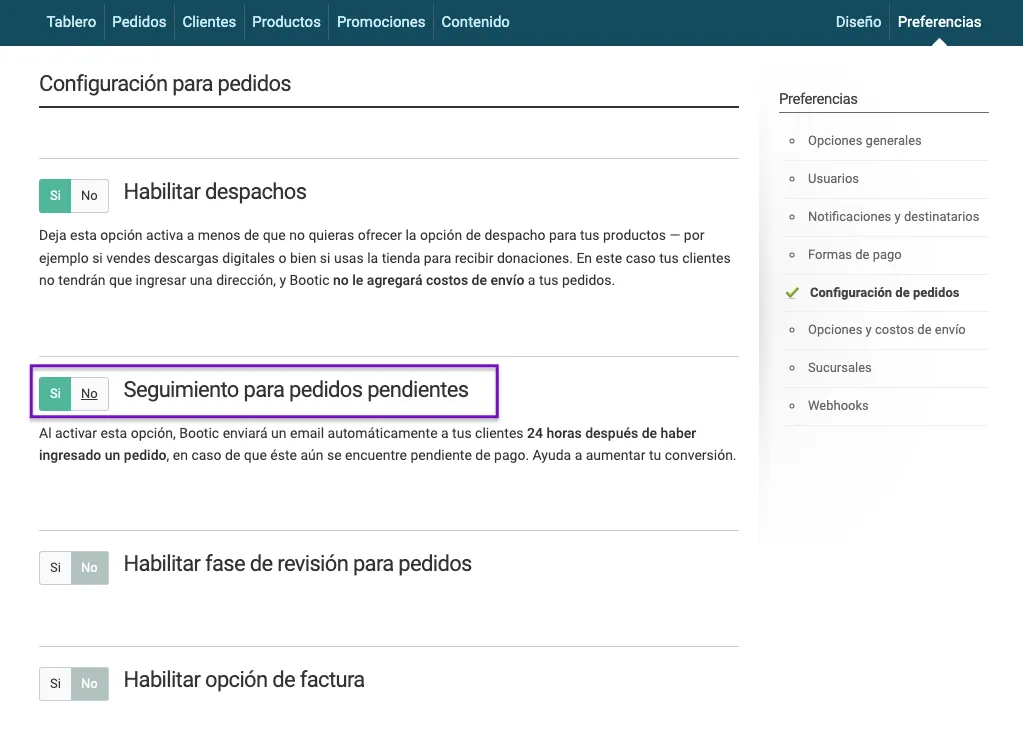
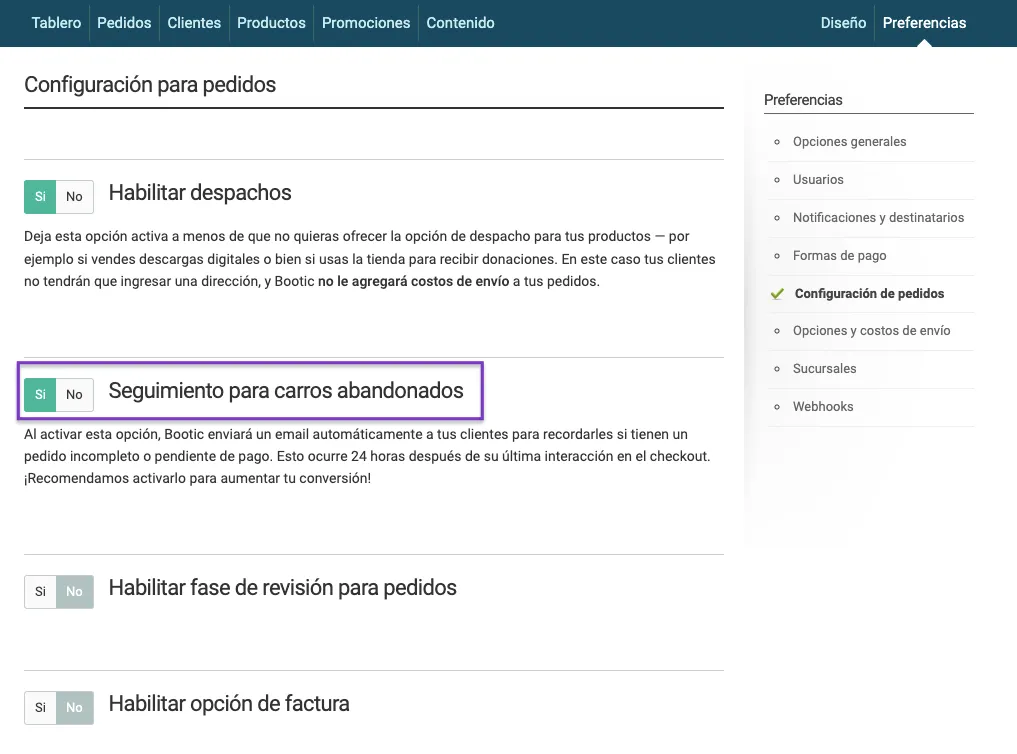
These reminders are sent 24 hours after the customer abandons the purchase, the same way Pending Orders worked, and are turned on in Preferences > Order settings.
Individual communication:
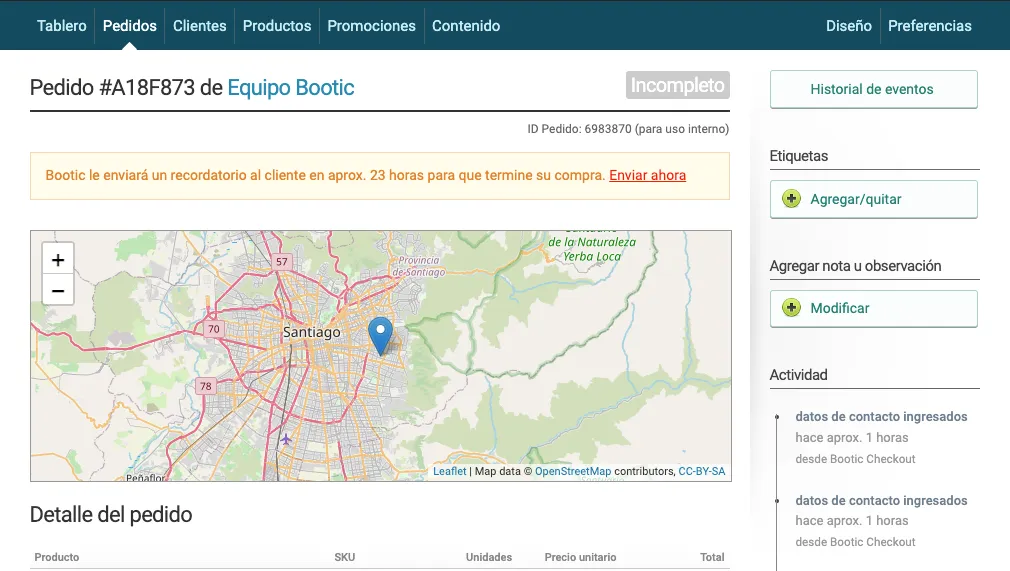
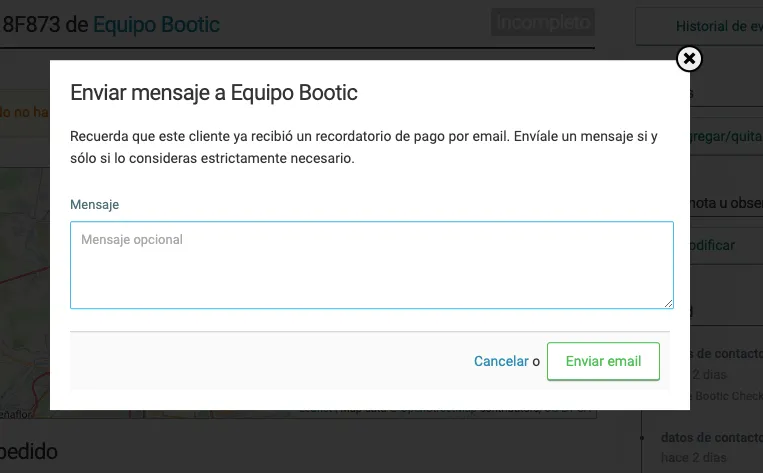
Once the automatic message has been sent after 24 hours, you will have the option to send a personalized notice. This lets you, for example, send a discount code that can be applied to Incomplete Orders.
If you don’t want to wait for the 24-hour message, you can send it earlier.
Export:
Incomplete Orders can also be downloaded using the order export function in XLS or CSV format.
Editing the Automatic Message for Incomplete Orders
Automatic message:
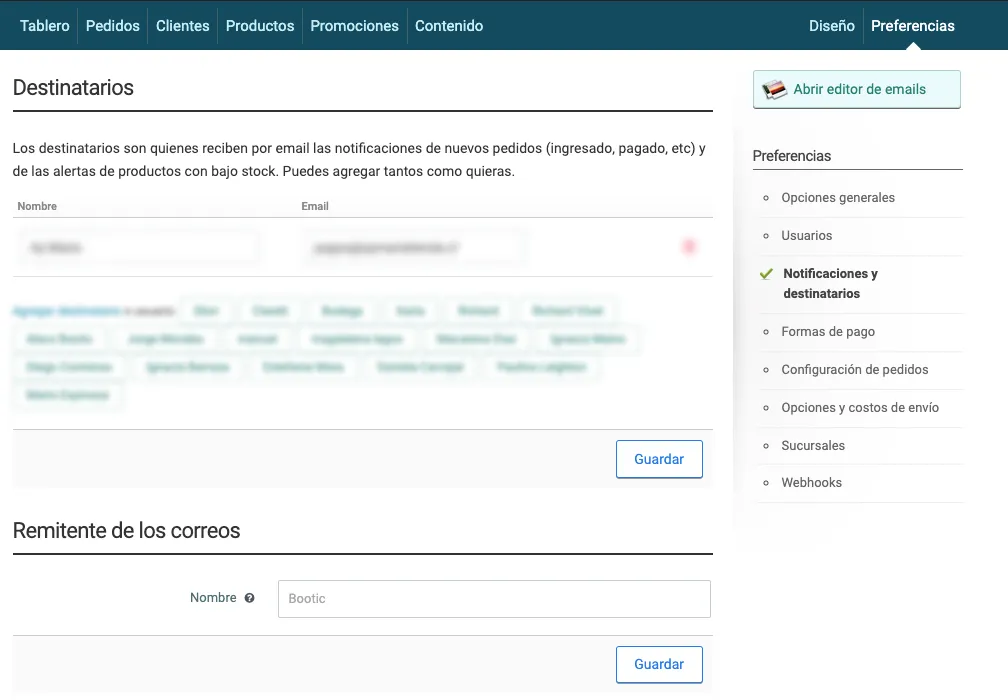

Yes, just as you can edit any other type of notification email, you can also edit the automatic message for Incomplete Orders. You do this in the “Preferences > Notifications and Recipients” section, where you can open the email editor. It is worth mentioning that we have provided a standard message that should work in most cases, so you may not need to make any changes.
Custom message:
The custom message you decide to send after the automatic email will keep the general header and footer set for your notification emails.
Relax: A look at the overall statistics for Abandoned carts
Abandoned carts are a common phenomenon in e-commerce and can raise many concerns. However, it is essential to understand that this behavior is an integral part of the online shopping process and is influenced by several factors. Taking as a reference an analysis based on different samples, an average cart abandonment rate of 70.19% has been calculated.
Why do users abandon their cart?
It is important to recognize that a significant part of cart abandonment is the natural result of how users browse online shopping sites. Many users may be researching prices, comparing products or simply saving items for future purchases. Most of these abandonments happen before users start the payment process and do not necessarily show an abandoned purchase intent.
However, there are a number of more specific reasons why users may abandon their carts during the payment process. These reasons can include high additional costs, too much required data to complete an order, little or no information about the delivery date, shipping option names the customer doesn’t recognize, distrust of or dislike for the available payment methods, among others.
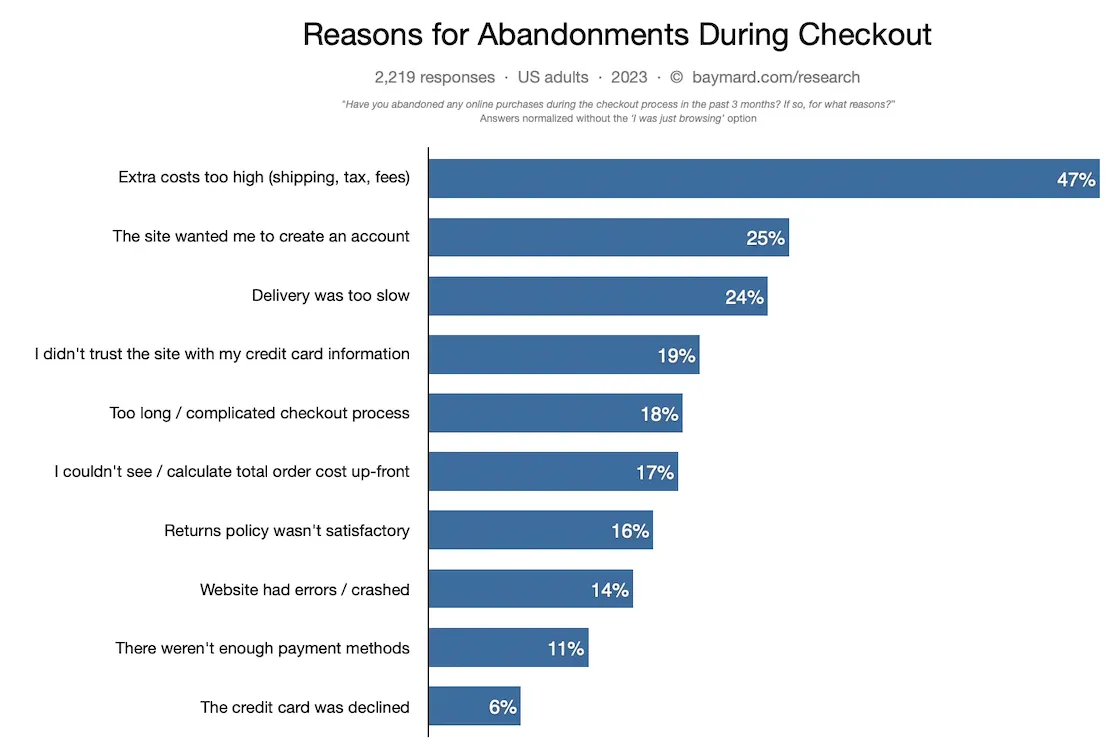
Despite these statistics, our commitment to improving the shopping experience on our platform remains strong. This year we plan to launch a new checkout, and its goal is mainly to improve the design and the overall shopping experience to help bring this abandonment rate below the industry average.
Conclusion
Altogether, managing Incomplete Orders in Bolder lets you maximize conversion opportunities and set up strategic communication with your customers. By understanding how they work and how to make the most of the available options, you will be able to recover purchase intent and improve your customers’ experience.
Sources:
- Baymard Institute. “49 Cart Abandonment Rate Statistics 2023.” Accessed on July 11, 2023. go
| Year | Abandonment Rate (%) | Source | Retrieval Date |
|---|---|---|---|
| 2023 | 79.53 | SalesCycle | July 11, 2023 |
| 2023 | 69.99 | Hotjar | January 2, 2023 |
| 2022 | 68.70 | Fresh Relevance | August 16, 2022 |
| 2023 | 70.00 | OptinMonster | August 17, 2023 |