

Push Notifications in Bolder
Description
Push Notifications let you send messages to the browsers of subscribed users, even when they are not browsing your store. This feature is great for sharing offers, news and important announcements.
Turning on Push Notifications
To turn on the feature, follow these steps:
- Go to the Bolder admin panel.
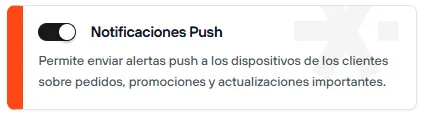
- Go to the Addons and Integrations section, in the Customer engagement category, and turn on Push Notifications (only available on the Bolder Pro plan).
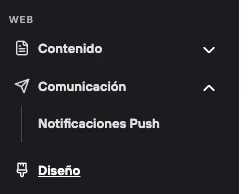
After you turn it on, a new section will appear in the admin panel under WEB > Communication > Push Notifications.
Setting Up the Subscription Message
So customers can subscribe to notifications, you need to set up the request message:
- Go to Design > Customize Design.
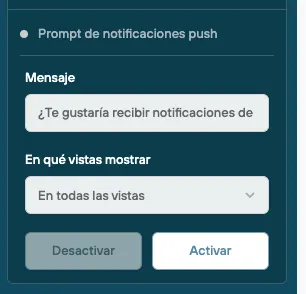
- Under Widgets, find Push notifications prompt.
- Turn this option on and customize the message and the pages where it will appear.
- Save your changes.
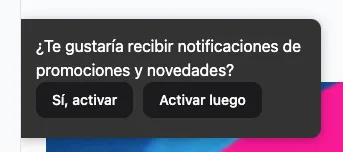
When a user visits your store, they will see a pop-up message asking if they want to receive notifications, with the options “Yes, turn on” or “Turn on later”.
Creating a Push Notification
To create a notification, follow these steps:
-
In your Bolder store admin, go to Communication > Push Notifications.
Click “Create new”.
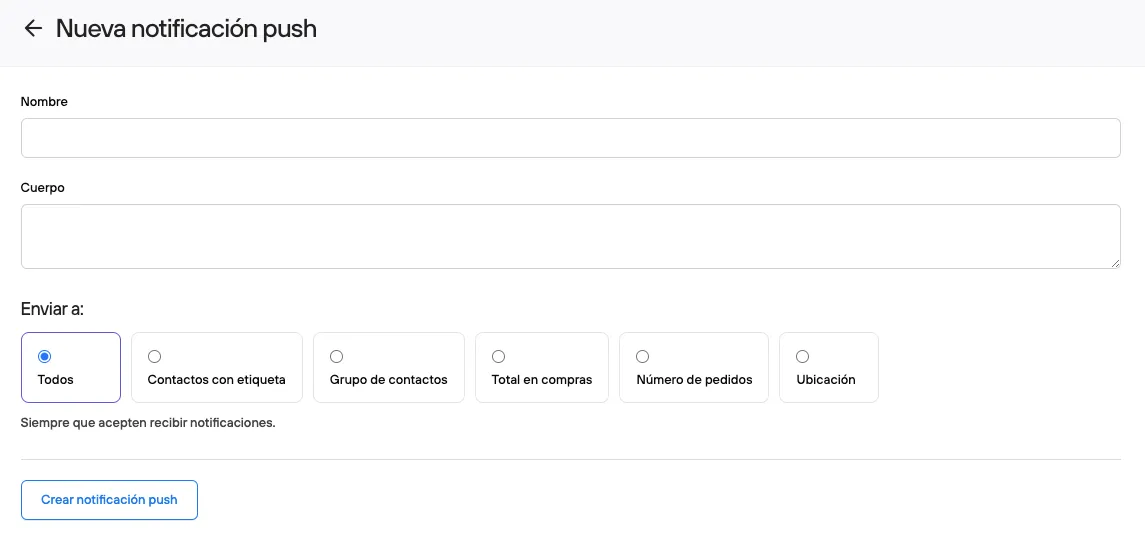
Fill in the following fields:
-
Name: Subject or title of the notification.
Body: Main message (up to 150 characters).
Recipients: You can choose between:
- All subscribers.
- Contacts with a tag.
- Contact group.
- Total purchases.
- Number of orders.
- Location.
-
-
Click “Create push notification”.
Advanced Settings
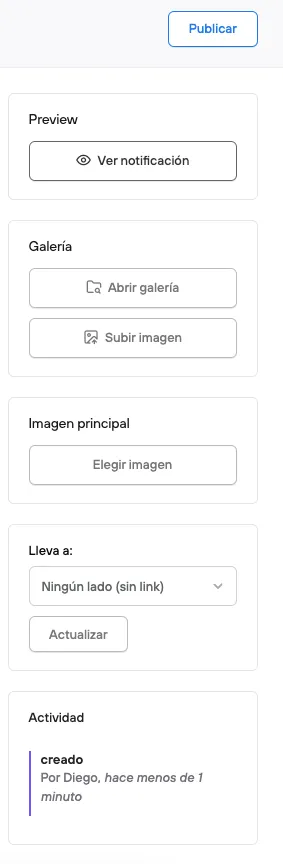
After you save the notification, advanced options become available:
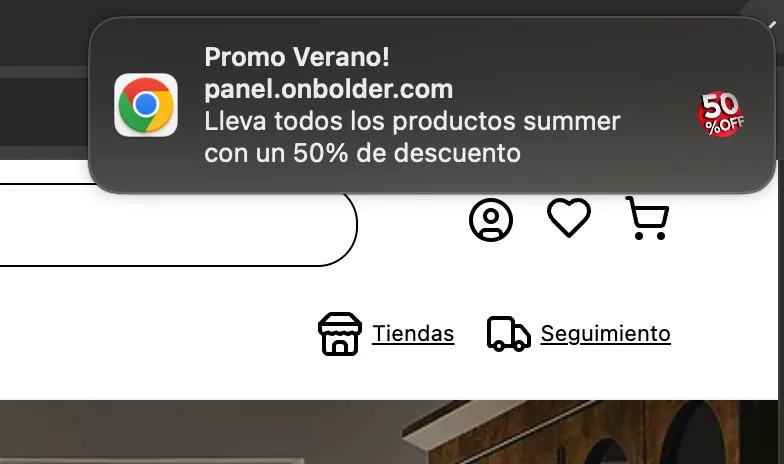
- Preview: See how the notification will look.
- Associated image (optional): We recommend using an image in 1:1 format.
- Link (optional): Takes the user to a specific page.
- History: Record of creation and previous publications.
- “Publish” button: Sends the notification in real time to subscribed users.
Final Considerations
- Only users who have accepted the permission in their browser will receive notifications.
- Notifications can be used for promotions, reminders or relevant news.
- We recommend testing the preview before sending them to customers.
With these steps, you can turn on and set up Push Notifications in your Bolder store effectively.