Stackable "Automatic" promotions
As a general rule, up to 4 promotions can apply at the same time to a single order when each one has a different activation mode:
- By code or link
- Automatic
- By shipping option
- By payment method
As long as they are marked as “stackable”

As an exception, promotions with the “Automatic” activation mode allow multiple promotions to stack under the same activation mode as long as they are all tied to different product groups.
Product groups
A product group is a set of products defined by:
- Type
- Brand
- Tag
- Collection
What product groups do
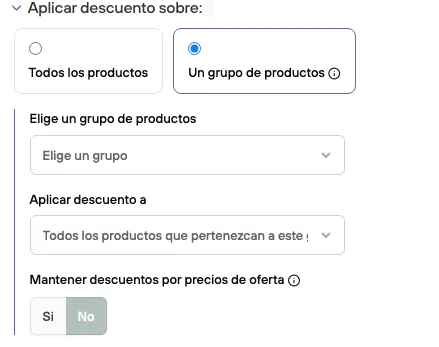
When a promotion is linked to one of these sets, the configured discount, percentage or fixed, applies only to these products when they are in the shopping cart and not to the rest. That is, it applies at the item level and not at the order level. If the discount to apply is “Free shipping”, it clearly applies to the whole order.
If you have filters for minimum and maximum units or price ranges, when you use this option those filters are calculated taking into account only the products in the cart that belong to this group, and not all of them, which is the default behavior.
Example
“When you buy 1 Bicycle*, get a* Helmet at 50% off”
In this case, both product groups are used.
-
The first one defines which group the promotion is linked to: it can be products of the type “Helmet”, products from a collection that contains these helmets, since you may not want to apply the discount to all of them, or products with a specific tag, for example: “helmet-50”. It can also be brands, but the brand probably doesn’t sell only “helmets”.
For this example, we decided to apply it to a Tag, “helmet-50”.
After selecting the linked group, you need to set whether the units added from the same linked group will be counted to activate the promotion (used for 2x1), or, as in our case, it depends on the count of a second group: Bicycles.
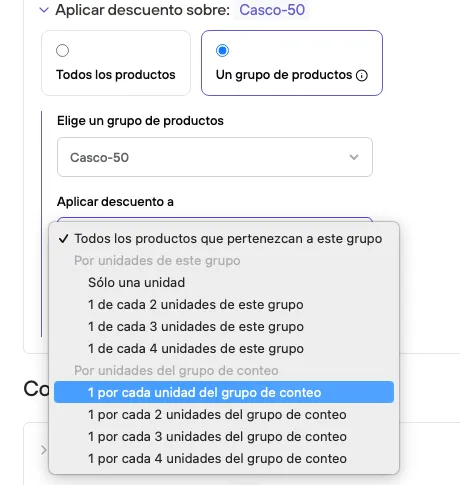
- Select the second group for counting. It can be: products of the type “Bicycle”, a collection that contains these bicycles, or products with a specific tag, for example: “Bicycle-helmet”, or brand, but as we said before, these brands may represent products other than helmets. In this case, Type: “Bicycle”
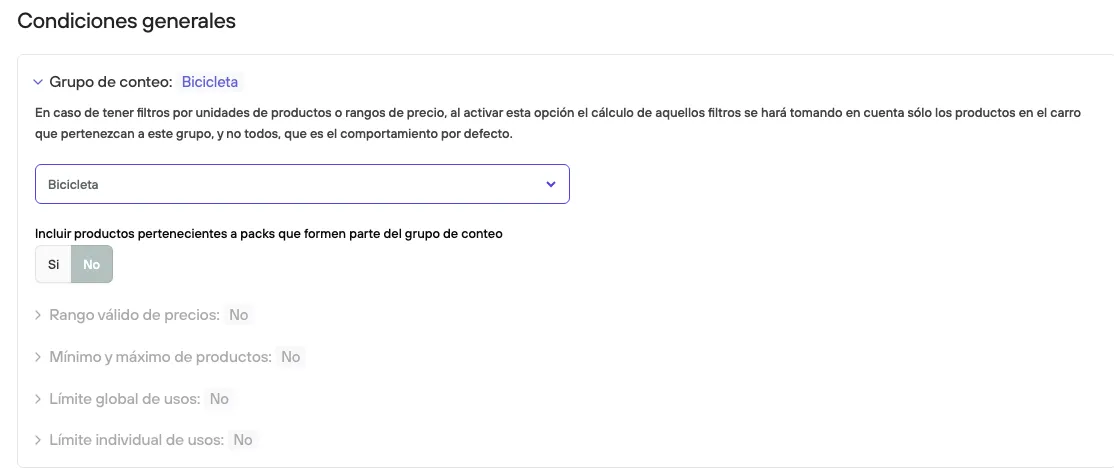
The result: every time a product of type Bicycle is added, I get a helmet at 50% off among the products with the tag helmet-50.
…Back to stackable “Automatic” promotions
Let’s look at some examples:
Case 1: successful stackable promotion:
We have 4 promotions:
- “10% off Shoes” (promotion linked to a product group by Type = Shoes)
- “$5.000 off all New Balance”++ (promotion linked to a product group by Brand = New Balance)
- “20% off selected items” (promotion linked to a product group by Tag = Clearance)
- “Free Shipping”++ (promotion linked to a product group by Collection = Free shipping)
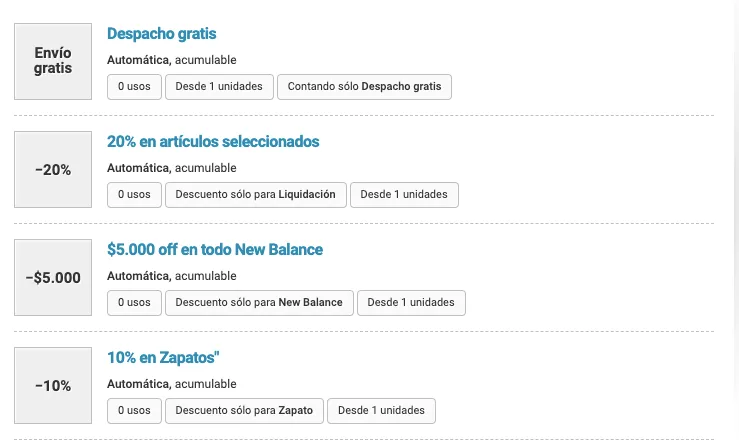
Result:
We have the product “New Balance BB550”, which meets all the criteria:
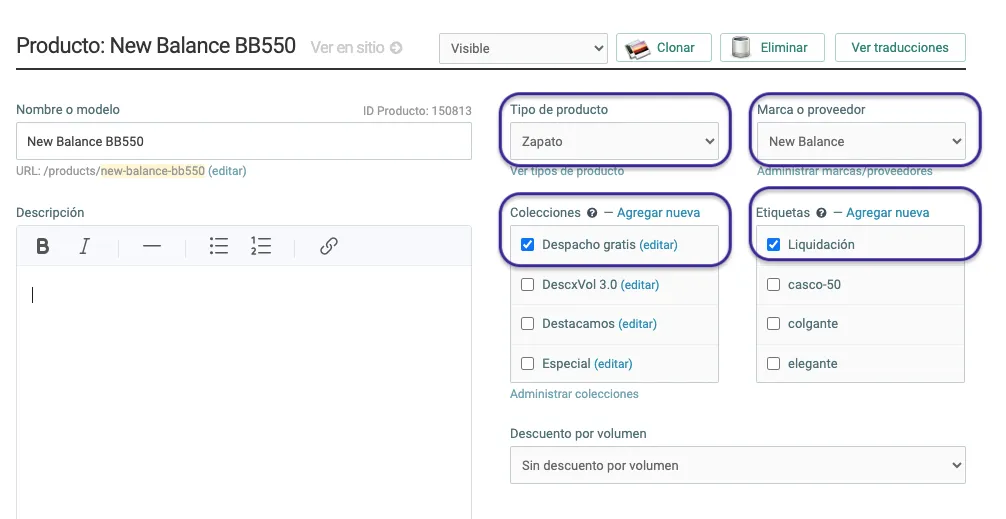
So, just by adding this product to the cart you will get 4 automatic promotions:
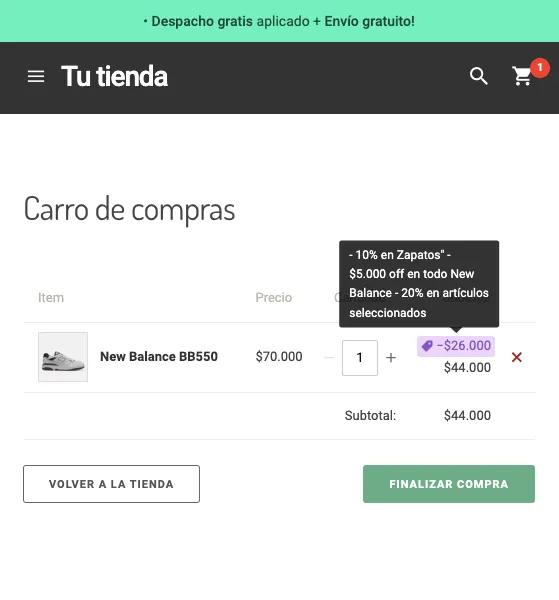
Case 2: stackable promotion without success:
There are 2 promotions:
- “20% off selected items” (promotion linked to a product group by Tag = Clearance)
- “50% off selected items” (promotion linked to a product group by Tag = Clearance)
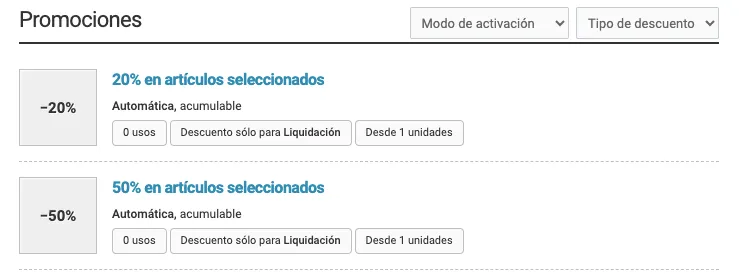
In most cases this is the result of a mistake: having two promotions under the same activation mode and linked to the same “Clearance” group, or a promotion you created a long time ago and never set an expiration date for, among other possibilities.
Result:
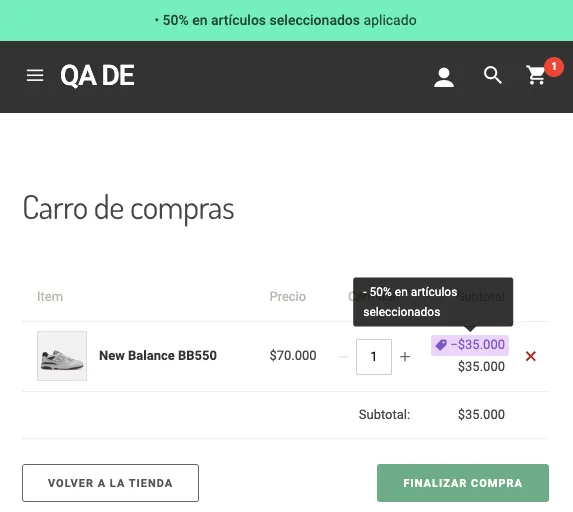
In this case, 50% and 20% will not be applied respectively. The system will choose to apply the highest discount: 50%, even if that promotion is older.