

Event notifications by email
Notification emails
Bolder sends emails to your customers and to store administrators to notify them of various events that happen in your store.
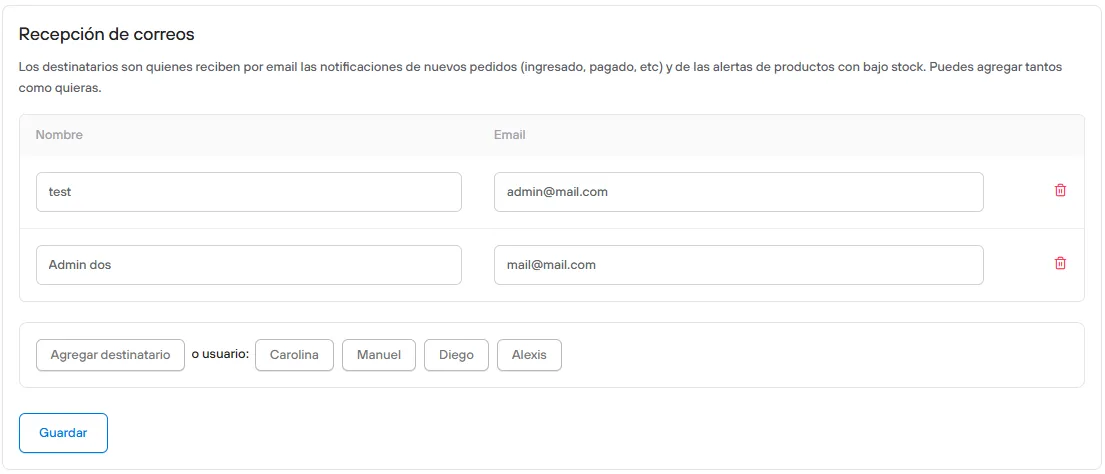
Events Bolder notifies store administrators about
- A customer placed a new order (pending status)
This email is sent once a customer has filled in all the fields for a purchase and clicked the “Go to payment” button. The email is sent to the recipient or recipients defined in the Notifications and Recipients section of the Preferences panel. By default, the contact account is the first user registered in a store.
- An order was successfully paid by credit card (Webpay)
This email is sent once a customer has paid for an order using a credit card (for now, only Webpay). As in the previous case, the email is sent to the recipient or recipients defined in the Notifications and Recipients section of the Preferences panel.
- A product’s stock is below the minimum level set for alerts (optional)
This email is sent after an order is completed and a product’s stock level falls below the minimum threshold set for alerts. You can turn this option off in the Notifications and Recipients section of the Preferences panel.
- A customer submitted a contact form
This email notifies you when a user submitted a contact form, and it contains all the fields that were filled in when the form was submitted. Unlike the previous cases, a form’s recipients are defined on its edit page, which means you can set one or more addresses different from the ones that receive notifications of new purchases.
Notifications to your customers
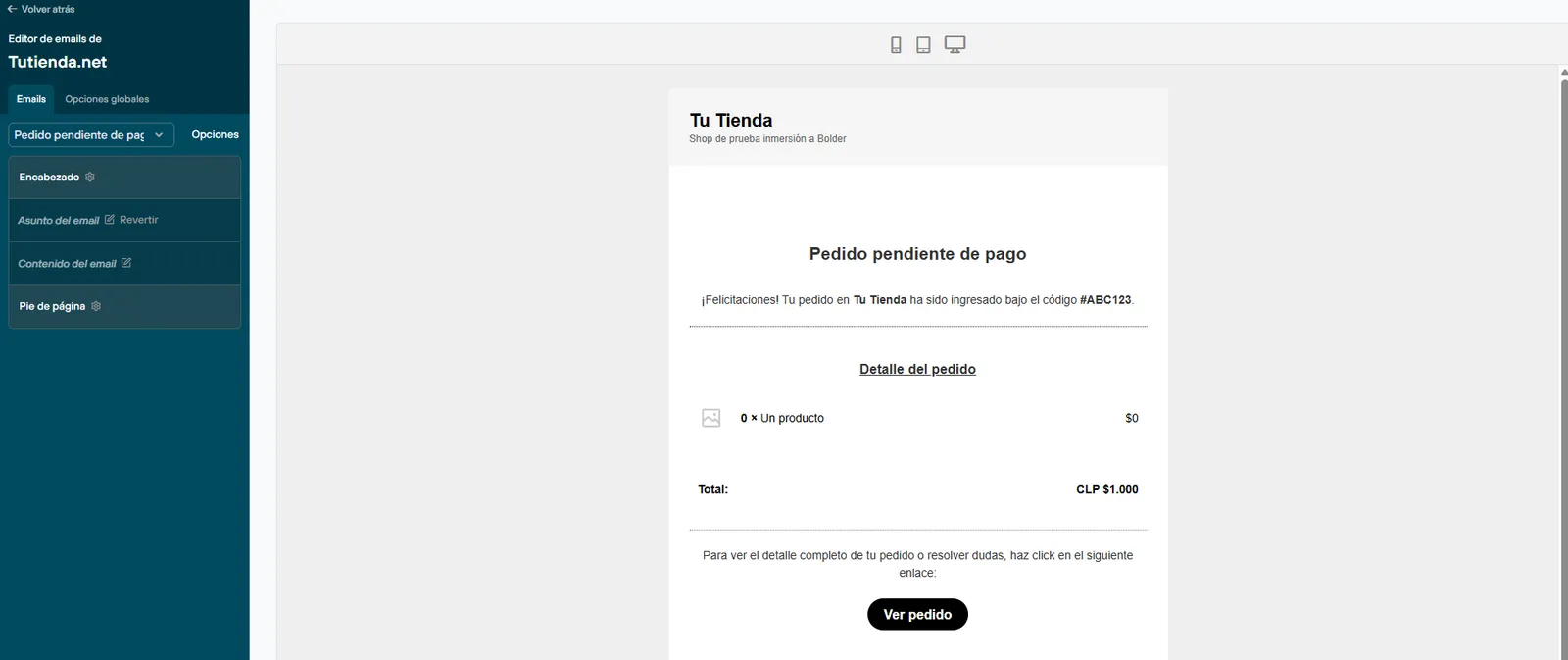
Bolder has an email editor where you can change the email header and footer, as well as add a logo, a color, or a company name and subtitles.
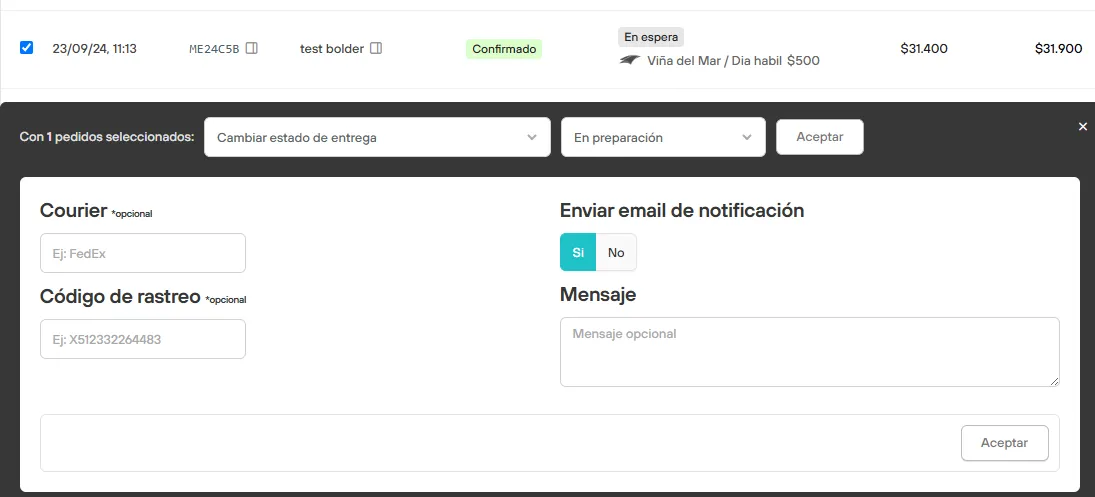
Every time you change an order’s status, you can click the Send email option (yes/no), and you can also include a message in that email.
- Confirmed orders
Bolder also sends emails to your customers to let them know an order was successfully added to the system, and when an order changes to the “Confirmed” status, either because they paid using a credit card (Webpay), or because you changed the order status in the panel (e.g. after receiving a transfer receipt).
- Shipped orders or orders ready for dispatch
In this case, Bolder also lets you add a personalized message to your customer, for example to tell them the shipping status or an approximate date or time when they will receive it. The email address of the first administrator in the user list will be used as the sender for all the emails your Bolder store sends to your customers. This property cannot be changed.
Other emails you can send to your customers when changing the payment status are:
- Orders being prepared
- Orders ready for pickup
- Order shipped
- Pending order reminder