Create additional fields
Bolder lets you collect additional data from your customers through a form or through fields added to the checkout
To create additional fields, go to your Admin panel > Preferences > Purchase options > Additional fields. Here you can set up fields for contacts and for orders.
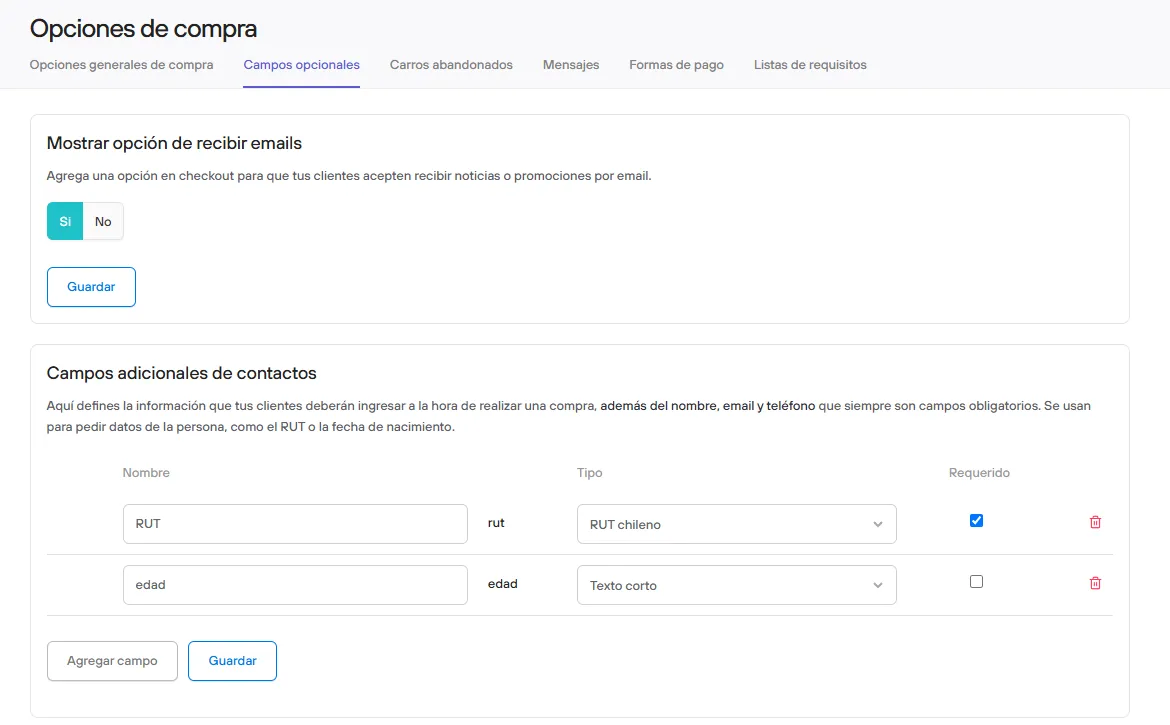
Additional contact fields
Here you define the information your customers must enter when they make a purchase, in addition to name, email and phone, which are always required. They are used to ask for personal details, such as the RUT or date of birth.
This data is usually requested only the first time a customer interacts with the store, and then it is saved for future orders.
Additional order fields
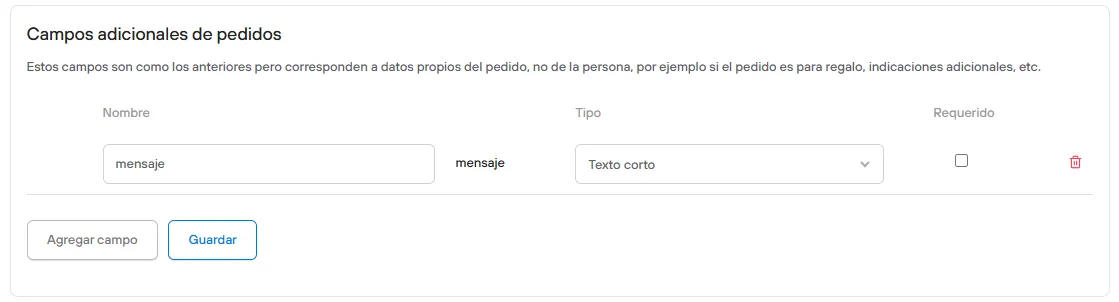
These fields are for data about the order itself, not the person, for example whether the order is a gift, additional instructions, etc.
If your store works with wholesale lists, you can also customize specific additional fields.
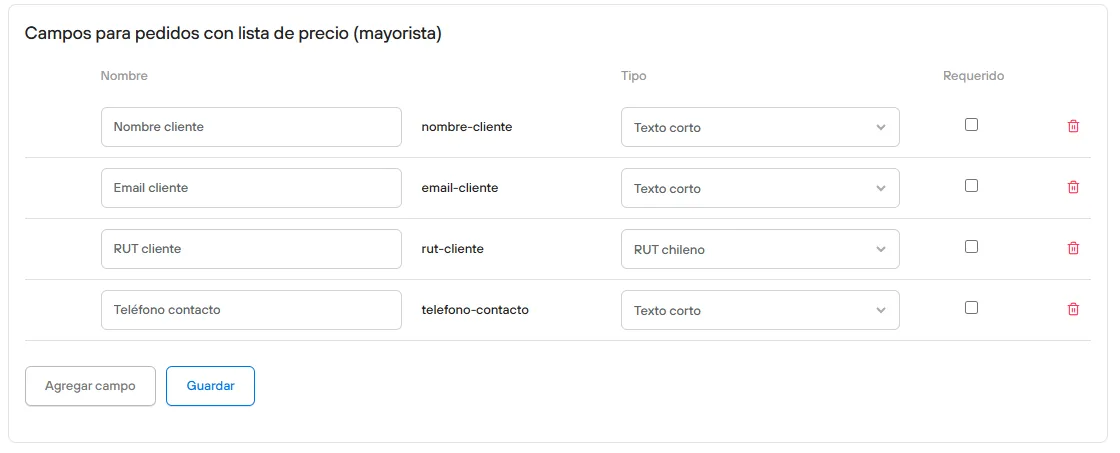
If you check the Required box for a field, your customer must enter that data to move forward in the checkout.
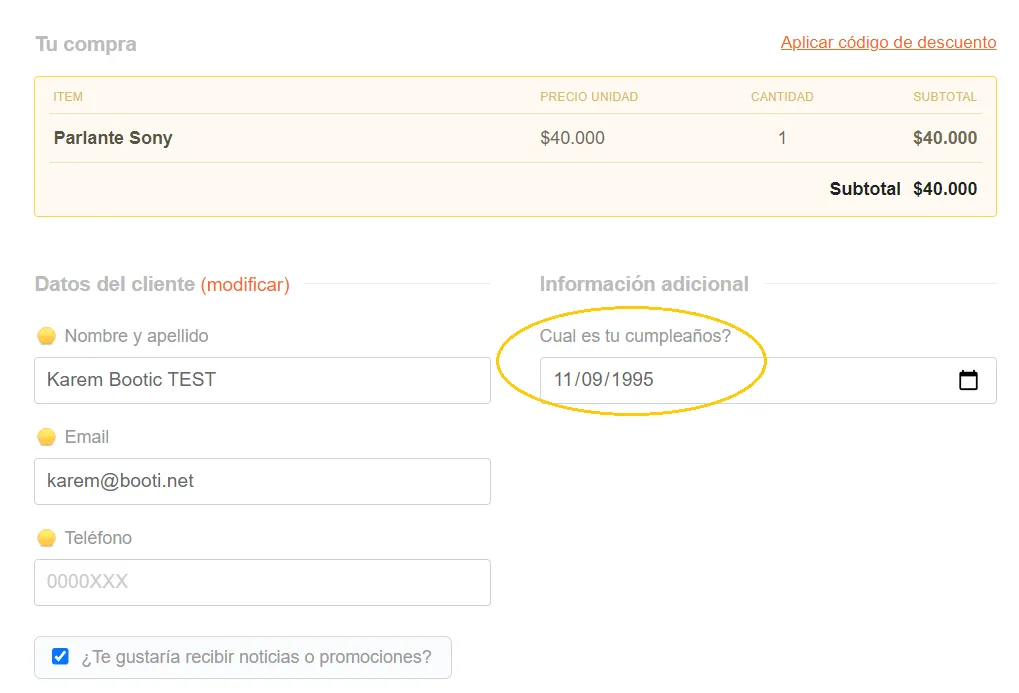
The additional fields will appear in the checkout as shown in the attached image