Scheduled sale prices
Scheduled sale prices is a feature of your product catalog that lets you schedule the start date and time of your products’ sale prices, as well as their end. And that’s not all: optionally, you can also show a countdown in your store that indicates how long the sale price will remain active.
Activation and initial setup
To activate this feature:
- Go to the Bolder admin panel.
- Go to the Addons and Integrations section, in the Product catalog category, and activate Scheduled sale prices.
- Once active, you can access its settings directly in the product details.

Configurable options:
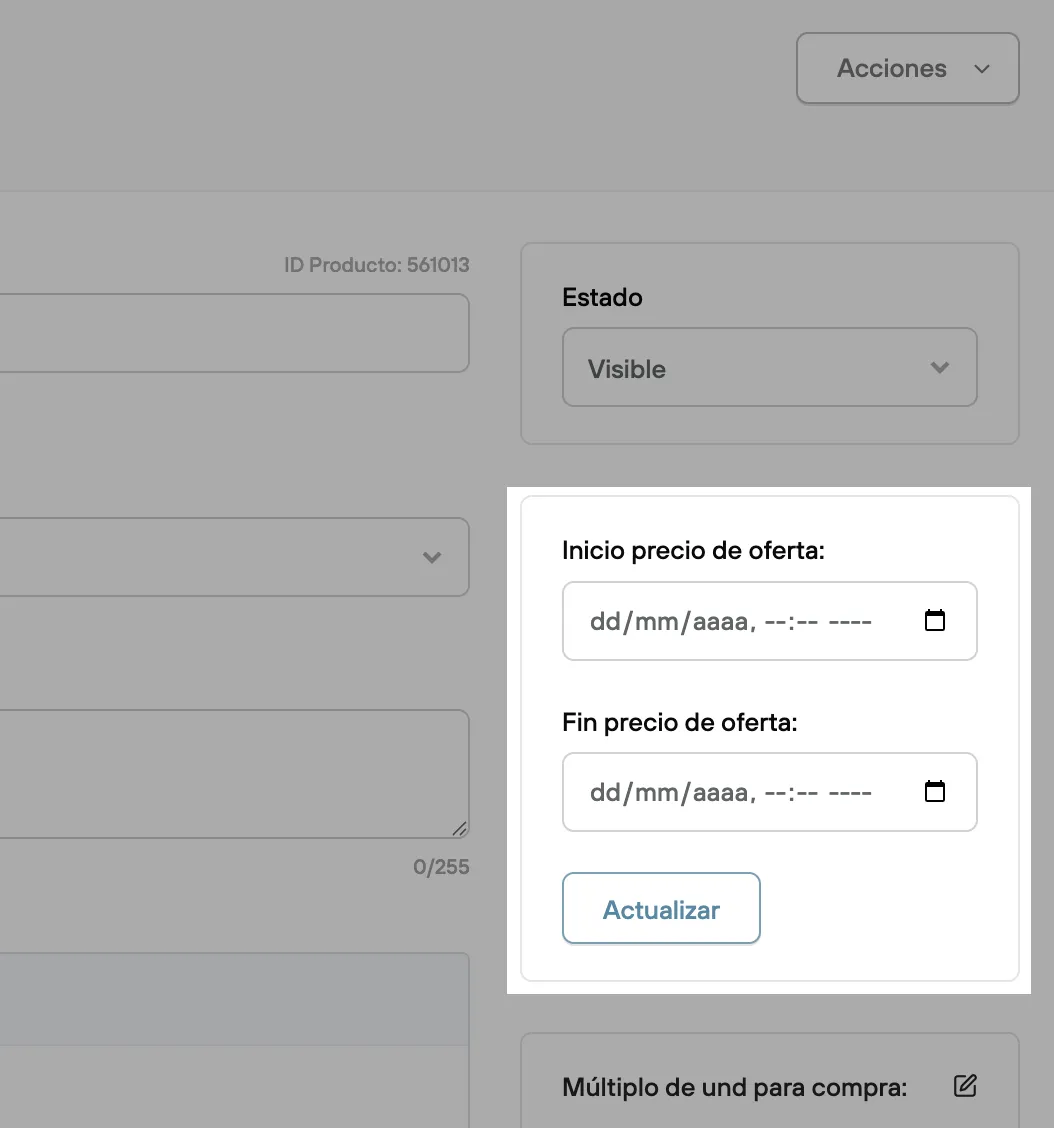
- Sale price start: Date and time when the sale price takes effect over your product’s regular price.
- Sale price end: Date and time when the product’s price goes back to its regular price.
Countdown in your store (soon)
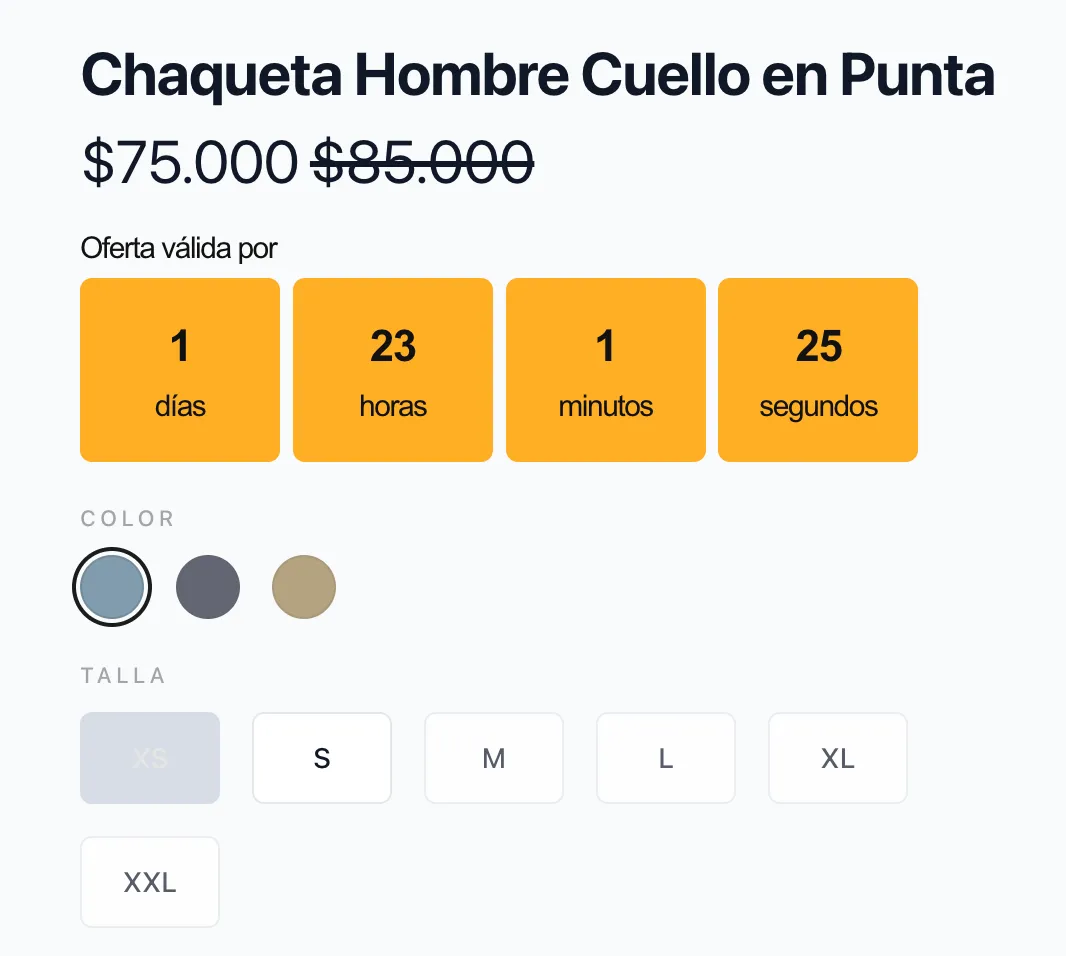
Optionally, you can show your customers a countdown with the time left for your product at the defined sale price. To do this, you need to activate the …. widget in your store’s design settings.
Activate the widget
To activate this feature:
- Go to the Bolder admin panel.
- Go to the Design section and select Customize design
- In the side menu, select the Widgets tab, find Sale price countdown, click it and you’ll be able to access its settings and activation.
- Once active, you’ll see the countdown in the different product views in your store.
Configurable options:
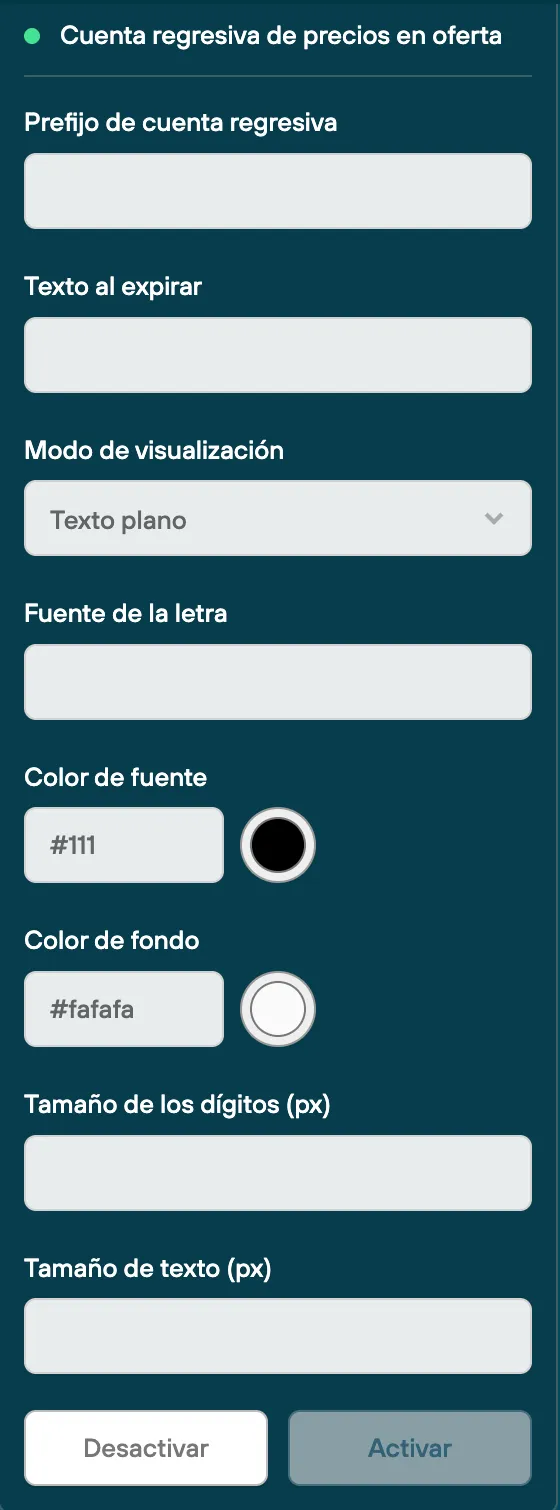
- Countdown prefix: Text before the countdown (for example “Sale valid for”)
- Text on expiry: Text before the countdown when the sale ends (for example “Sale expired”)
- Display mode: Plain text or flip card
- Font type
- Font color
- Background color
- Countdown font size
- Text font size