

Invoicing
Easily generate electronic receipts or invoices for your orders in Bolder.
Invoicing is a Bolder feature that connects your store, via API, with different tax document issuing platforms, so you can generate receipts or invoices for your orders with one click, or automatically for every one of them.
We currently have native integration with Bsale, OpenFactura, Facele, Facto, Dtemite and Kame. You must have an active account with one of these platforms to turn on this feature.
Activation and initial setup
Turning on the feature
Go to the Bolder admin panel > Go to the Addons and Integrations section, and in the cart+checkout category, turn on Invoicing

Setting up document issuing
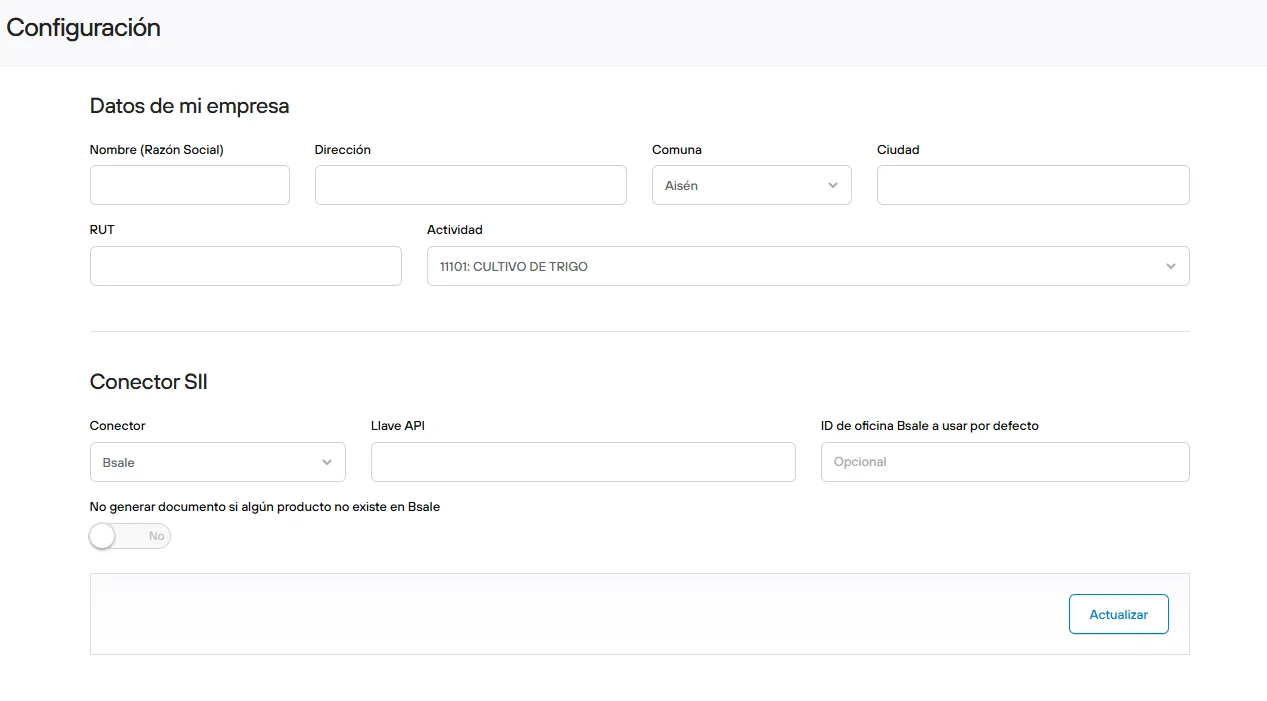
Set up your company details:
Name (legal name), address, district, city, RUT and tax activity code for issuing tax documents.
Once you complete your business details, you must set up the SII connection:
To issue documents in line with the rules of the Servicio de Impuestos Internos (SII), you must turn on the connection with your tax document provider. Depending on the platform, you will need to enter a token, a user, or additional information assigned to your account.
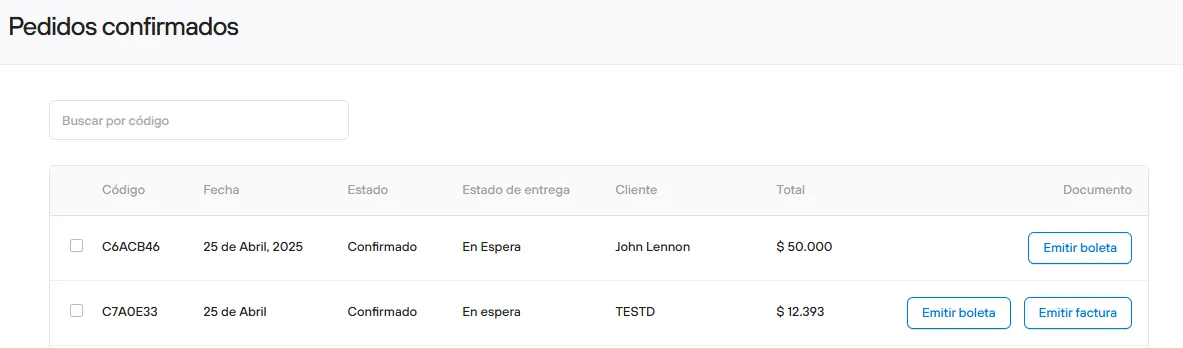
Generate documents with one click
Once your credentials are active, you can start generating documents for your orders. You can work directly from Invoicing, or from the admin, in the details of each order.
In Invoicing, in the Orders section, you will see all the orders that have been confirmed in your store. Depending on whether the purchase is made with a receipt or an invoice (the option the customer selects at checkout), you will be able to choose the document to issue.
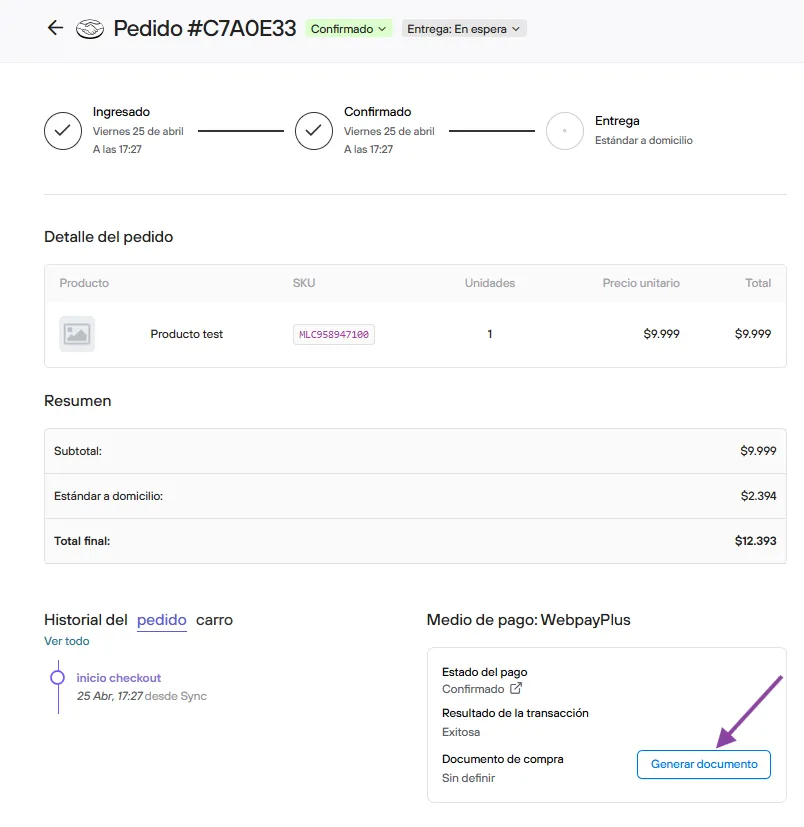
You can also generate the order document from the product view.
Generate documents automatically
If you want receipts and invoices to be issued fully automatically, you must turn on the Sync service, which receives the information and automates this process.
Once you turn on the service, you must activate the document issuing platform and Bolder.
In channels you must set up the Bolder connections to generate receipts and invoices automatically
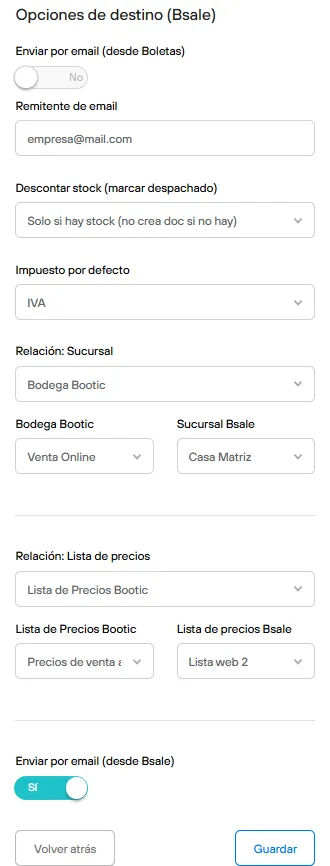
When you add the new connection, you must also set up your company’s invoicing information, and additionally set up the warehouse from which stock will be reserved and deducted, as well as the price list from which the reference values of the products in the order are taken.
Once the connection is active, all documents will be issued automatically as soon as orders are confirmed.
Sending documents to your customers
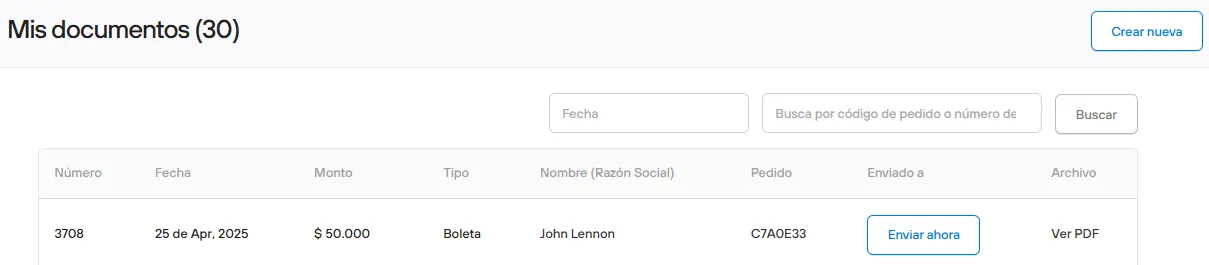
Once the tax document is generated, you can now see the order and its PDF from Documents. It can be sent to the customer through Bolder, or from the issuing platform, depending on the setup you choose when you turn it on.
Only one document is generated per order, so once it has been issued in the system, it can’t be generated again, which avoids duplicates.
With this simplified invoicing system, you can comply with tax rules automatically, keeping all your information centralized in your Bolder store.