

Error when changing an order's state
Changing the state of your orders is a very simple task, but if internally “the stock data doesn’t add up,” you will have trouble doing it.
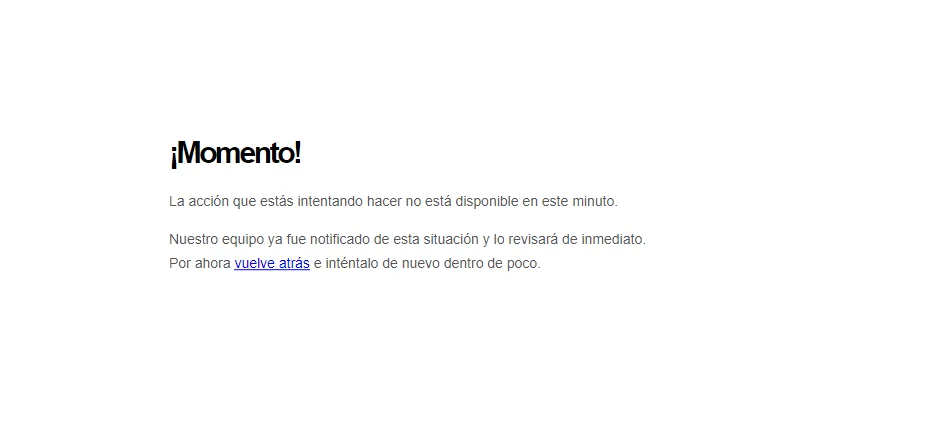
Whether you are trying to change an order’s delivery or payment state, individually or in bulk, this error can appear, making internal administration and stock management cumbersome, and even affecting the customer (if you can’t change their order’s state to delivered).
This error appears because of inconsistencies in your store’s product stock. If you don’t have a stock centralization system (ERP) and you manage it manually, there may be mismatches between the products available for sale vs. what was actually sold.
If your Bolder store has no units of a product available for sale (even if it is set as always available), no actions can be performed on that order, such as delivery:
Change state from Preparing to Delivered > Error “You can’t deliver what doesn’t exist”
To fix this, we recommend updating your products’ inventory, ideally always going by the real stock (as far as possible).
The same goes for changing your order from canceled to confirmed (you change it but the state goes back to canceled): most likely the problem is the same, with one or more products in the order. If you do have this problem, you must make a stock change on the affected product or products so you can make this change when needed.
Important note about product stock
If a customer goes to the payment page of a placed order that has no stock, they see a message saying that some products are no longer available and that they can’t pay.
If the order runs out of stock during the payment process, an exception is also raised when the transaction is validated, which prevents the order from moving to the confirmed state.