

Enable VirtualPos as a payment method
VirtualPos Web Checkout is an online payment solution designed to give merchants a secure and efficient transaction experience. It lets customers pay directly on the merchant’s website, with no redirects. It is a good fit for businesses looking for a modern, reliable payment solution that connects easily to their platforms, ensuring a smooth and optimized purchase process.
Enabling process
Enabling PayPal Standard requires the following
- Create a VirtualPos account:
- Go to the VirtualPos portal and choose the option to create an account.
- Fill in the sign-up form with your company’s information and follow the instructions to verify your account.
- Sign up for the Web Checkout service:
- Once your account is active, log in to the VirtualPos portal.
- Go to the services section and select “Web Checkout”.
- Follow the instructions to sign up for the service, which may involve accepting specific terms and conditions.
Activate VirtualPos in your Bolder store
With the information from the previous step, go to your Bolder admin panel and go to Preferences **>** Purchase options **>** Payment methods
In the payment method selector, choose VirtualPos
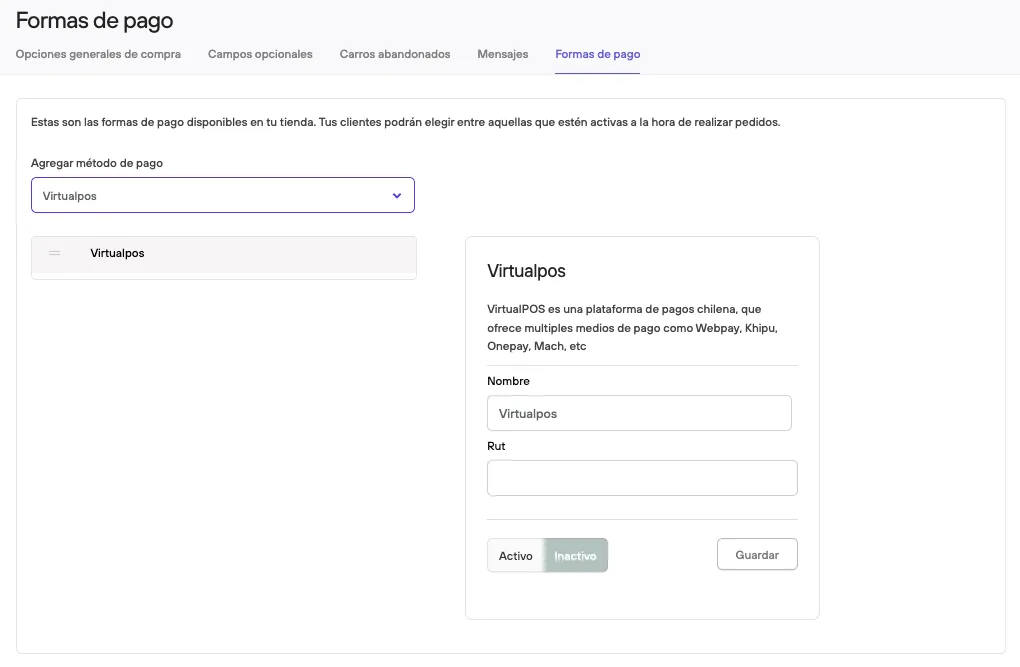
Fill in the information linked to your VirtualPos account, then press Active and Save.
Before making it available to your customers, we recommend making a test purchase and checking that everything works correctly (and that the amount paid has reached your account).