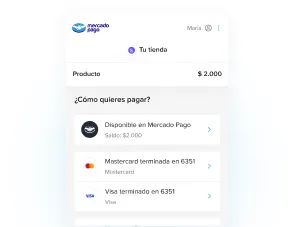
Enable Mercado Pago Redirect
Mercado Pago is a payment platform developed by Mercado Libre. It lets your customers pay for their orders quickly and securely, for a smooth shopping experience.
In Bolder there are two ways to work with Mercado Pago:
-
Traditional Mercado Pago: At checkout the customer enters their card details, and can create a password to be remembered. It does not offer pre-saved cards or payment methods.
-
Mercado Pago Redirect: At checkout your customers are sent to the Mercado Pago app to finish their payment, with their saved credentials.
Mercado Pago Redirect: Steps to integrate it in Bolder
Step 1: Create a Mercado Pago account
Go to the Mercado Pago website and sign up. You must complete all the business service contracting that applies.
Step 2: Create an application in Mercado Pago Developers
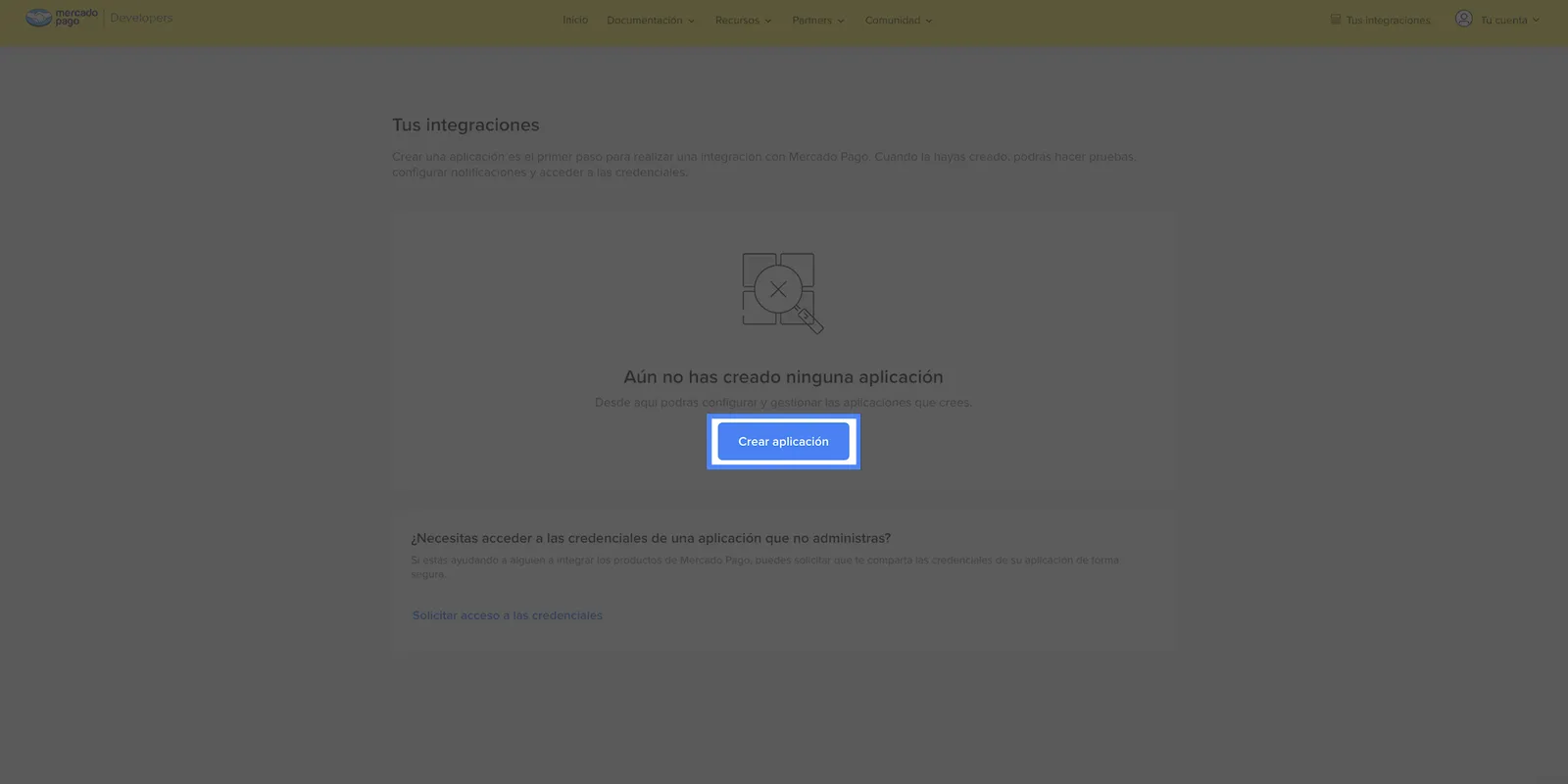
From your Mercado Pago Developers account, go to Your integrations. There, click Create application.
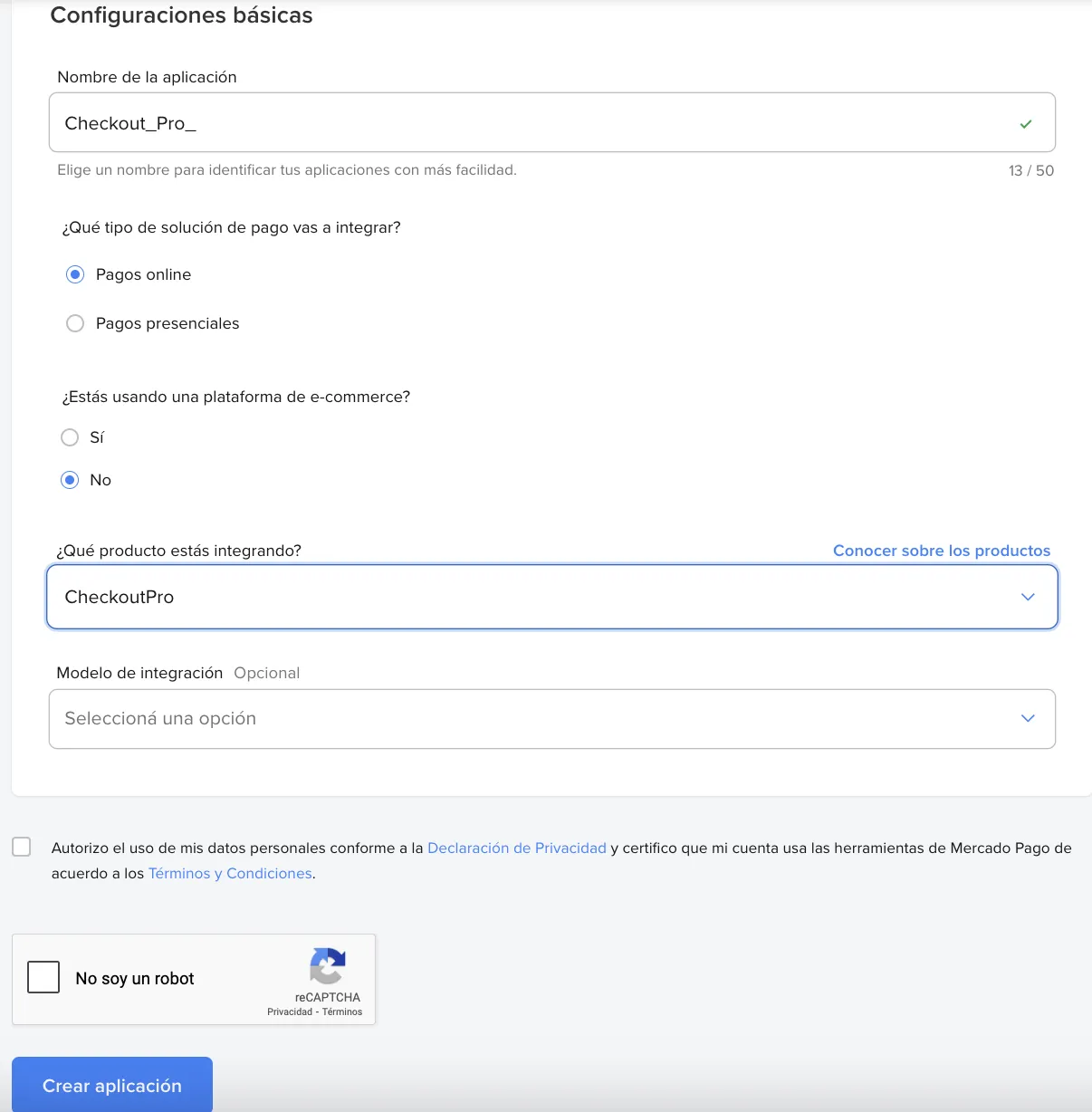
To set up the application
- Enter a name to identify your application, or keep the generic name.
- Type of payment solution to integrate: Online payments
- E-commerce platform: No (since this is your own manual setup)
- Product to integrate: Checkout Pro
- Integration model: leave empty
- Advanced settings URL: leave empty
- PKCE flow: No
Accept the Privacy Statement and the Terms and conditions, and click Create application.
Step 3: Set up Webhooks
Go to Your integrations and select the newly created application integrated with Checkout Pro.
In the left menu, select Webhooks > Configure notifications.
Select the Production mode tab and enter the full URL of your site, including HTTPS https://www.tutiendabolder.com/ to receive notifications for your production integration.
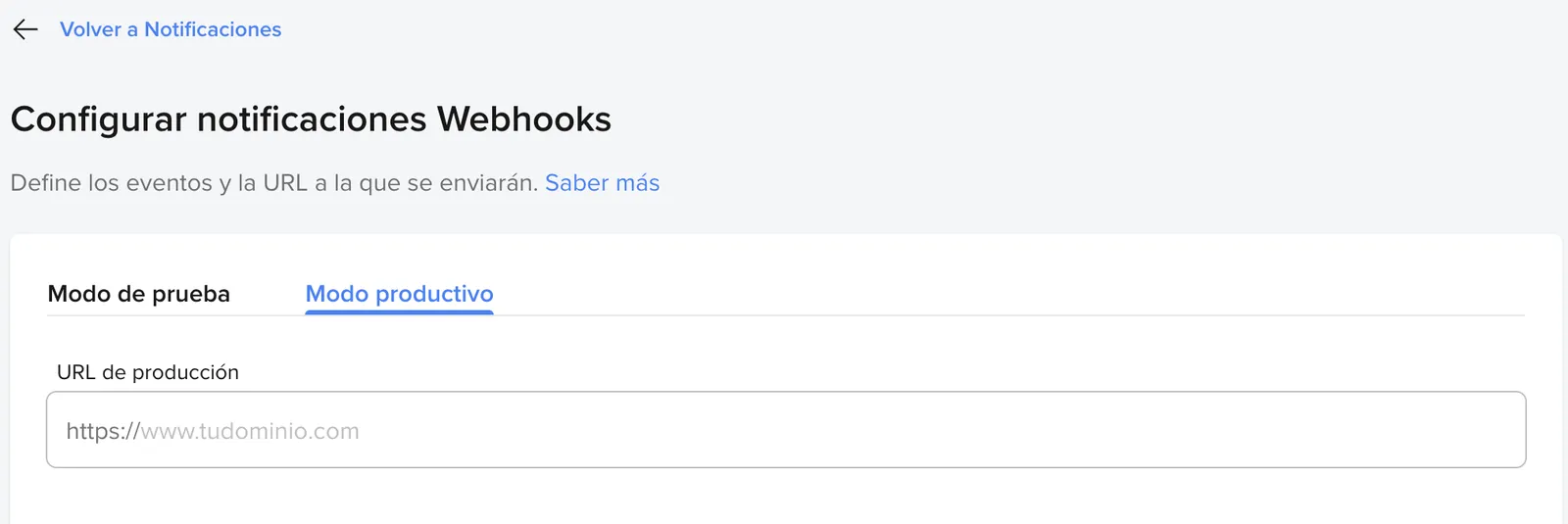
Select Payments events to receive notifications, which will be sent in JSON format through an HTTPS POST to the URL you entered above.
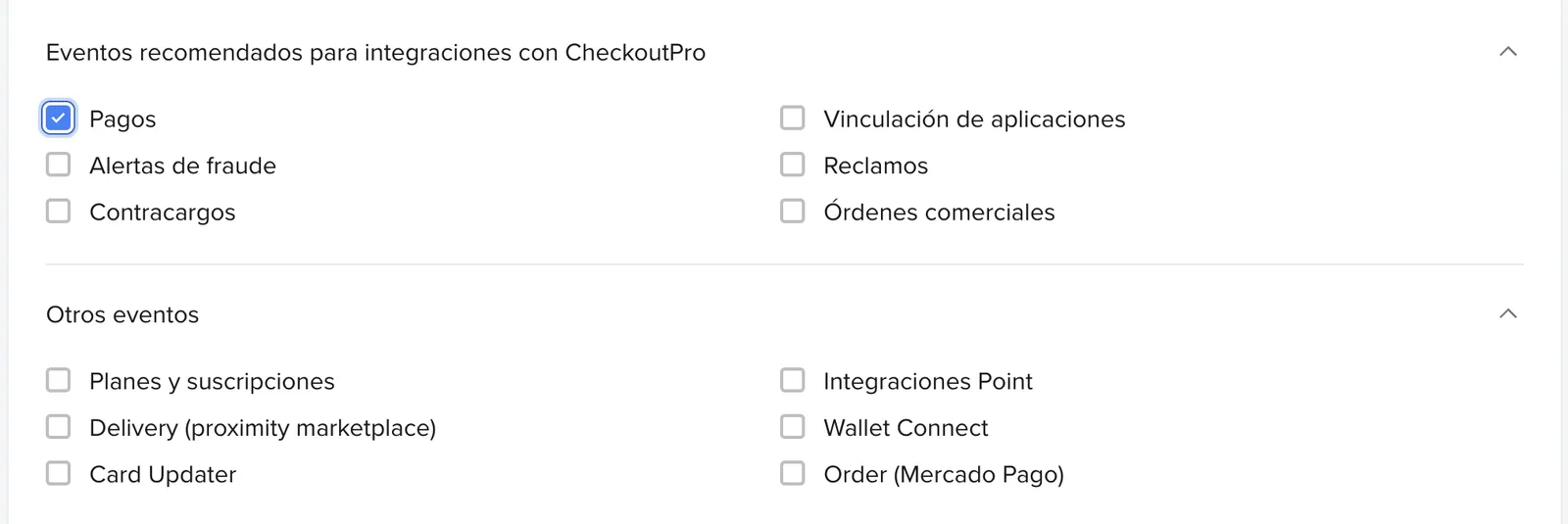
In Your integrations, select the integrated application, click Webhooks > Configure notification and here you will get your Secret key.
Save this value, since it is one of the credentials required for activation in Bolder.
-
Get the Access Token
From Your integrations, open the Checkout Pro application you created.
Then, on the left side, under production credentials you will find the keys used for API connections. Here you will find the production credentials.
To activate the payment method in Bolder, copy the value of the Access Token field.
From the admin, go to Preferences, Purchase Options, Payment methods, activate Mercado Pago Redirect and fill in the fields with the credentials you got in steps 3 and 4.
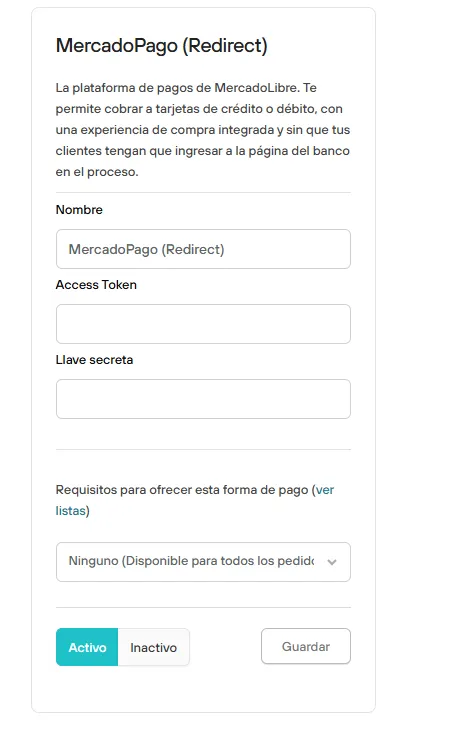
Public view: What your customers experience
When your customers reach your store’s checkout and choose Mercado Pago to pay for their order, they are automatically redirected to a secure environment managed by the platform. There they can choose to continue with their Mercado Pago account or pay as a guest, without needing to sign up.
Whether they browse from a computer (desktop) or a mobile device, users can log in to their Mercado Pago account and choose from their saved payment methods: cards, account balance or transfers. All of this in an interface designed to give a fast, intuitive and secure experience.