

Enable Webpay Plus as a payment method
Transbank offers several options for implementing its payment gateway on your website. We recommend signing up for Webpay Plus in PST mode, through the agreement between Transbank and Bolder as an expert, with no implementation cost. With this setup, payments are still deposited directly into your account, and Bolder will not have access to your Transbank panel.
The main advantage of PST mode is that it removes the need for a technical certification, which speeds up activating the payment method, since no additional validations are required.
Steps to sign up online
-
Go to Transbank and click “Hazte Cliente” (Become a customer)
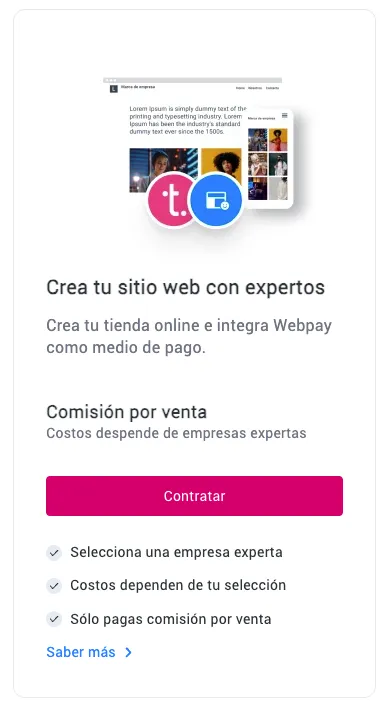
In this section, among its solutions you will find “Crea tu sitio web con expertos” (Build your website with experts). Click “Contratar” (Sign up)
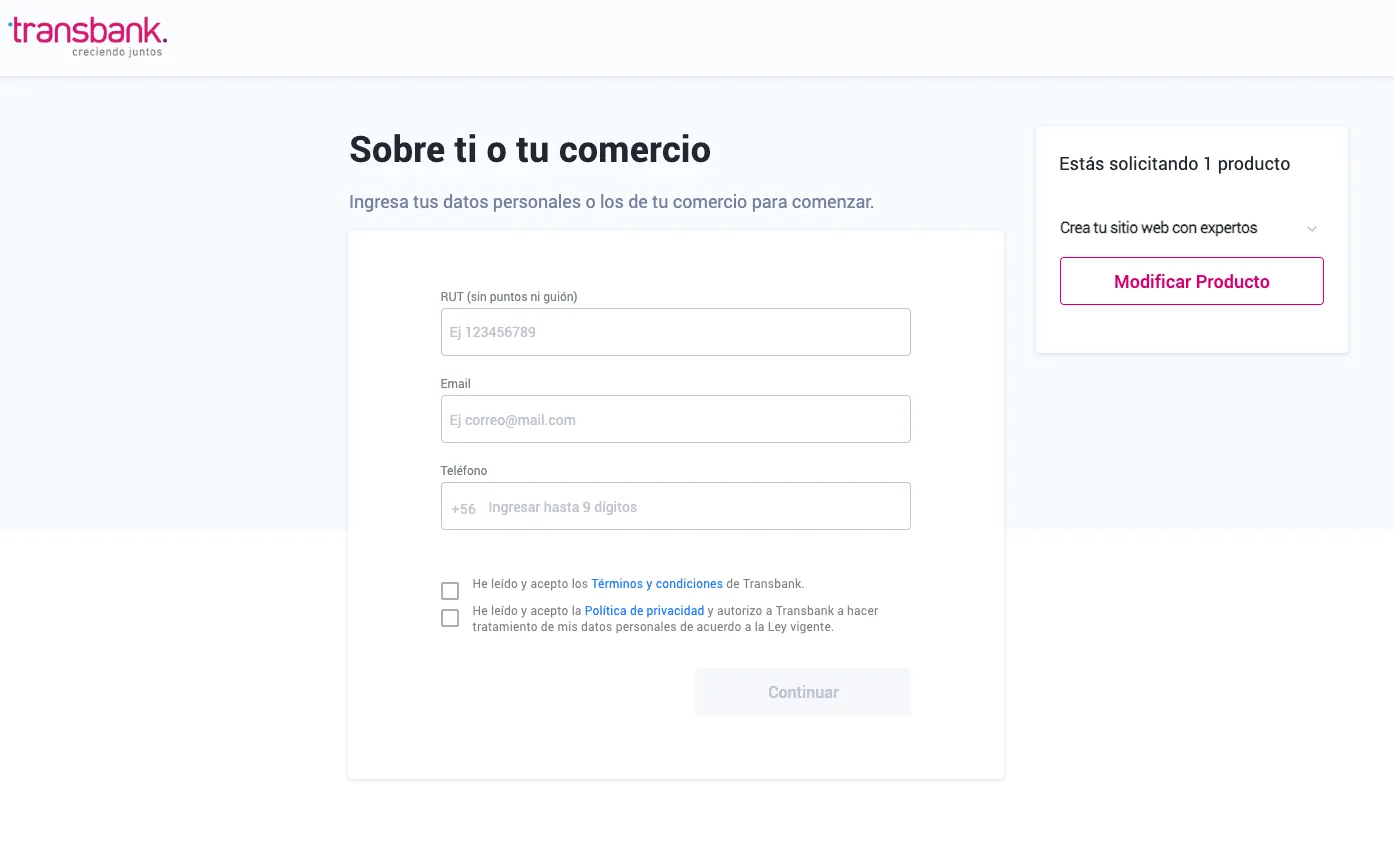
- Enter the requested information in the sign-up form.
- Move through the affiliation process, entering the required information at each step.
When you reach the step where you must select which company to integrate the Webpay Plus product with, search for and select Bolder
- When the affiliation process is done, you will receive your merchant code by email.
Turn on Webpay Plus PST in your Bolder store
With the information from the previous step, log in to your Bolder admin panel and go to Preferences **>** Purchase options **>** Payment methods
In the payment method selector choose Webpay Plus (PST Rest)
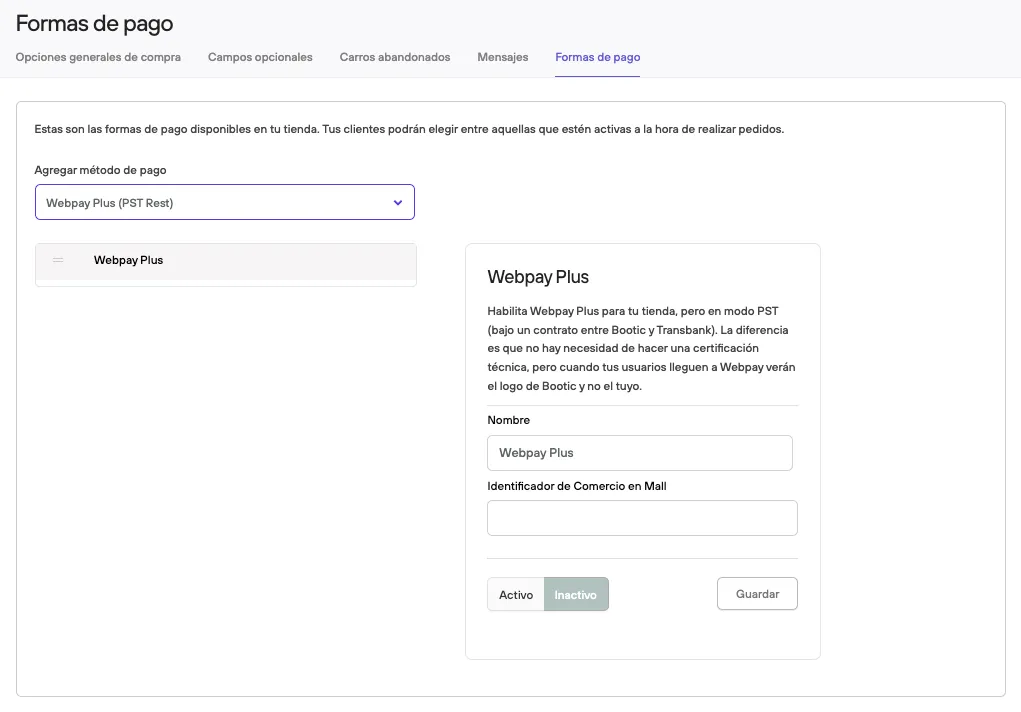
Fill in the merchant code that Transbank gave you, then press Active and Save.
Before making it available to your customers, we recommend placing a test purchase and checking that everything works correctly (and that the amount paid reached the account set up in Transbank).