

Enable Khipu as a payment method
Simplified transfers with Khipu
Khipu is a payment method that lets your buyers pay by bank transfer; the advantage is that, since it goes through their mobile app, the payee is notified that the payment (transfer) was made successfully, and the order is also closed automatically in your Bolder control panel.
Before you set up this or any other payment method, check the fees of the service (you sign up for the service directly with Khipu).
Steps to set it up in Bolder
To have this payment method in your Bolder store:
- You must open an account at Khipu.com and activate it
- You will need to verify your bank account with them by making a small deposit that will be returned to you within 24 hours
- Accept the Terms of the Contract
- With the previous step done, you will be able to get the API credentials. This information is what your Bolder store needs to be set up with this payment method
- Activate Khipu in your Bolder store
Here are the steps in detail:
Step 1: Registration and activation form
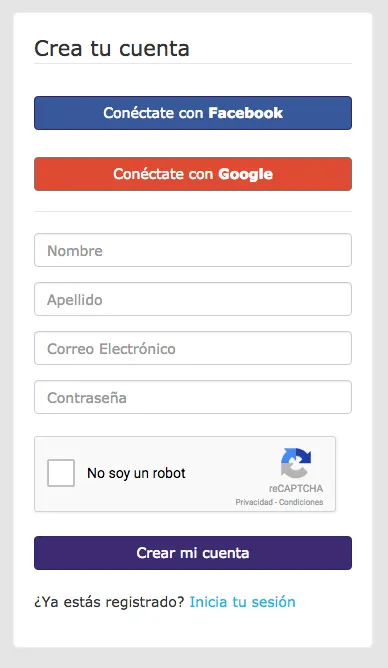
Go to Khipu.com and look for the “create account” link, as shown in the image below.
To finish the registration process, you will need to confirm your email by checking the message the system sends you.
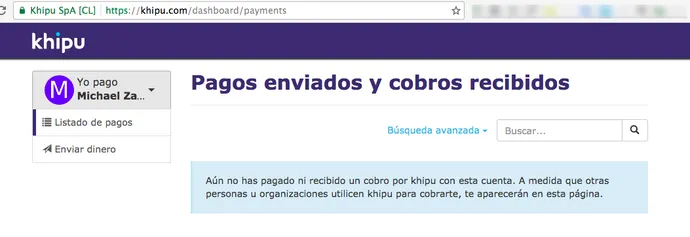
Once your email is confirmed, you will reach the Khipu home screen, as shown in the screenshot.
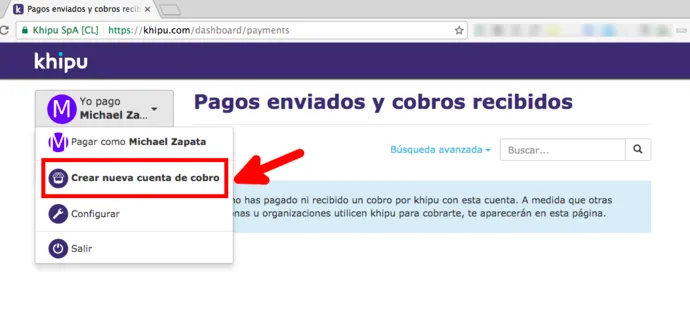
Go to your name (side menu) and select “Create new collection account” as shown in the image.
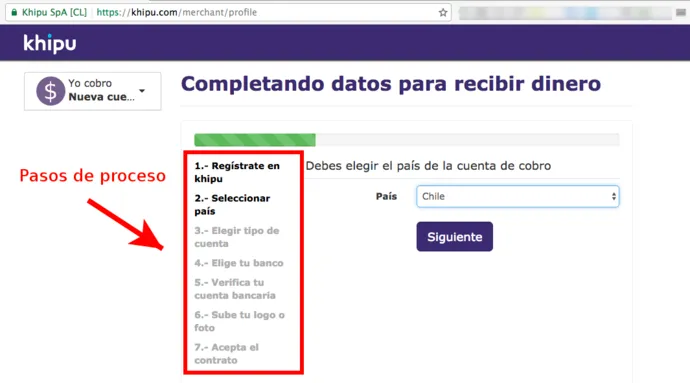
Here you will see the list of steps to create the collection account. Select the country (Chile):
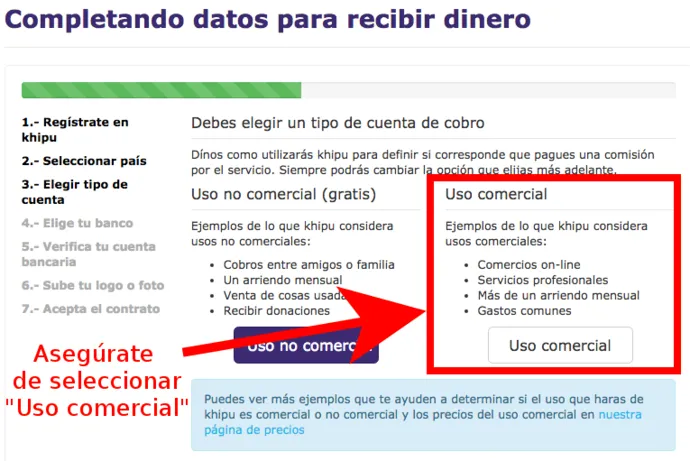
In the “Account type” step, make sure to select Commercial use as shown below:
Step 2: Verifying your bank account
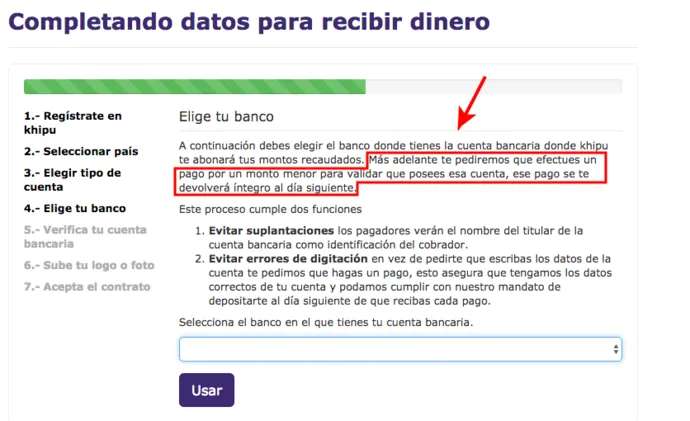
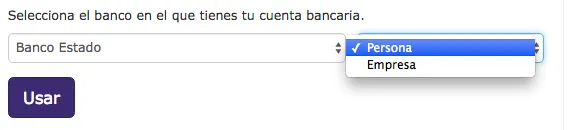
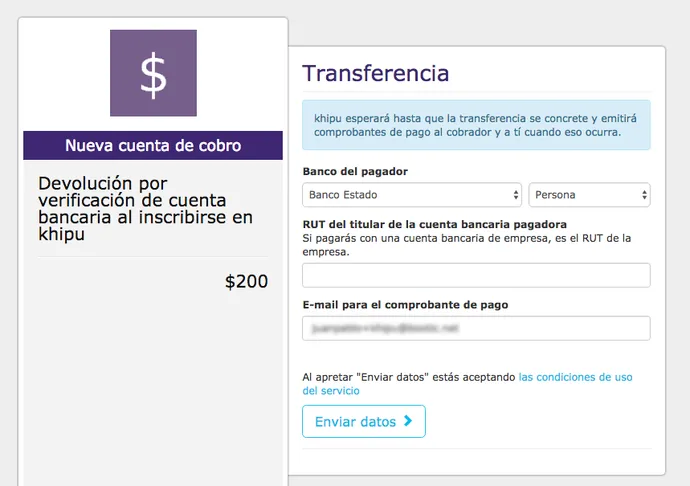
Choose your Bank. To verify your bank account you need to deposit $200 pesos to Khipu. They will be returned to you after 24 hours.
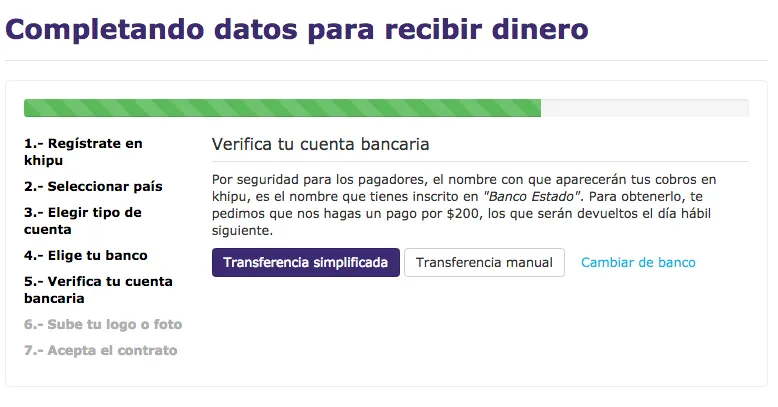
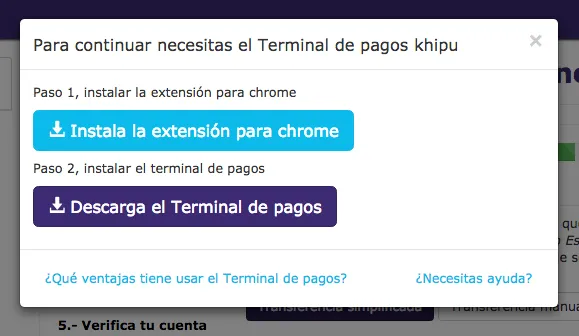
To report the $200 pesos verification payment for your bank account to Khipu, they offer you two options.
- Through Simplified transfer: you will need to download a program and then install it on your PC. Then you will be able to make the transfer using this software.
- The second option is to make a simple transfer of funds from your Bank to the Khipu account.
Step 3: Accepting the Terms of the Contract
Once the deposit is confirmed, you will need to Accept the Terms of the Contract.
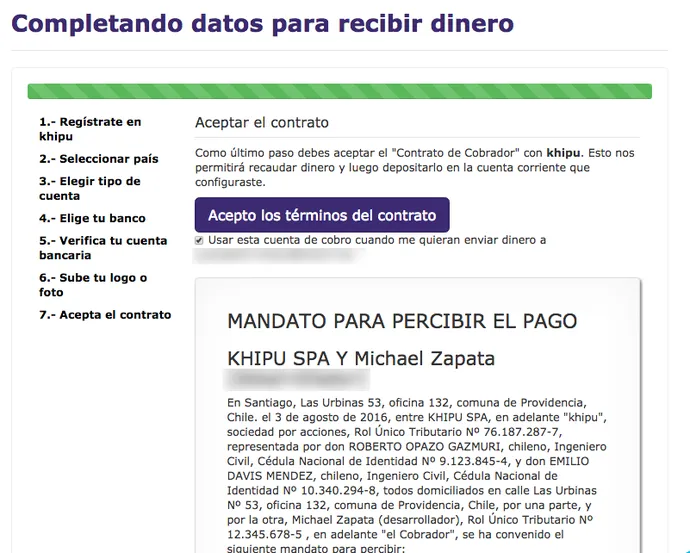
Then go to Account options - side menu.
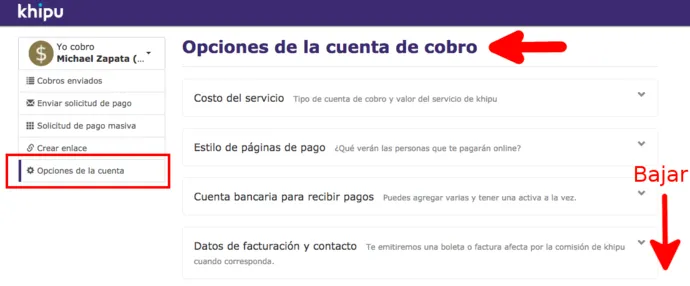
Step 4: API credentials
At the bottom of the page, look for the section To integrate Khipu into your website.
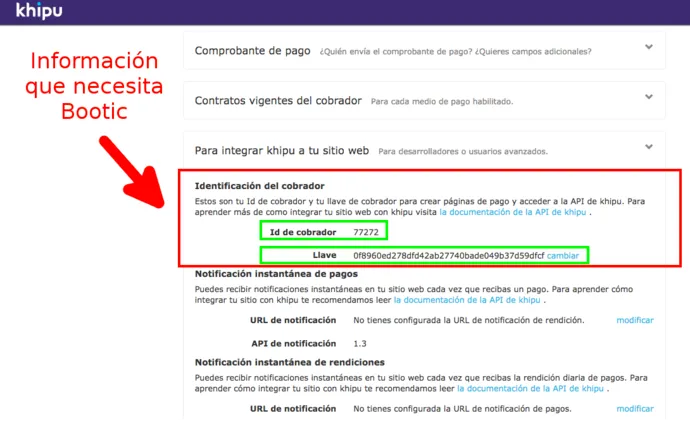
Step 5: Activate Khipu in your Bolder store
With the information from step 4, log in to your Bolder admin panel and go to Preferences > Purchase options > Payment methods
In the payment method selector, select Khipu
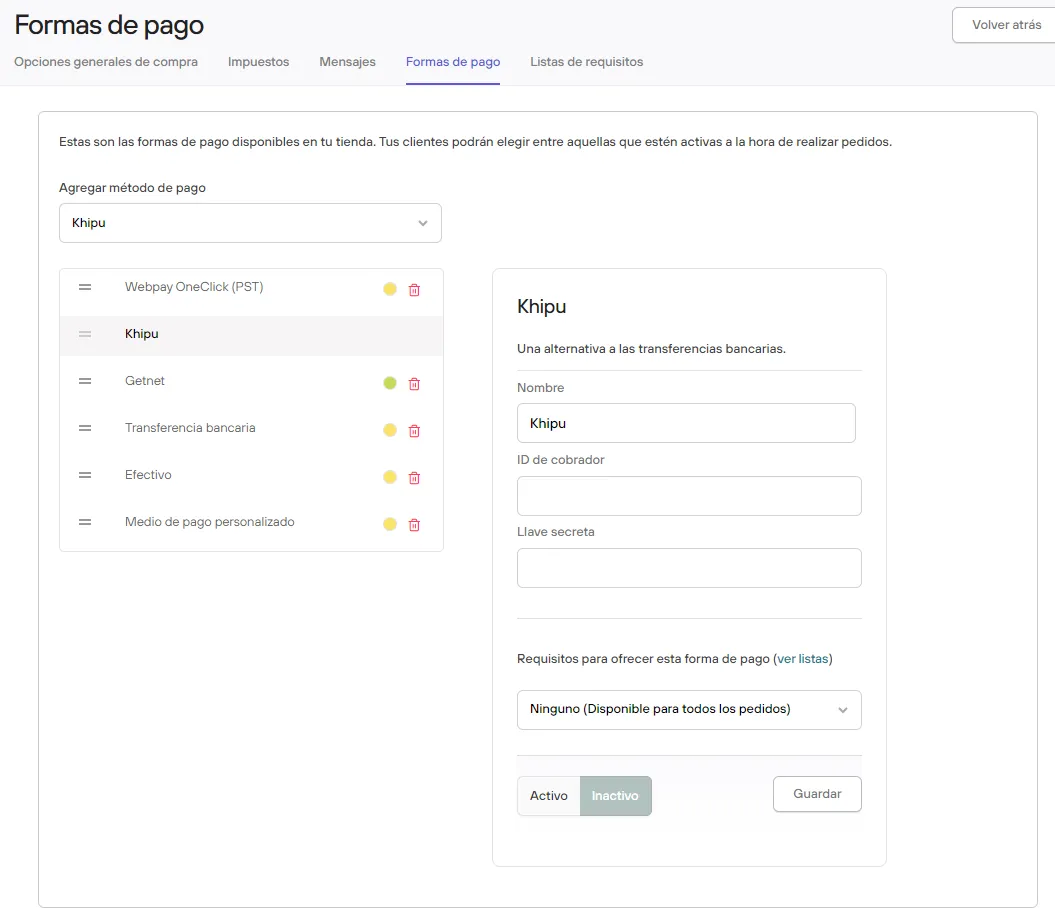
Fill in the information for Collector ID and Public key. Press Active and Save.
Once you activate the payment method, we recommend making a test purchase.
When the Khipu payment is ready, turn the option off until you confirm that the money was received correctly in the account.
Here we recommend waiting at least 24 hours to make sure there is no cancellation or reversal of the money.