

Enable Flow as a payment method
First, you need to sign up with Flow and select the option I want to receive payments through Flow.
Requirements
To connect Flow to your Bolder store you need:
- To be registered with Flow as a merchant.
- To have a Bolder account.
Get the data to set up your store
First, you need to get the data required for the integration. To do this:
- Go to Flow’s integrations portal
- Log in with the access details (email and password) linked to your Flow account.
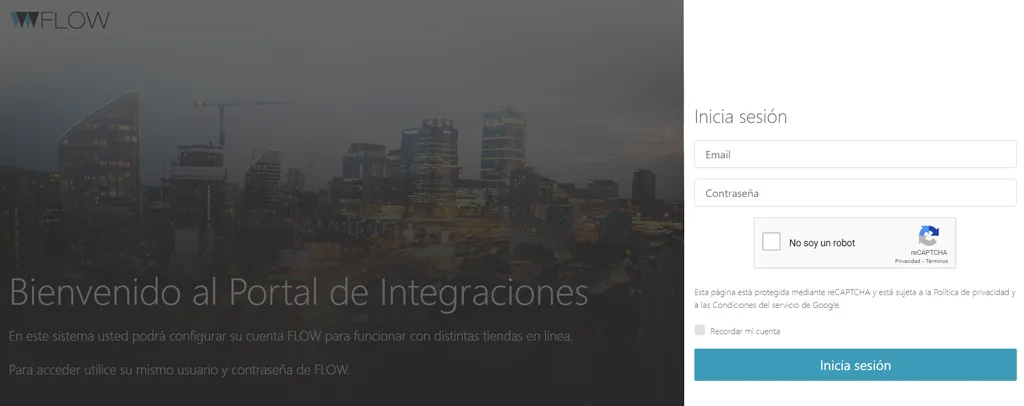
- Get your ApiKey and SecretKey from the My details section of your Flow account.
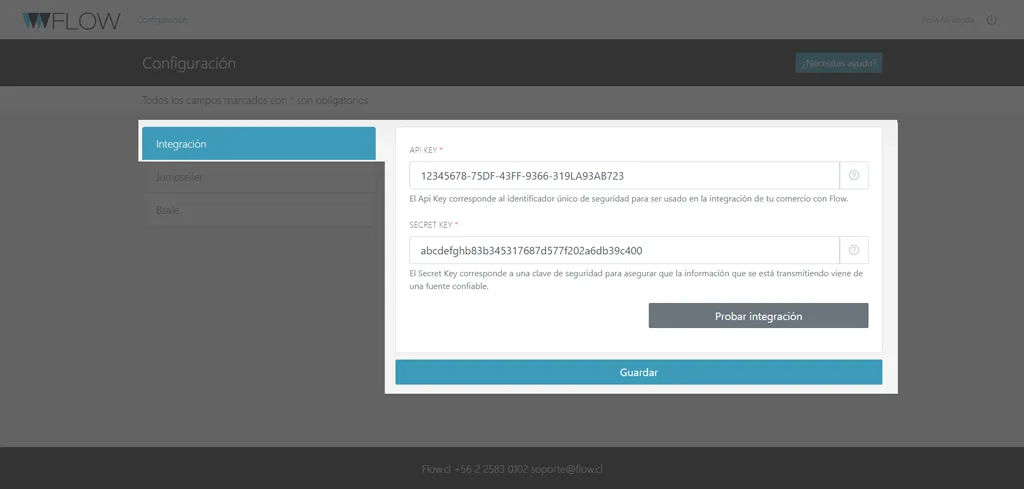
Enter the data in Bolder
With the data from your Flow account, go to the Payment methods section in Bolder, select Flow and enter the requested data:
- API key
- Secret key
- Payment option to use
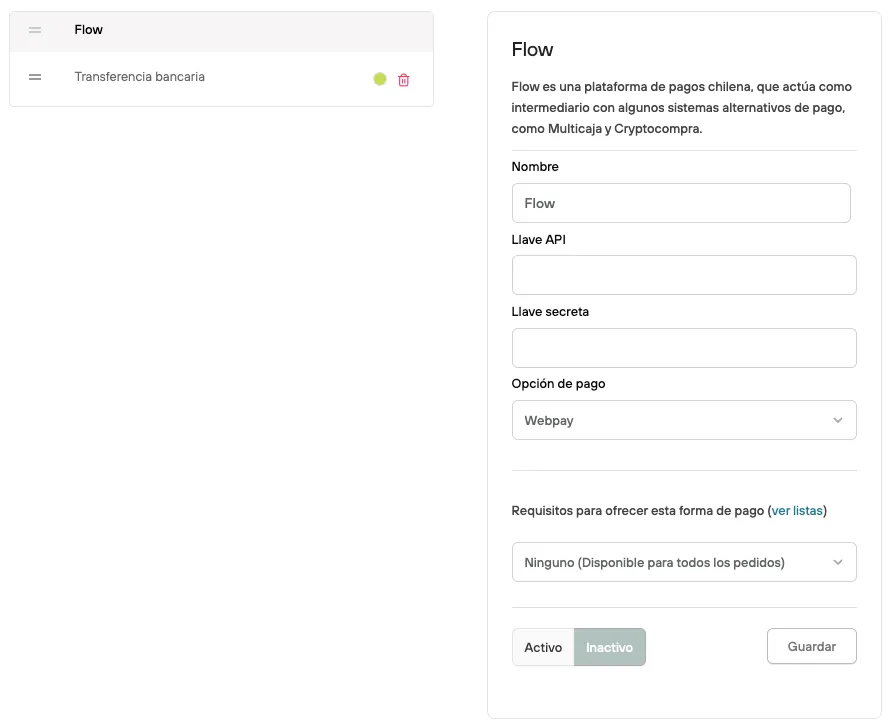
After that, Activate the payment method and then Save, and the payment method will be enabled in your store.