

Preferences: Purchase options
When you go to the admin > Preferences section > Purchase options, you can review and configure the information associated with orders and purchases: general purchase options, optional fields, abandoned carts, messages and payment methods.
General purchase options
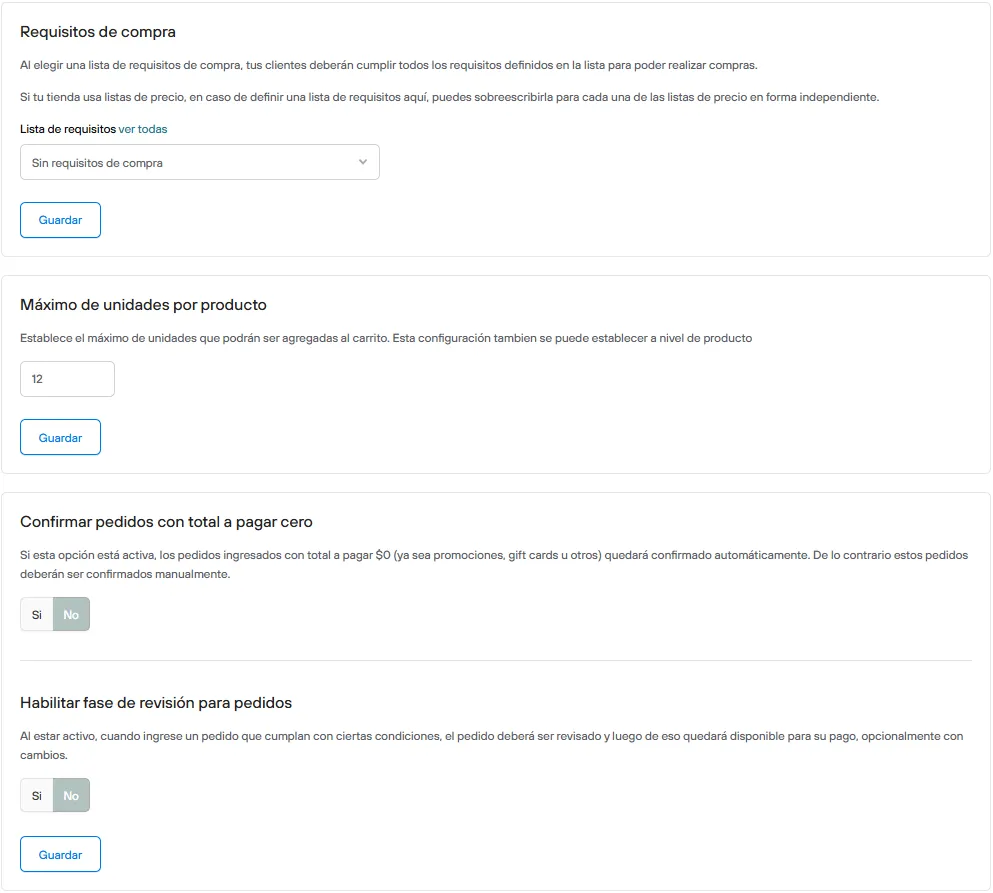
Order entry
- Purchase requirements
A set of conditions defined in a Requirements list
When you link a requirement in this section, your customer or their order must meet it to move on to checkout.
- Maximum units per product
Sets the maximum number of units that can be added to the cart for each product variant.
By default the maximum is 100 units of the same variant, but you can change this number as needed.
This setting can also be set at the product level.
- Confirm orders with a zero total:
If this option is on, orders placed with a $0 total to pay, whether by applying promotions, gift cards or others, will be confirmed automatically. Otherwise, these orders must be confirmed manually.
- Enable review phase for orders
If this option is on, when an order that meets certain conditions comes in, the order must be reviewed and then it becomes available for payment, optionally with changes.
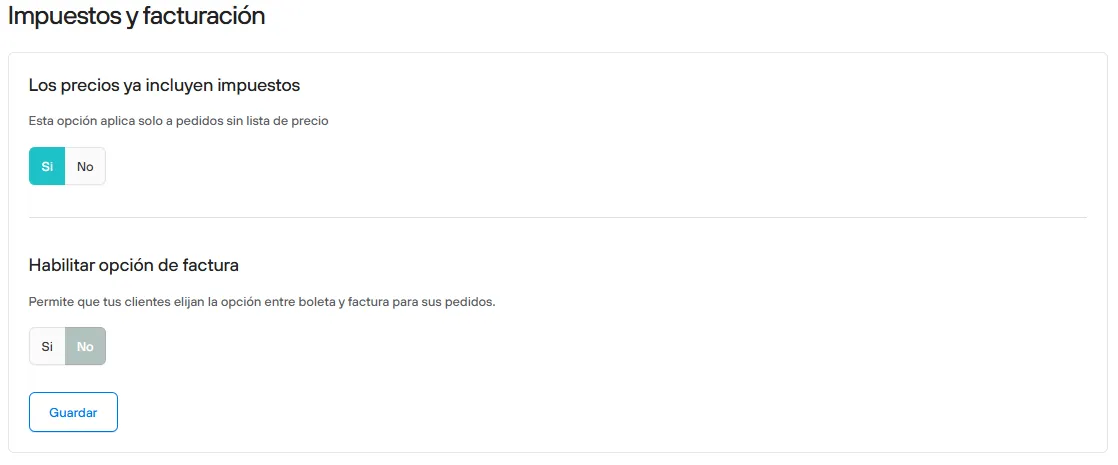
Taxes and invoicing
- Prices already include taxes
Determines whether products already include VAT in their set price, or whether the tax must be calculated at checkout.
- Enable invoice option
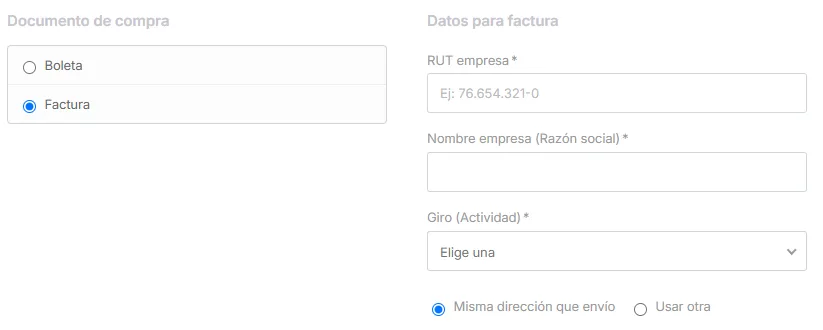
When you turn on this option, your customers can choose between a receipt or an invoice for their orders during the payment process. The information required to issue the tax document will be requested here.
Optional fields
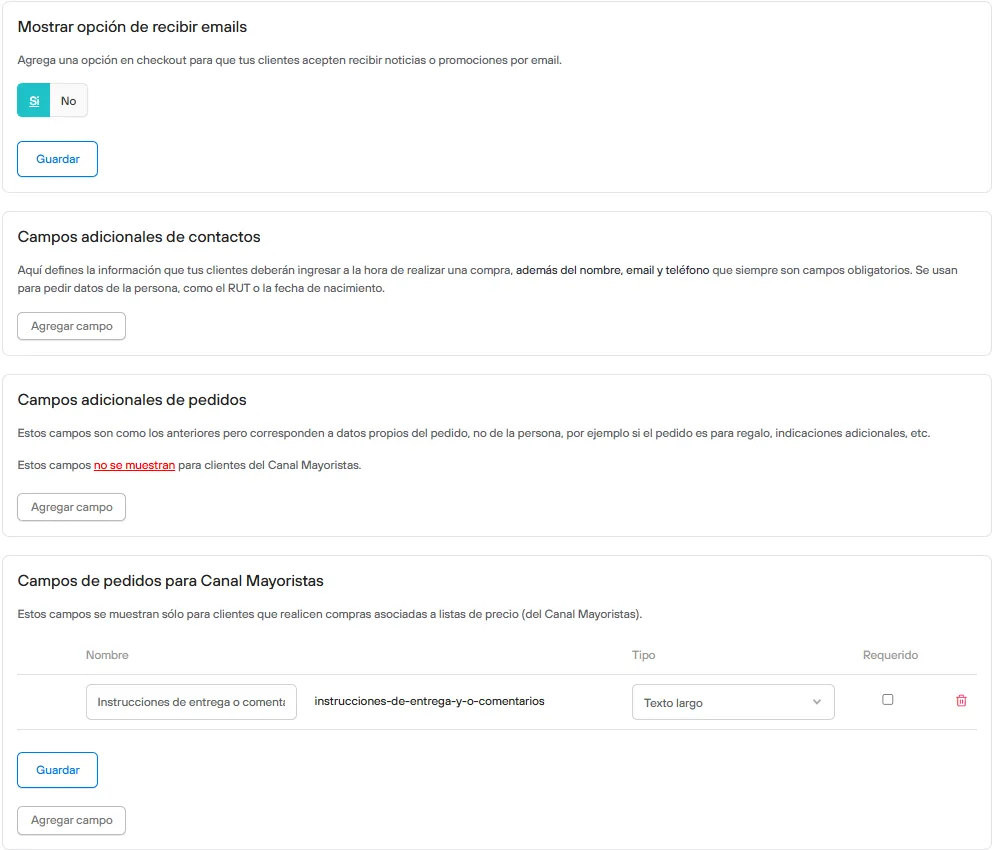
Show option to receive emails
Adds an option at checkout so your customers can agree to receive news or promotions by email.
When a customer agrees to be part of the promotional list, you can identify them with the messaging icon
In the customer export, it will be recorded with the field opt_in: TRUE .
If you are working with one of our integrations for mass messaging, customers who agree to be part of the promotional list will be synced automatically.
Additional contact fields
Here you define the information your customers must enter when making a purchase.
They are usually used to ask for personal details, such as the RUT or date of birth. These fields may or may not be required. The additional fields are shown next to the name, email and phone, which are always required fields.
This data is entered only once and then saved for future orders, with the option to change it when needed.
Additional order fields
These fields work similarly to the ones described above, but they correspond to data specific to the order, not the person, for example whether the order is a gift, additional instructions, etc.
These fields do not apply to customers in Wholesale groups.
Order fields for the Wholesale channel
These additional fields are shown only to customers who make purchases associated with Wholesale channel price lists.
Abandoned carts
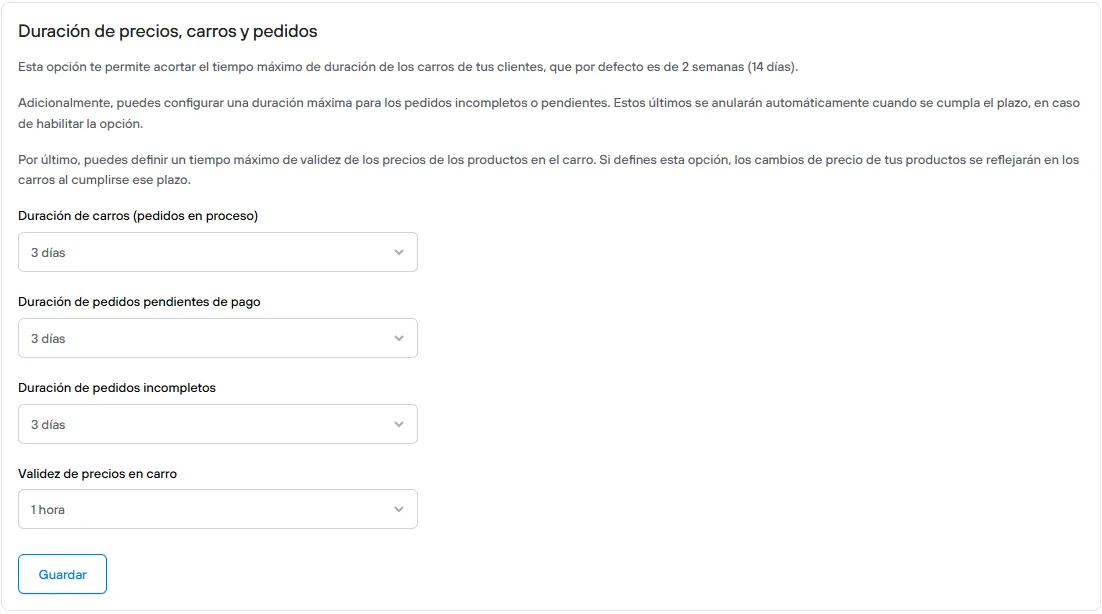
Duration of prices, carts and orders
Here you can set how long carts (orders in progress), orders pending payment and incomplete orders are kept, and how long prices in the cart stay valid.
See the details of this setting here.
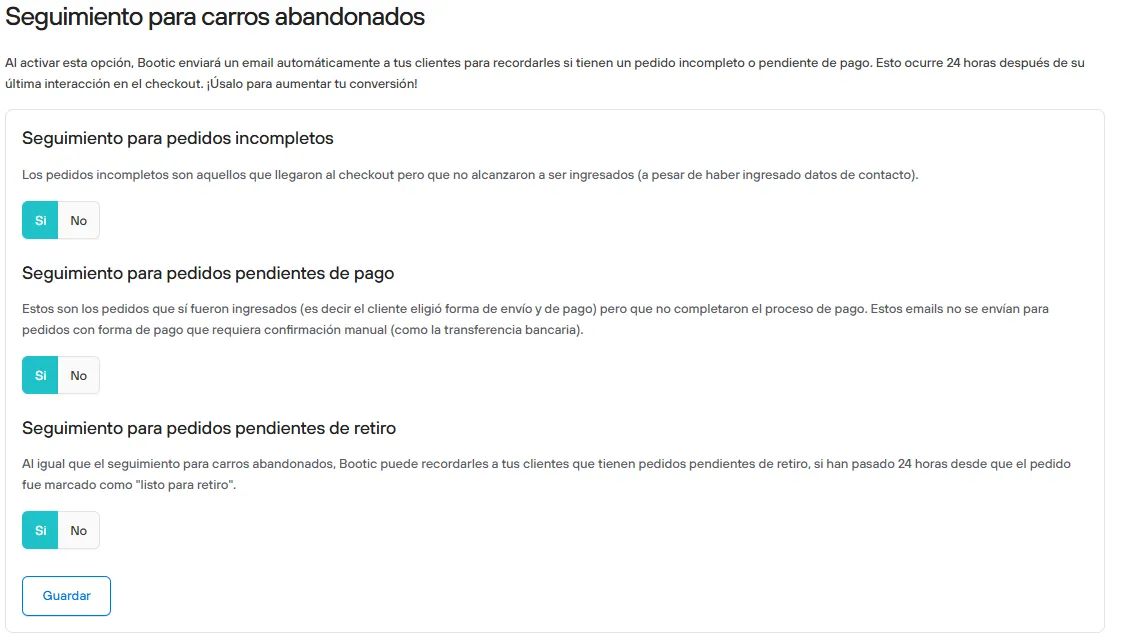
Abandoned cart follow-up
-
Follow-up for incomplete orders:
Incomplete orders are those that reached checkout but were not placed (even though contact details were entered). This notification is sent once 24 hours have passed since the order became incomplete and it has had no new activity.
-
Follow-up for orders pending payment:
These are orders that were placed (that is, the customer chose a shipping and payment method) but did not complete the payment process. These emails are not sent for orders with a payment method that requires manual confirmation (such as bank transfer).
By default, a first notification is sent 5 minutes after the order is placed and its payment status has not changed. When you turn on this follow-up, a second notification is sent after 24 hours without new activity on the order.
-
Follow-up for orders pending pickup:
As with abandoned cart follow-up, Bolder can remind your customers that they have orders pending pickup, if 24 hours have passed since the order was marked as “ready for pickup”.
Messages
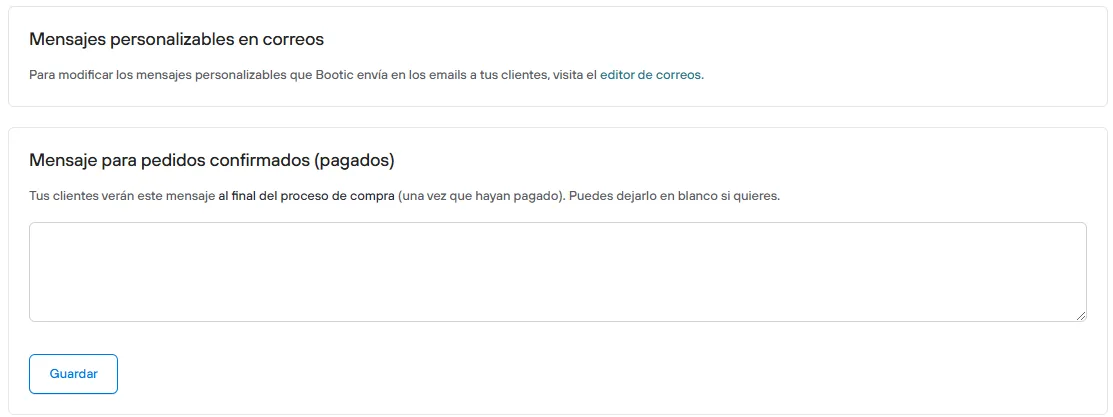
Customizable email messages
Secondary access to the email editor.
Message for confirmed (paid) orders
Your customers will see this message at the end of the purchase process, once they have paid.
Setting this message is optional, you can leave it blank.
Payment methods
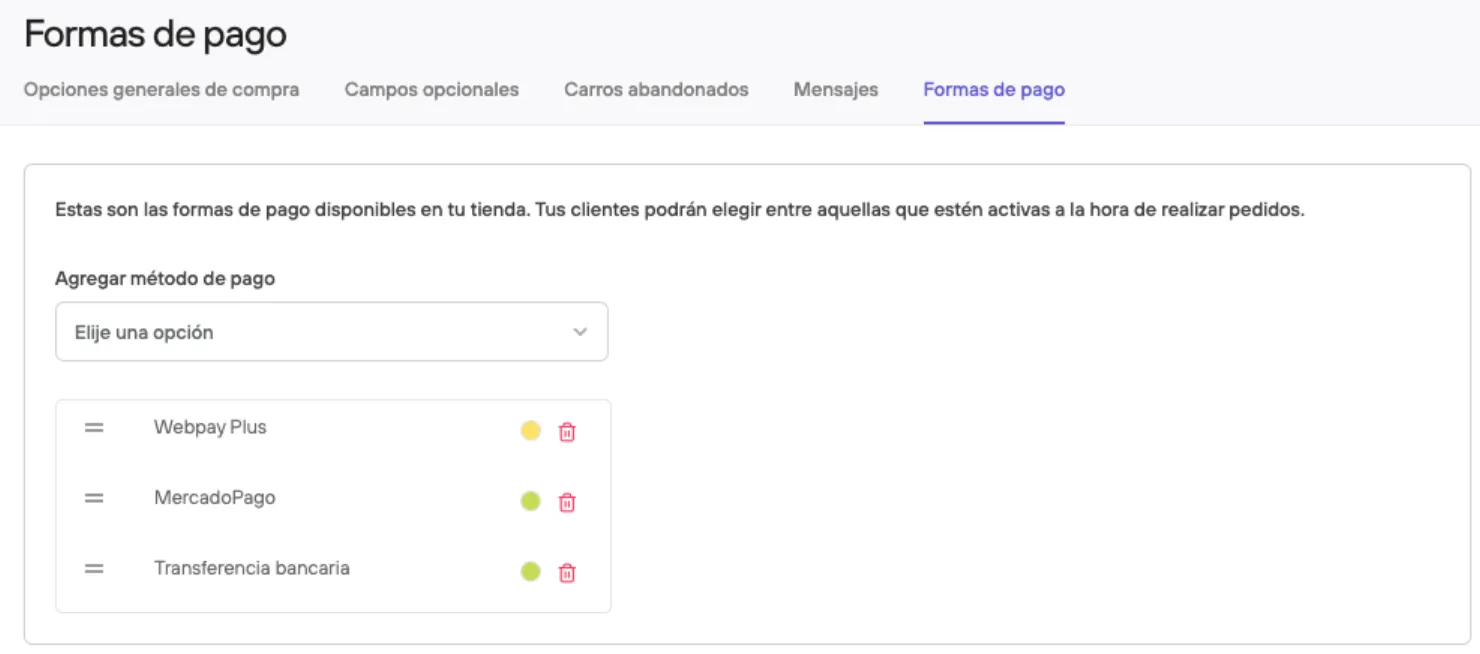
In this view you can select the payment method to add to your store, then enter the required information and decide whether to leave it active or not.
See here the payment methods available for activation.
Requirements lists
Purchase requirements represent a set of conditions that are optionally linked to General purchase options, Customer groups, Payment methods, Delivery options, the Request invoice option and the Order review flow
See more information about purchase requirements here.