

Payment methods in your Bolder store
Bolder gives you the option to offer different payment methods to your customers.
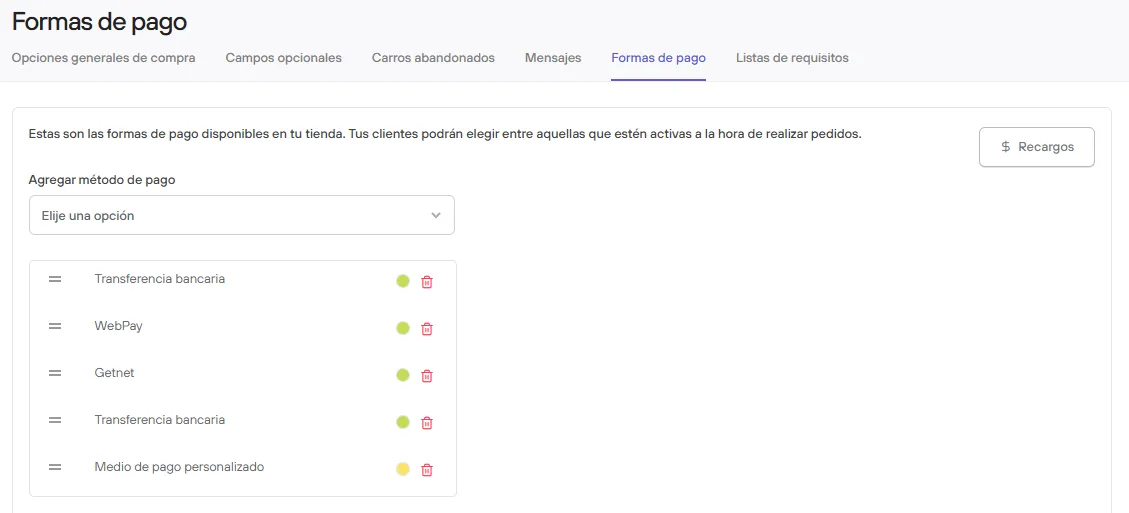
To set up the options you choose, in your Bolder admin panel go to Preferences > Purchase options and select the Payment methods tab.
In this view you can select the payment method to add to your store, then enter the required information and decide whether to leave it active or not.
Available payment methods
The following are the methods currently available in Bolder.
If you have questions about setting them up, or want to add one you don’t see in the list, don’t hesitate to contact our support team.
- Flow
- Getnet
- Khipu
- Kushki
- MACH
- Mercado Pago
- TUU
- PayPal
- PayPal Express
- Servipag
- Bank transfer
- International bank transfer
- Virtualpos
- Webpay Plus
- Webpay Oneclick (PST Bolder)
- Custom payment method
Each option has 3 states:
- Not configured: The details needed to connect it to the store have not been entered.
- Inactive: The details were entered, but even though it is connected to the store, it is not available for customers to select at checkout.
- Active: Configured and available for customers to select at checkout.