

Enable Kushki as a payment method
Kushki is an online payment processor that lets you accept credit cards, debit cards and alternative payment methods, depending on the country. Transactions are processed locally in each country where Kushki operates.
To connect Kushki to your store, you need your public and private keys.
How do I find my Kushki public and private keys?
To find where the public and private keys for your business are located, follow these steps:
| 🔐 Required permissions:Keep in mind that, to view your credentials, you must sign in to your business console with a Master User or Credentials Master role. |
|---|
- Sign in to the Administration console with your username and password.
- In the side menu, go to the Developers module.
- Click the Credentials option.
- In the Credentials dashboard you will find the full list of existing credentials linked to your business. In each row you will see the public key and private key for each credential ID.
- Click the clipboard icon to copy the keys so you can paste them into your store admin.
Activate Kushki in your Bolder store
With the information from the previous step, go to your Bolder admin panel and go to Preferences > Purchase options > Payment methods
In the payment method selector, choose Kushki
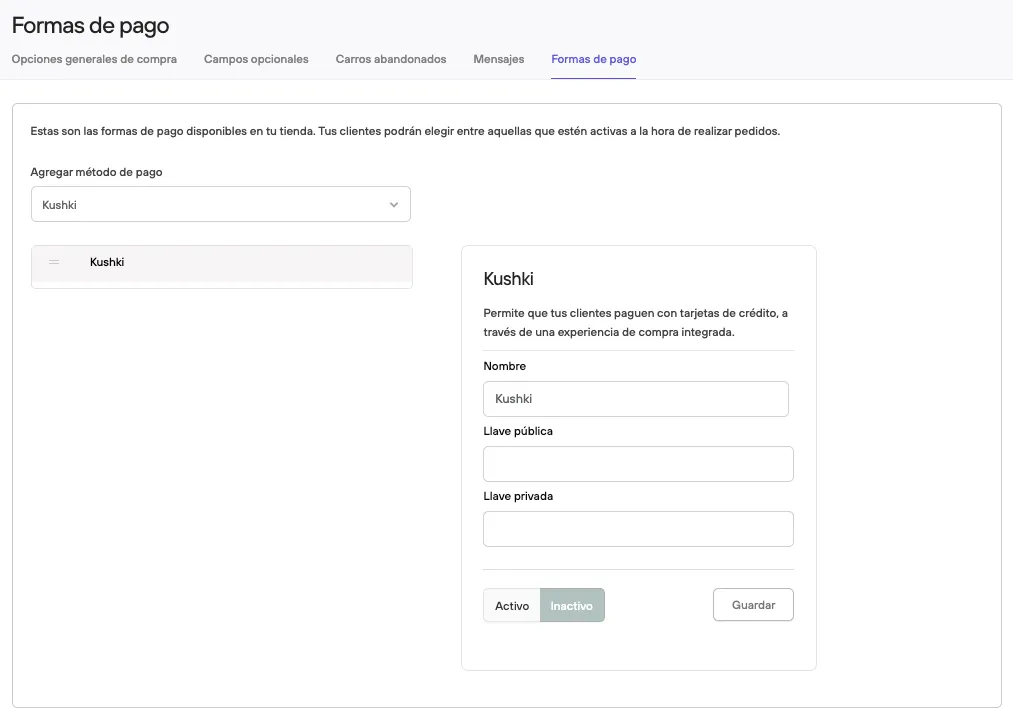
Fill in the Public key and Private key fields.
Select Active and Save.