

Enable MACH as a payment method
MACH has no maintenance fees and lets customers who may not have a credit or debit card buy in your store.
To set up this payment method in your store you need to:
- Register your business
- Sign in to pay.somosmach.com with the user and password given to you by MACH
Next, you will need to create a Webhook and an API Key
How do I create a Webhook from the MACH portal?
| To create a webhook:Sign in to the MACH portalClick Settings > For DevelopersClick Webhooks in the top menu.Click +New WebhookA window will open for you to set it upEnter the URL https://www.acme.cl/mach/acme/webhooks (where www.acme.cl is the URL of your store)Select the events you want to be notifiedClick Create Webhook and you’re done! | 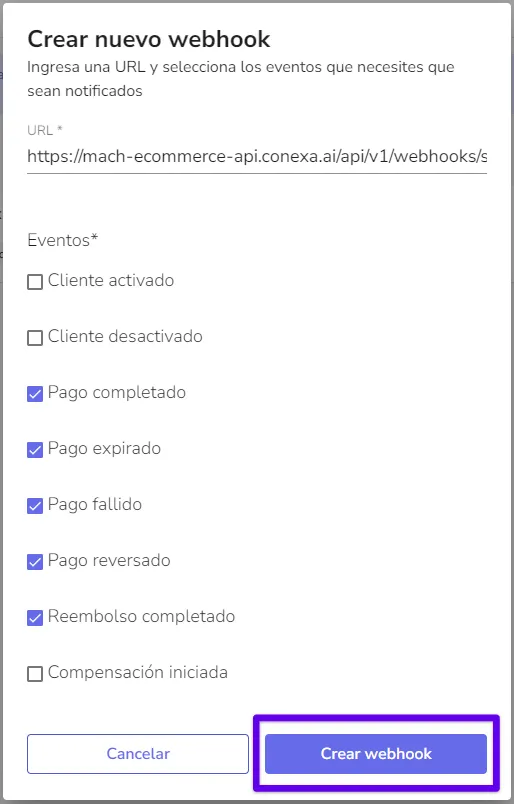 |
|---|
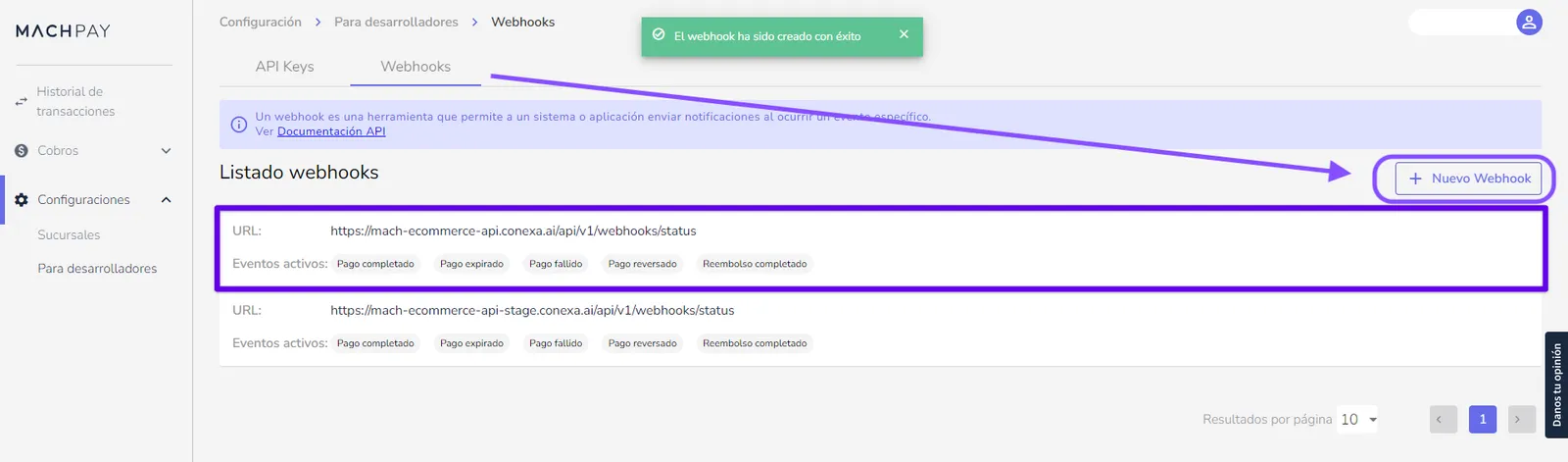
👉This setting, like API Keys (authentication tokens), depends on the environment where it is created: production or Sandbox (test mode). In your case, to work correctly, it must be created in the production environment.
How do I create an API Key from the MACH Merchants Portal?
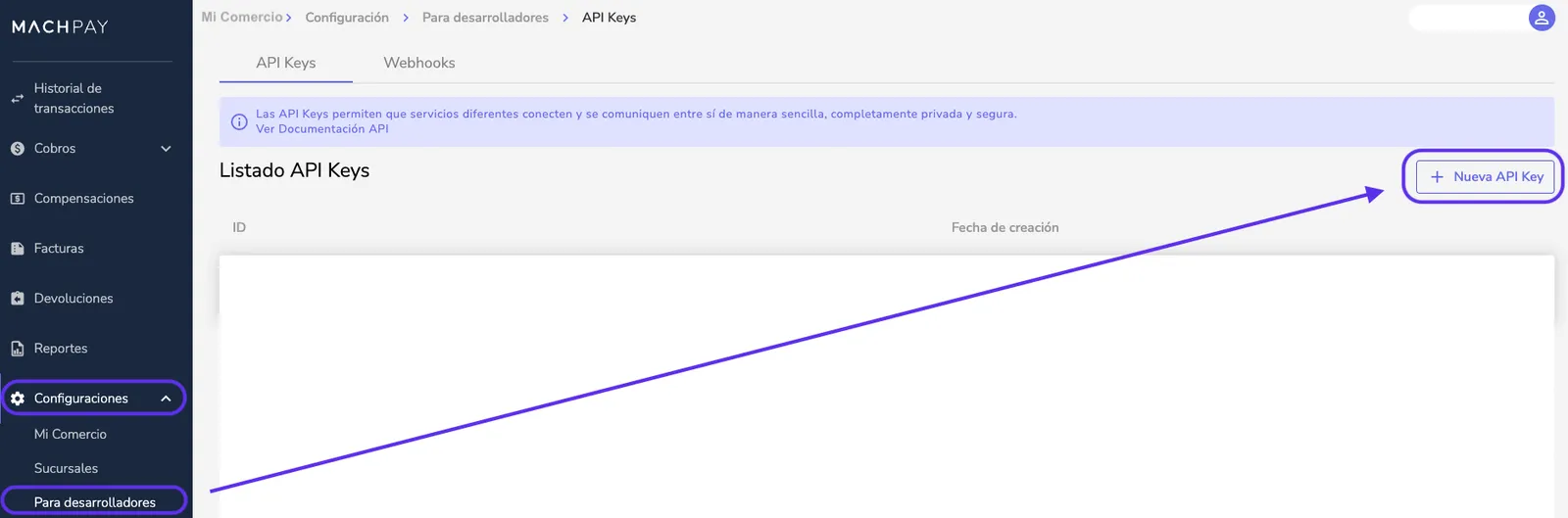
The API Key is an authentication key that connects your business with MACH. You can create it from the merchants portal by following these steps:
- Sign in to your MACH Portal
- Go to the Settings menu
- Choose For Developers
- Select API Keys
- Select + New API Key
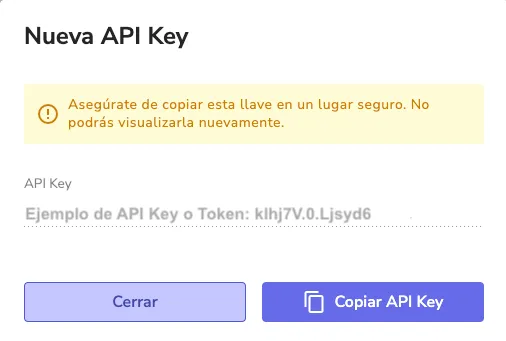
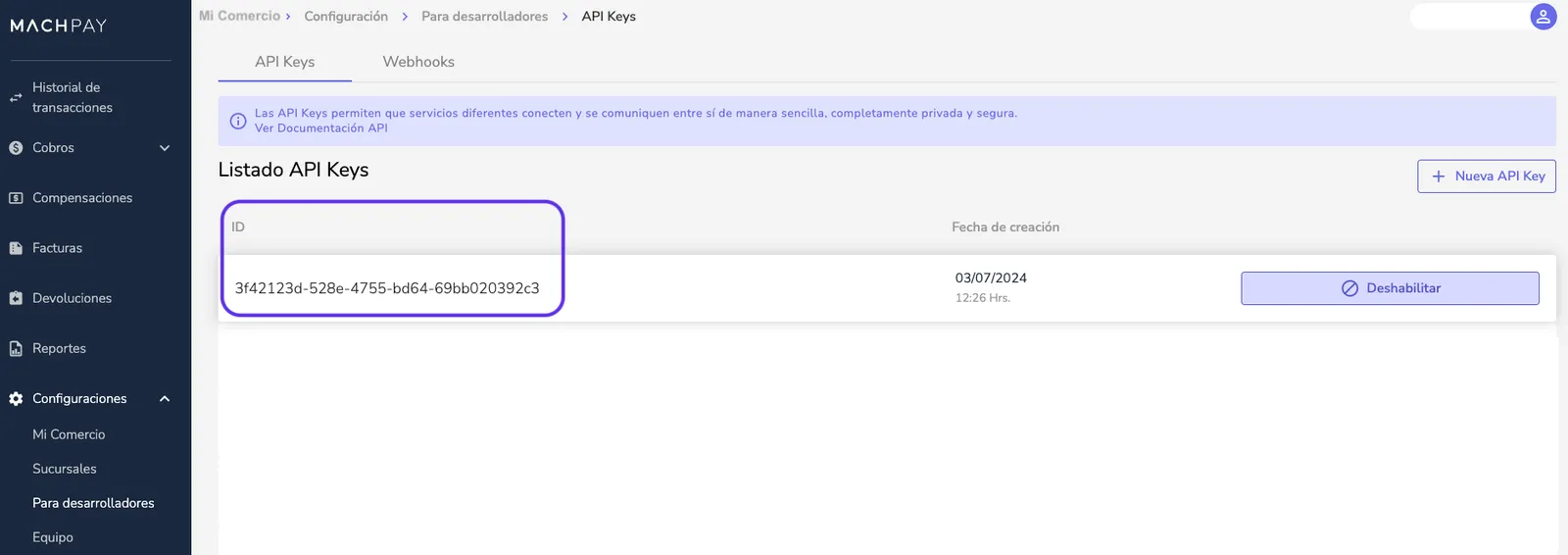
You can copy this API Key and use it to integrate MACH payments in your store (it is also known as an access key)
Once it is created, you can see your API Key or Token, which you can copy and enter in the integration you are setting up.
 |
|---|
Once it is created, you can see your credential ID in the API Keys list
How do I get the secret key?
For now, this code must be requested directly from MACH, through their support for partner businesses.
Activate MACH in your Bolder store
With the information from the previous step, sign in to your Bolder admin panel and go to Preferences > Purchase options > Payment methods
In the payment method selector, choose MACH
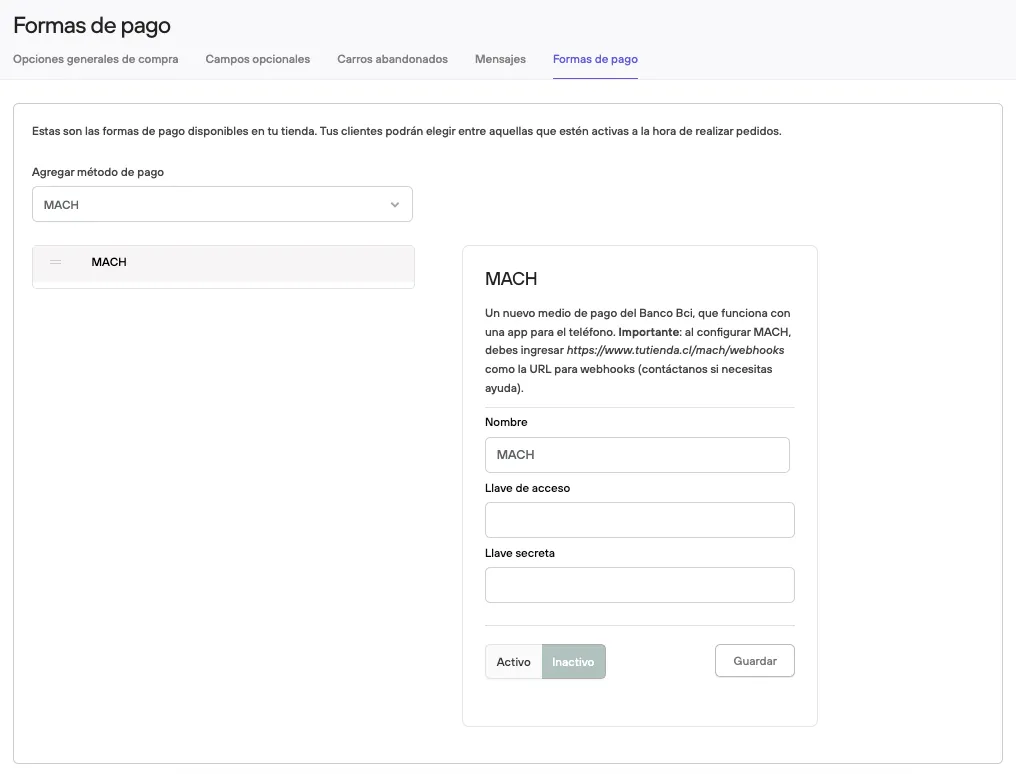
Fill in the Access key and Secret key.
Press Active and Save.