

Cart limit meter
The Cart Limit Meter is a native Bolder widget designed to motivate your customers to complete their purchase and increase the average order value.
This tool shows, in real time, how much more the customer needs to spend to get free shipping on their order.
Setup
-
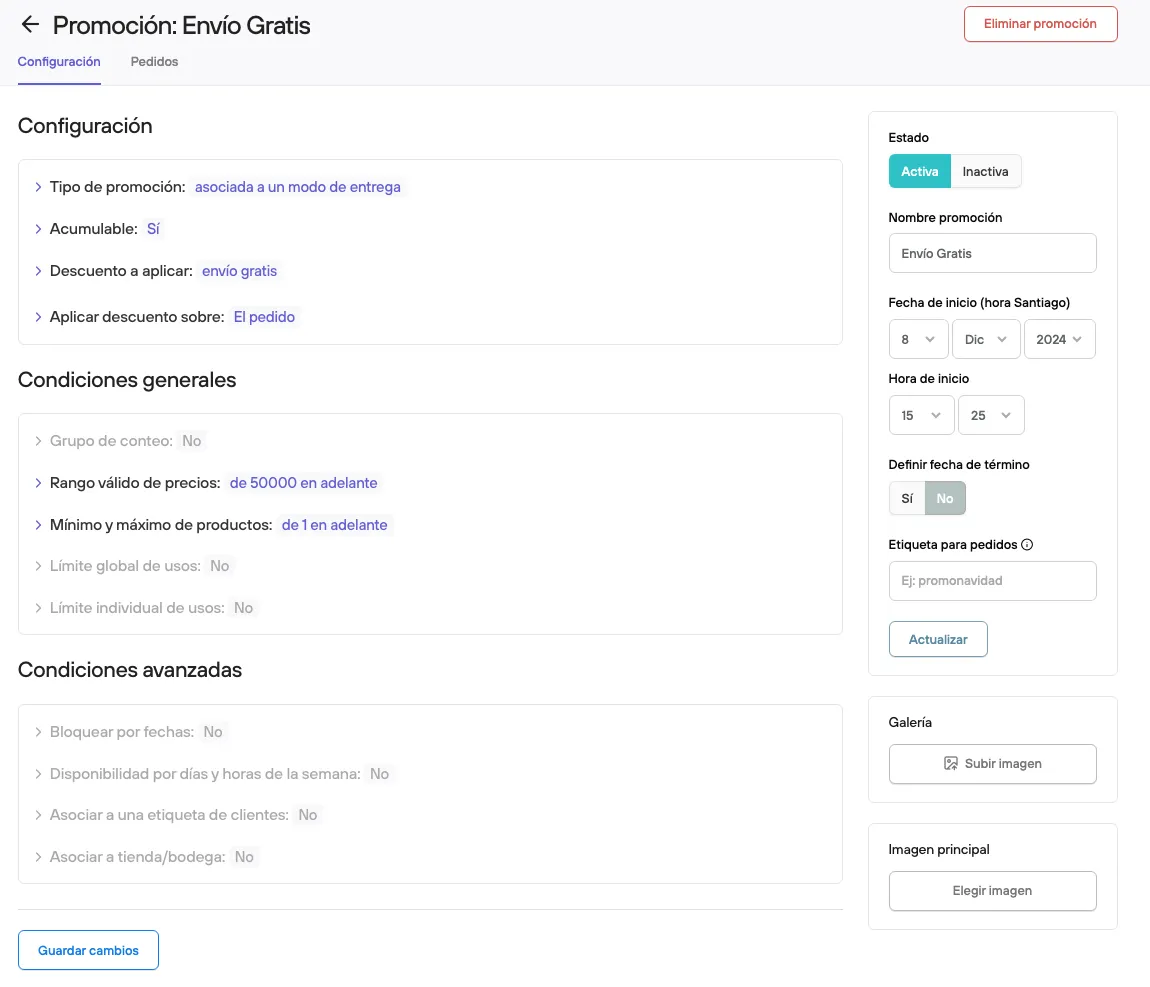
To offer free shipping to customers, you first need to create the promotion.
From the admin > Promotions and discounts > Create new promotion.
Here you define the parameters that will trigger this promotion.
Example: Free shipping on purchases over $50.000
-
Once the promotion is created, you need to turn on the widget, which will show the information to your customers.
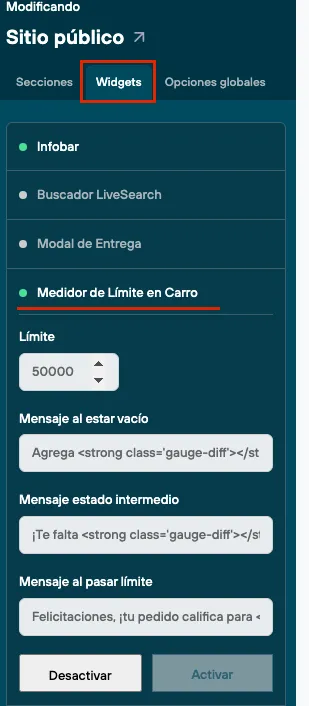
From the admin panel > Design > Customize current design > Widgets > Cart limit meter. Here you will need to fill in the fields according to the information you set up earlier:
-
Limit: The minimum purchase amount a customer must reach to get free shipping. In the example it would be 50.000.
-
Message when empty: The text shown in the cart when no products have been added yet.
The default text is “You are ($) away from free shipping” (the value is calculated automatically). For the example, the text would be “You are 50.000 away from free shipping”.
Depending on your site’s setup, this message may not be shown.
-
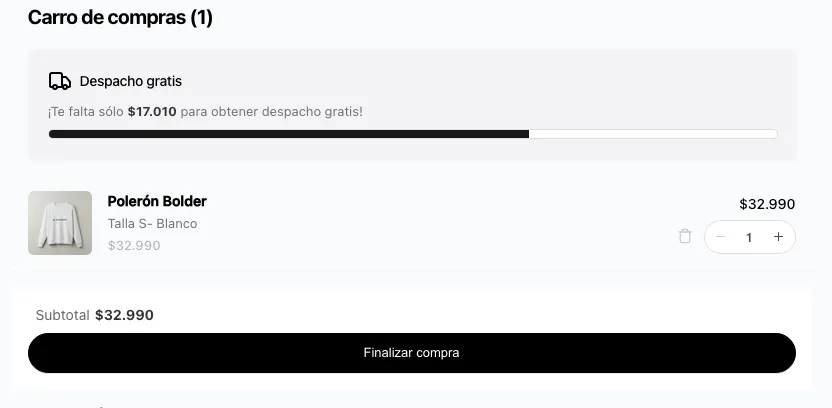
Intermediate state message: Shown when the customer already has products in their cart but hasn’t reached the minimum amount set as the limit. This message updates automatically based on the current cart value and shows how much more the customer needs to get the benefit.
-
Message when limit is passed: Message shown when the set limit is exceeded.
The default is “Congratulations, your order qualifies for free shipping!” and you can change it as you need.
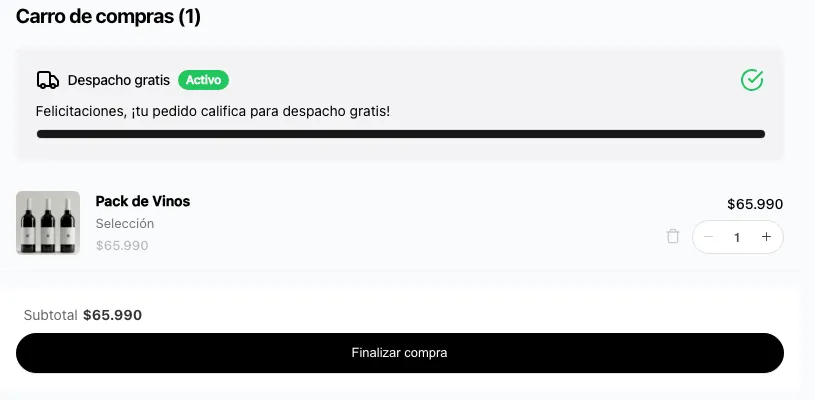
When you turn on the meter, the information is shown to all customers on all incoming orders, so we recommend creating a promotion that applies in all cases, so you don’t give customers incomplete or wrong information.